Need a reliable timesheet to log your work hours accurately? Whether you're a contractor, freelancer, or part-time employee, these 12 professional templates for Excel and Word make tracking effortless. They handle everything from daily/weekly hours to breaks, overtime, and unpaid leave, sourced from trusted providers like Vertex42 and CalculateHours.com.
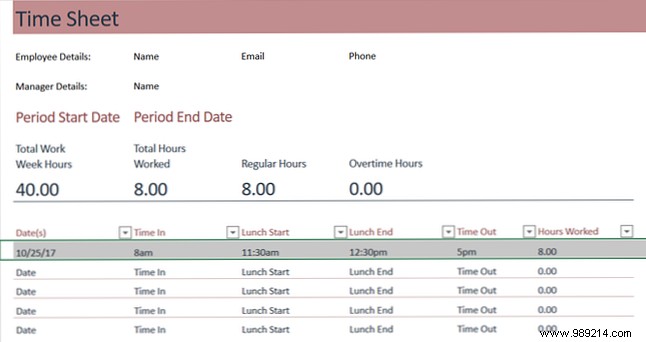
This Microsoft Excel template is ideal for weekly hour tracking. Enter your name, email, phone, and manager details, plus start/end times and lunch breaks. Totals calculate automatically at row's end, with overtime flagged over 40 hours. Columns are sortable for flexibility.
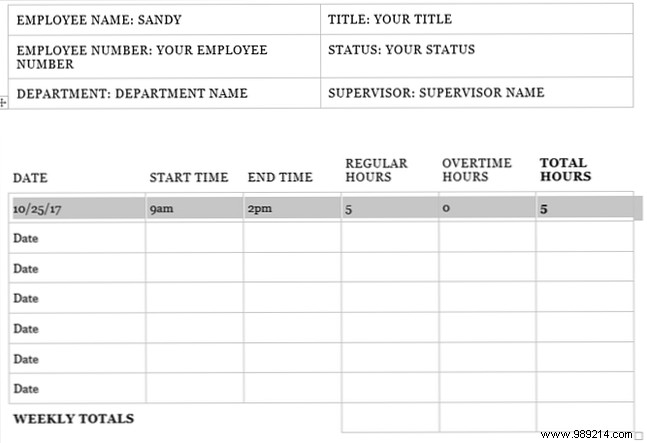
Prefer Word? This Office template includes space for company info, your name, title, status, and employee number. Log start/end times, regular/overtime hours, and row totals. Signatures go at the bottom for approval.
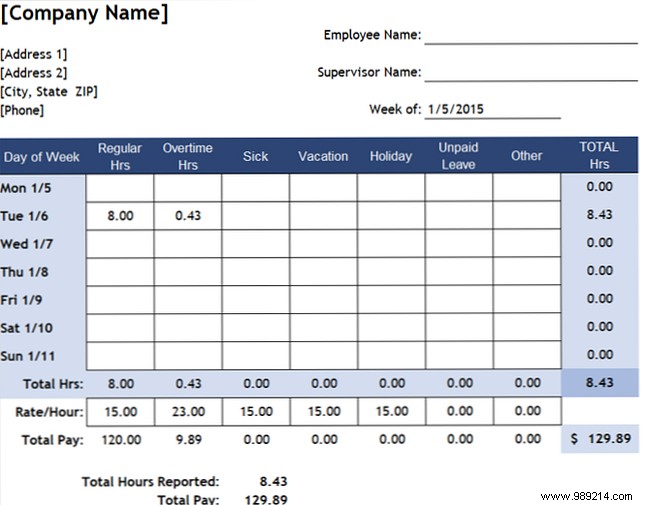
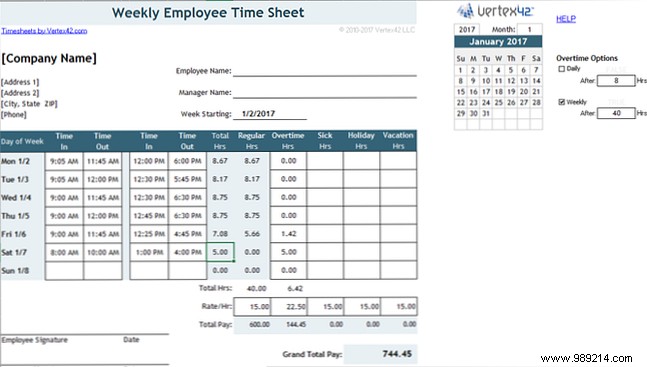
Vertex42's Excel template tracks regular/overtime hours, sick time, vacations, holidays, unpaid leave, and more. Add hourly rates to compute totals for paid/unpaid time. Includes tabs for biweekly and hours/minutes formats.
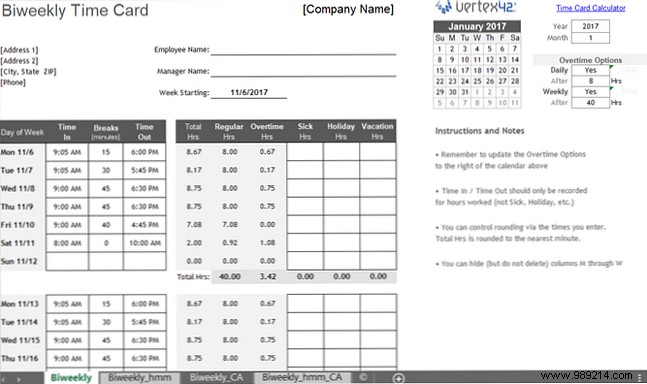
Perfect for biweekly pay, Vertex42's Excel workbook auto-calculates totals. Tabs for hours or hours/minutes, plus California-specific versions. Input personal info and rates for instant pay breakdowns.
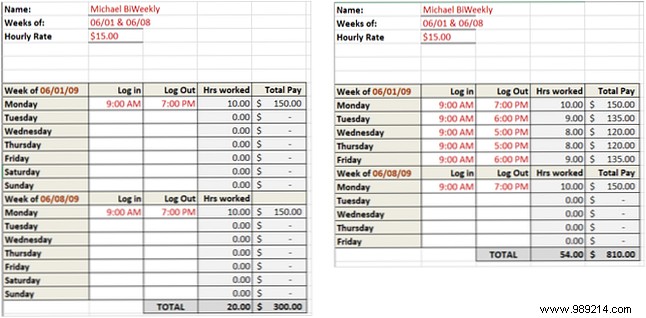
Keep it simple: Enter login/logout times for automatic calculations. Add your rate at the top to track daily/weekly/total pay. Tabs for 7-day or Mon-Fri weeks. From CalculateHours.com's Excel Biweekly Timesheet.
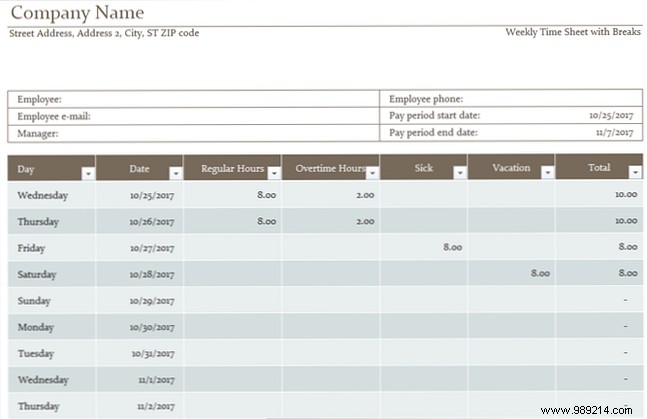
Microsoft's template handles regular, overtime, sick, and vacation hours with auto-totals. Sortable columns, signature lines, and a polished design make it professional-ready.
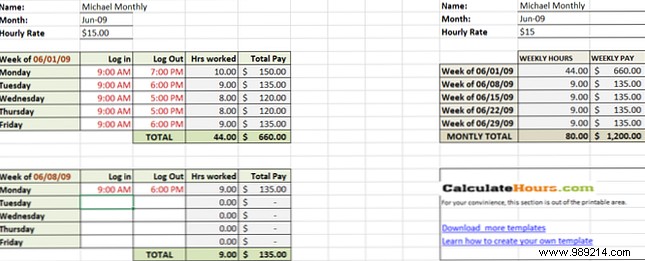
Track monthly hours without daily breakdowns. Auto-sums weekly and totals. Tabs for 7-day or Mon-Fri weeks. From CalculateHours.com's Excel Monthly Hour Sheet.
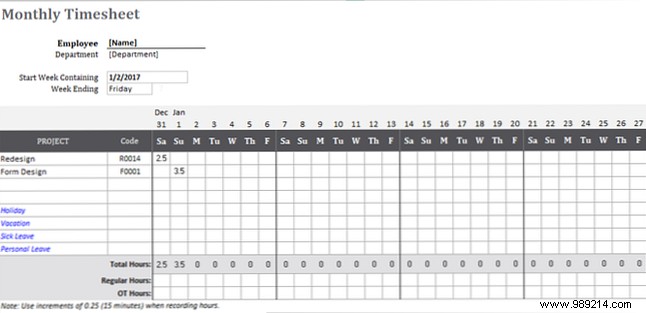
Log daily hours by project. Include name, department, project names/codes, and leave types. Signatures at end. Ideal for project-based tracking.
Vertex42's template suits split shifts. Enter on/off times (using specified format) for auto-regular hours and pay totals. Tabs for weekly/biweekly; add vacation/sick time.
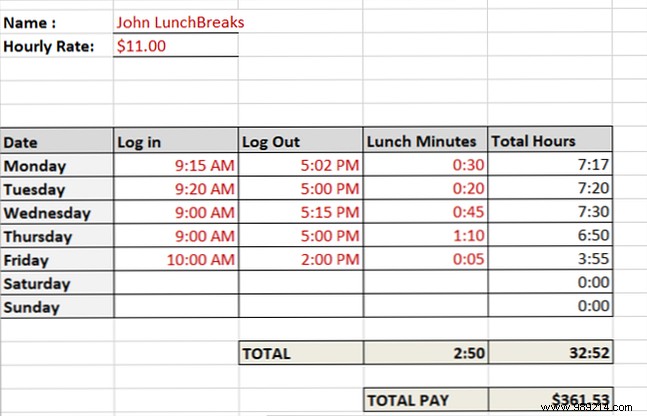
Enter login/logout and lunch minutes for daily/monthly totals and pay. Clean design from CalculateHours.com's EASY Weekly Lunch with Lunch Minutes.
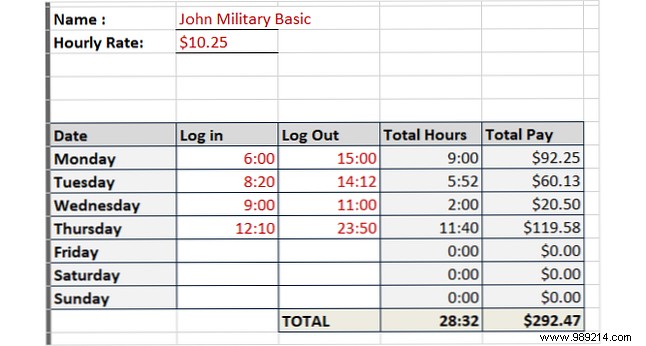
CalculateHours.com's Excel Weekly - Military Time template: Input hours/minutes for quick pay views by day/week.
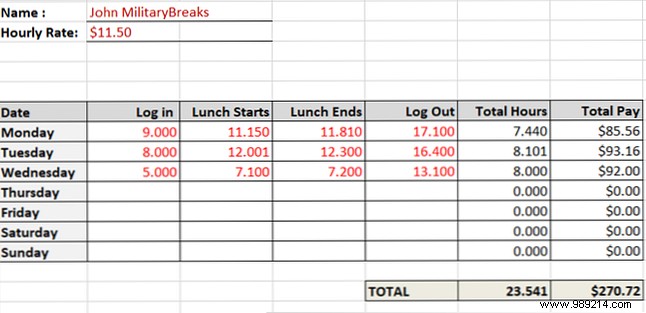
Enter decimals for hours/minutes, including lunch. From CalculateHours.com's Weekly Lunch with Military Time in Decimals.
We've covered a dozen versatile templates, but options exist for multi-employee, night shifts, or project-only use. For digital alternatives, explore top time-tracking apps. Need a specific template? Share in the comments!
