No more trips to the library or expensive home scanners. Your smartphone handles it all. Apps like these for Android—such as those using Google Drive—let you scan documents quickly without extra hardware.
These seven standout apps go beyond basic scanning. They automatically adjust, correct, and enhance images using OCR for searchable text. Save to your preferred cloud, share easily, and use for business or personal needs. As someone who's tested dozens of scanners, these deliver professional results on the go.
Microsoft's Office Lens is a versatile portable scanner. Capture documents, receipts, business cards, notes, whiteboards, and more. OCR extracts handwritten or printed text for easy search, copy, or edit.
Whiteboard mode crops and removes glare; Document mode auto-adjusts colors. Quickly add business card contacts. Save to OneNote or OneDrive, export as Word, PowerPoint, or PDF. Ideal for Android, iOS, and Windows users.
Download: Office Lens for Android | iOS | Windows Phone and PC (Free)
CamScanner shines across platforms. Scan receipts, notes, business cards, whiteboards—OCR pulls text instantly. Smart cropping and auto-enhance deliver crisp results.
Share as PDF or JPEG via email or social media. Annotate, password-protect, sync across devices, and search by keywords. Premium unlocks collaboration, multi-page collages, auto-uploads to Google Drive or Evernote, plus cloud storage.
Download: CamScanner for Android | iOS | Windows Phone (Free)
Adobe Scan for Android and iOS auto-sharpens captures of documents, notes, receipts, cards, and whiteboards. OCR creates searchable PDFs compatible with Acrobat Reader.
Crop, rotate, adjust colors. Scans save to Adobe Document Cloud for access, sharing, highlighting, notes, and search. Integrate with Adobe tools to convert to Microsoft Office formats. Premium subscription adds file combining, rearranging, form filling, and signing.
Download: Adobe Scan for Android | iOS (Free)
Genius Scan excels for Android and iOS. Export multi-page JPEGs or PDFs. Smart page detection corrects perspective and enhances automatically.
Bulk scan long documents, import photos in batches, share via email, password-protect, organize, and search. Upgrade to Genius Scan+ ($4.99 Android, $7.99 iOS) for Dropbox, Evernote, Box integration.
Download: Genius Scan for Android | iOS (Free)
With built-in QR code and barcode scanning, Scanbot stands out. Scan documents, notes, whiteboards, business cards—save as JPG or PDF, search via OCR.
Handle multi-page docs, edit/annotate, enhance with colors/filters. Sync to Dropbox, Google Drive, OneDrive, Box, Evernote, Slack, Todoist. Scanbot Pro adds password protection, auto-uploads, page management. In-app purchases for fax credits and more.
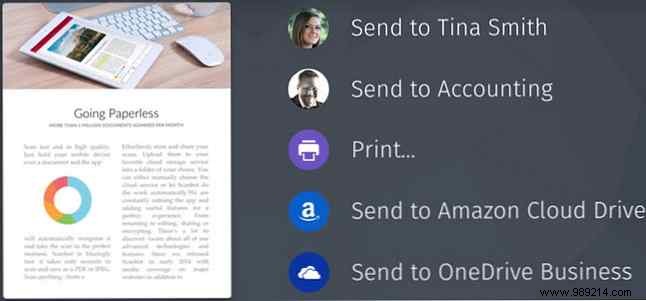
Download: Scanbot for Android | iOS (Free)
For iOS, Scanner Pro offers pro-level features. Scan with iPhone/iPad, then email, export, save, or upload to Dropbox, Google Drive, OneNote. Advanced processing auto-corrects; add color stamps/signatures; OCR supports 21 languages; print or fax.
iCloud sync across Apple devices, password-protect PDFs, edit/undo, share seamlessly. Try free Scanner Mini first. In-app purchases for fax packs.
Download: Scanner Pro for iOS ($3.99)
Evernote fans love Scannable for iPhone/iPad. Turn business cards into contacts; scan multi-page docs effortlessly.
Point and capture—auto-crops and enhances for readability. Share as JPG/PDF or save directly to Evernote. Free with an Evernote account, no in-app purchases.
Download: Evernote Scannable for iOS (Free)
These apps are perfect for going paperless. Got a favorite for Android, iOS, or Windows? Share in the comments below!
