With a dominant 55% market share, Google Chrome is the world's leading browser, where millions spend their days working and browsing. Beyond searching and navigating, can Chrome serve as your personal task manager? As someone who's tested dozens of productivity tools over years of professional use, I've found these 8 extensions transform it into a powerhouse for staying organized and focused.
Whether combating procrastination or streamlining workflows, these subtle yet powerful tools restore order to your day. Let's dive in.
How it helps: Capture fleeting thoughts before they become distractions.
Forgetting tasks before starting them is common—that's why developer Adrian created this simple note-taking extension. It offers checklists and quick captures to remind you of what needs doing. Amid countless note apps like Papier, or even the HTML trick data:text/html,<html contenteditable> for instant notepads, Aware stands out for its simplicity.
Download: Aware (Beta)
How it helps: Replaces your new tab with a beautiful productivity dashboard.
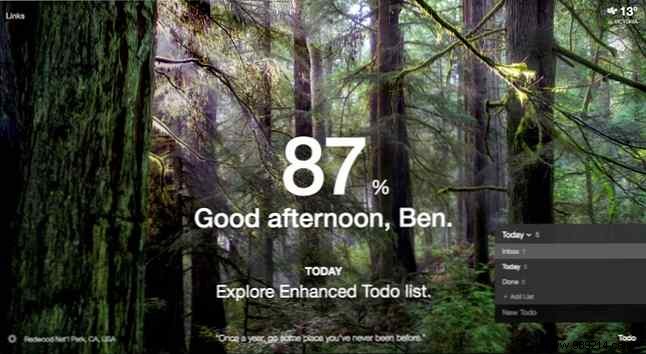
Elevate beyond bland new tabs with Momentum's stunning wallpapers and motivational quotes. At its core is a daily to-do list, weather updates, and a Daily Focus to keep your top goal front and center. The free version builds solid routines; upgrade for more features.
Download: Momentum
How it helps: Turns Gmail into a Kanban board for effortless email tasks.
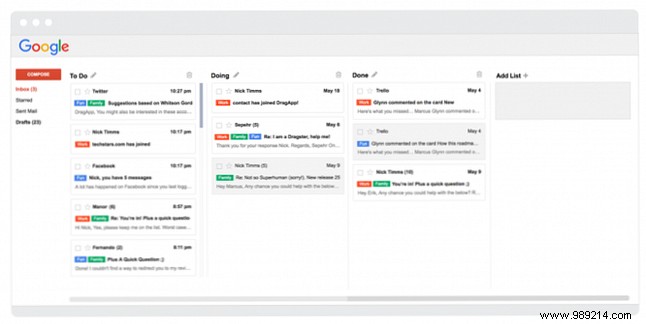
Your inbox often dictates your day. Drag converts emails into draggable lists, mimicking a Kanban setup. The free version limits to three columns—perfect to test before upgrading. For alternatives, try Sortd.
Download: Drag
How it helps: Build and share customizable to-do lists with teams.
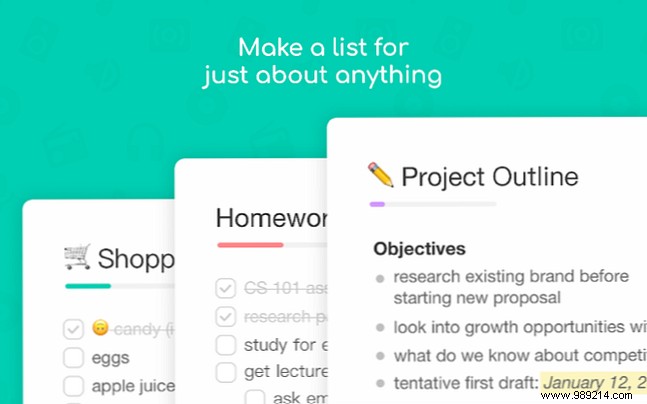
As Atul Gawande notes in The Checklist Manifesto, lists clarify complex work—but teams need easy collaboration. Taskade delivers with color-coded lists, beautiful backgrounds, and real-time sharing. Currently free, it's ideal for personal or group use.
Download: Taskade
How it helps: Breaks big tasks into nested sub-tasks with keyboard shortcuts.
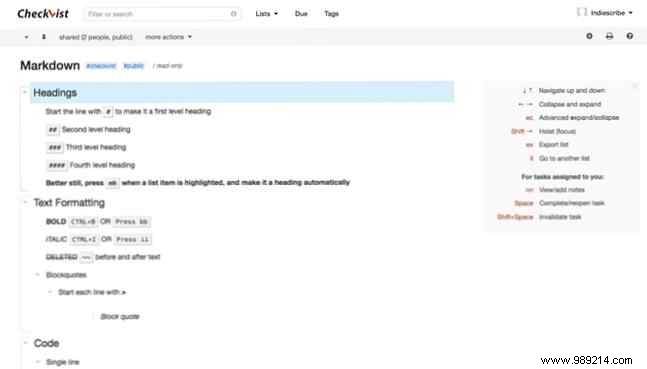
Overwhelm fades when you outline hierarchically. Checkvist excels at rapid brain dumps, plus sharing, assignees, due dates, and tags. Integrate with Gmail for email tasks. The free tier suits small teams.
Download: Checkvist Chrome Extension
How it helps: Visual boards, Gantt charts, and time tracking with G Suite integration.
For serious projects, Kanbanchi offers free personal/educational use (paid from $7.95/user/month). Customize workflows like Trello, plan with Gantt views, and track time collaboratively. Alternatives like GQueues provide similar G Suite ties.
Download: Kanbanchi
How it helps: Leverages reminders and tasks for seamless scheduling.
Already in your Google ecosystem, enable Tasks via My Calendars > Tasks (or arrow next to Reminders). Sync to-dos with events, set reminders, and get daily agendas. Pair with Google Tasks for full power.
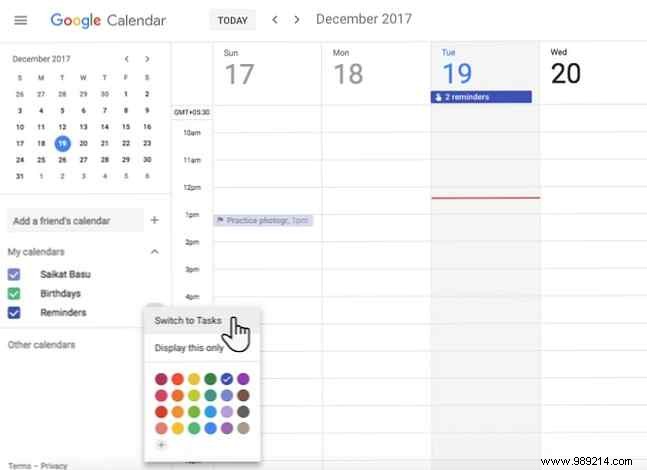
Download: Google Calendar extension for Chrome
How it helps: Tracks time to measure and improve task efficiency.
Peter Drucker's wisdom: "You can't manage what you can't measure." Toggl's free basic plan timers any web app, includes Pomodoro, and reveals productivity insights.
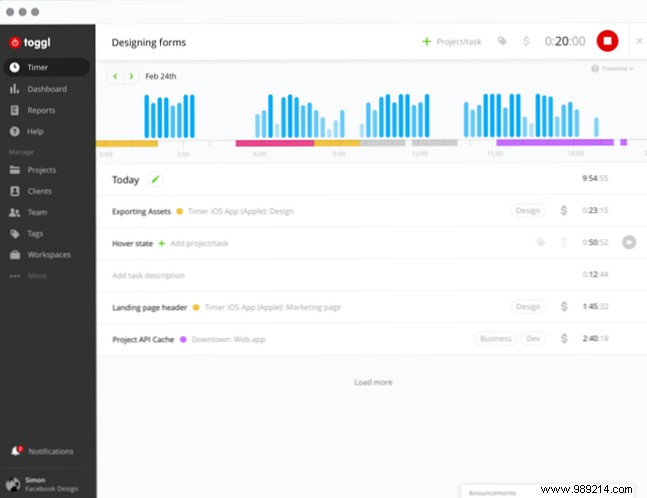
Download: Toggl Button for Chrome
Tasks range from sticky notes to team orchestration. Tools like Full Horizon Planning handle multi-project chaos. The key? Select one that matches your needs without overcomplicating. What's your go-to method?
