Google Drive provides reliable free (or affordable) cloud storage that syncs effortlessly with Google Workspace and third-party apps like Mailbird, Evernote, and Slack. As experts who've managed terabytes of data across teams, we know its power for personal and professional use.
This comprehensive guide—available as a free PDF download—is your roadmap. Download the ultimate Google Drive guide now and share it freely.
We'll cover setup, features, tips, and fixes drawn from real-world experience with millions of users since its 2012 launch.
Navigation: Supported File Types | Accessing Google Drive | Storage Space | Working with Google Drive | Desktop Clients | Upload Files and Folders | Download Files and Folders | File Size Restrictions | Creating a New Document | Share Files and Folders | Collaborating | Offline Access | Organizing Files | Customize Views | Third-Party Apps | Troubleshooting | Drawbacks
Launched publicly in April 2012 (formerly Google Docs), Google Drive now serves around 300 million monthly active users. It lets you store files in the cloud, accessible from any internet-connected device worldwide. Since late 2012, it includes free tools: Google Docs for word processing, Sheets for spreadsheets, and Slides for presentations.
Key strengths include sharing with non-Google users and real-time collaboration. Share publicly (via link) or privately (specific emails/Google accounts). Edits update live for all viewers.
Google Drive handles a broad range via its web viewer and apps: Microsoft Office formats, PDFs, images (JPEG, PNG, GIF, TIFF, BMP, WEBP), videos (MPEG4, 3GPP, MOV, AVI, MPEGPS, WMV, FLV, OGG, WebM), audio (MP3, MPEG, WAV), Photoshop files, Apple Pages, AutoCAD, PostScript, and fonts.
Unsupported types upload but won't preview online. Max upload: 5TB per file.
Access via web (drive.google.com), Chrome app, Drive for desktop (Windows/macOS), or mobile apps (Android/iOS). Linux/Windows Phone users need third-party options. Built-in apps from Chrome Web Store or directly in Drive.
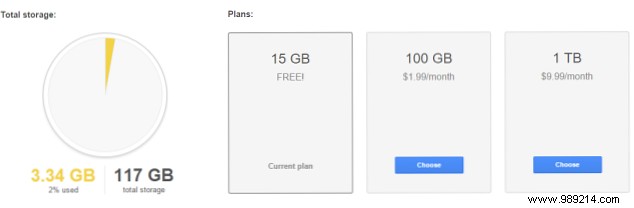
15GB free; paid plans start at $1.99/month for 100GB up to $299.99/month for 30TB. Watch for promotions.
Here's how to leverage its core features effectively.
Most start at drive.google.com. Sign in with your Google account or create one.
Download Drive for desktop from the homepage (Get Drive for PC) or google.com/drive/download/ (select Mac/PC).
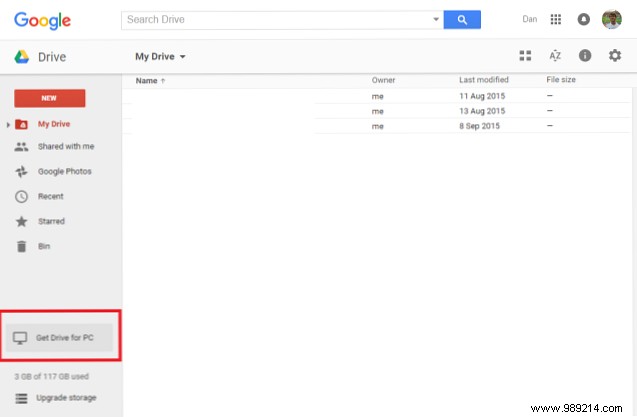
Accept terms, install, and configure sync folders, startup options. Drag files to the Drive folder for automatic cloud sync.
Web: Drag/drop files into Drive, or click New > File/Folder.
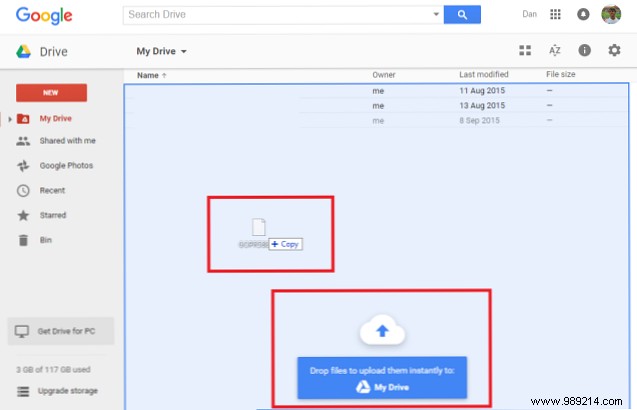
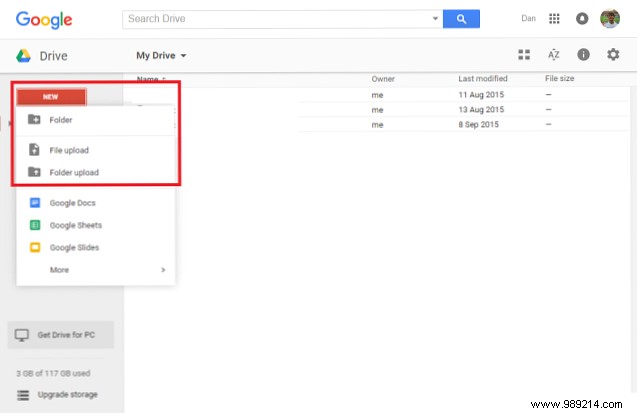
Track/cancel via bottom-right status bar.

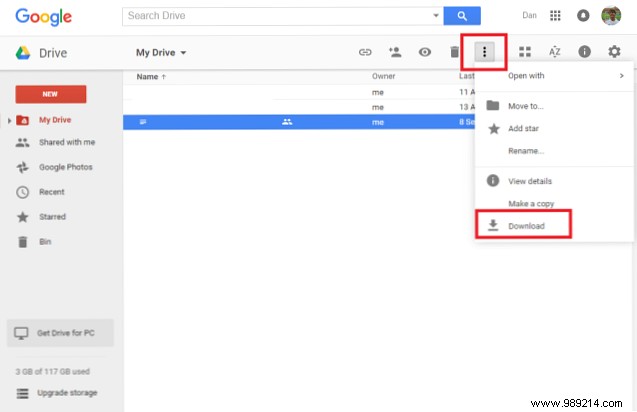
Right-click item(s) > Download (multi-select with Ctrl/Cmd). Large files ZIP automatically—use an extractor.
Uploads capped at 5TB. Google format limits:
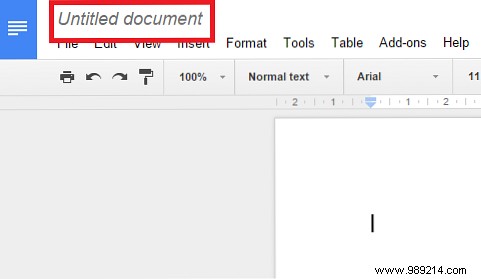
Click New > document type. Rename 'Untitled' as needed. Auto-saves/syncs.
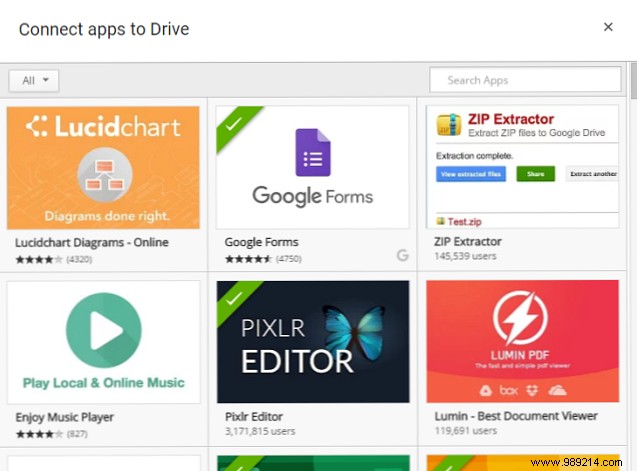
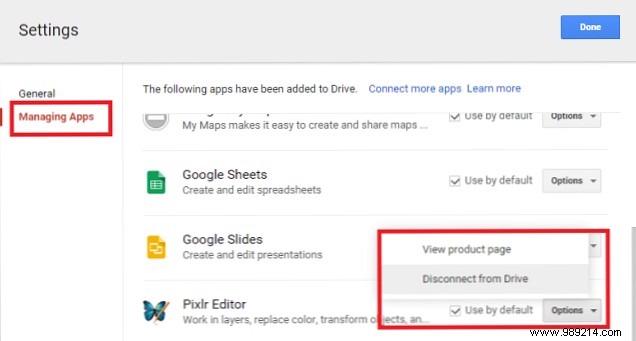
For third-party: New > More > Connect apps. Manage via Settings > Manage apps.
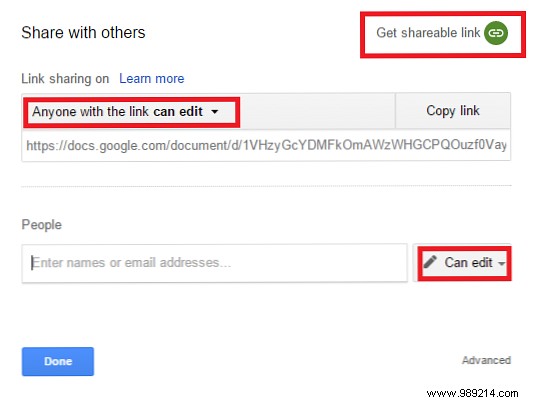
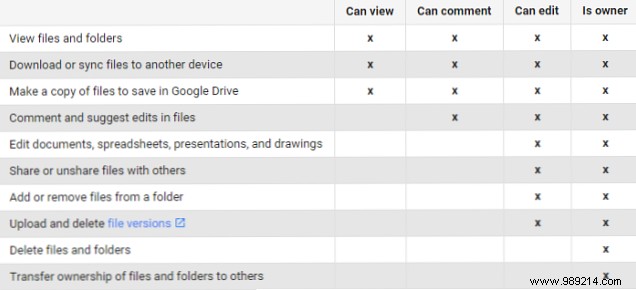
Highlight > Share icon or right-click. Set permissions: view/comment/edit.
Get shareable link or add emails. Editors can't delete/transfer ownership (change via dropdown).
Advanced: Disable download/print/copy for viewers; restrict editor adds.
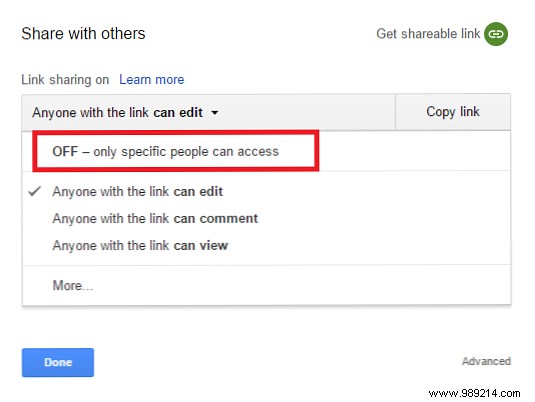
Stop sharing: Remove users or set link to 'Restricted'.
Shared with you: Left sidebar.
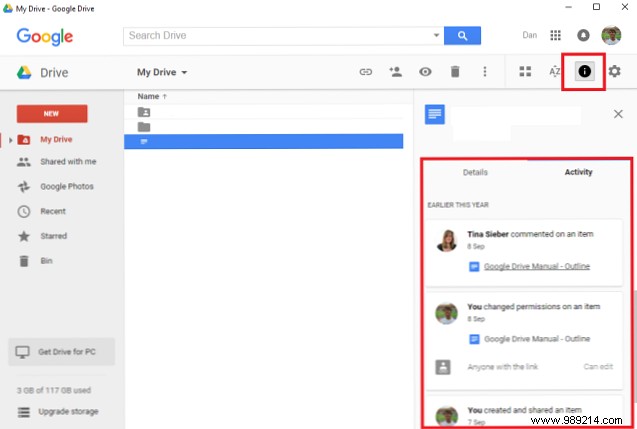
Editors collaborate live (up to 50 simultaneous). View history: Info icon (all Drive) or per-file.
Max 200 sharers; use 'Anyone with link' or 'Public' for more.
Enable per-device: Settings > Check Sync Docs offline (Chrome only; avoid public PCs).
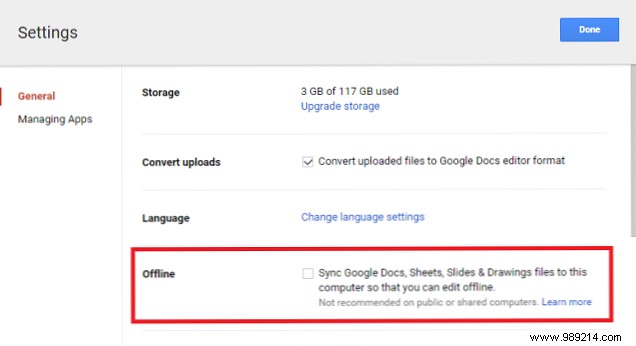
Edits sync on reconnect. Limited to Docs/Sheets/Slides/Drawings.
Create folders: New > Folder. Drag/drop. Star important files (view in Starred).
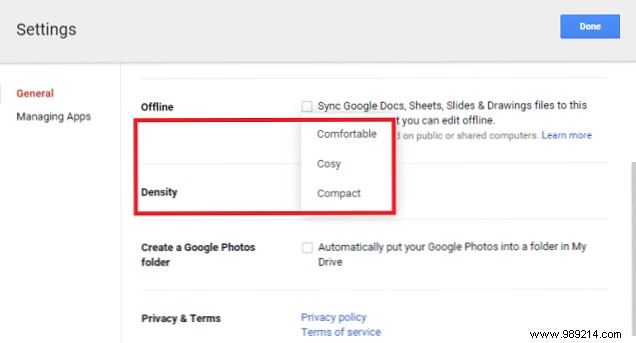
Switch grid/list; sort by name/last modified/opened. Density: Gear > Settings > Density.

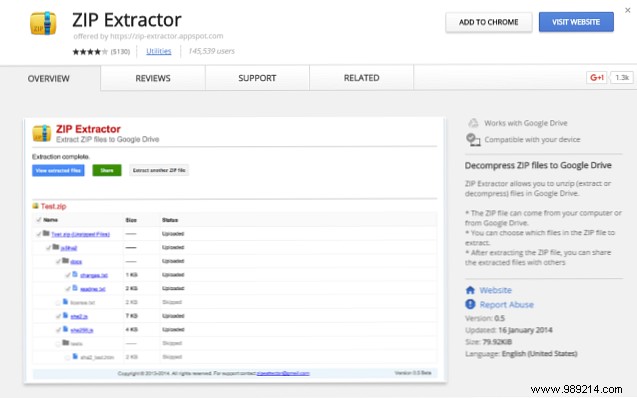
Extend Drive's power:
Extract ZIPs directly in Drive—great for large uploads.
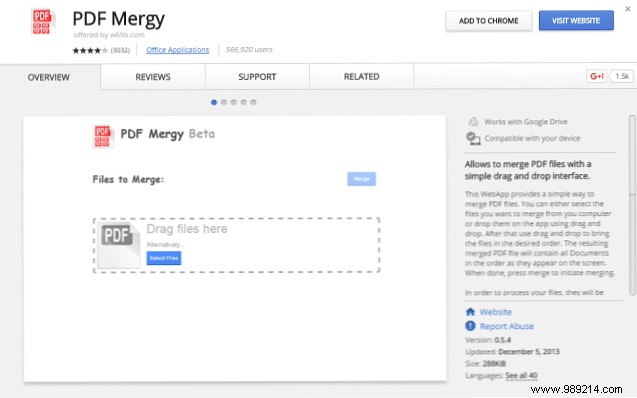
Merge PDFs via drag/drop.
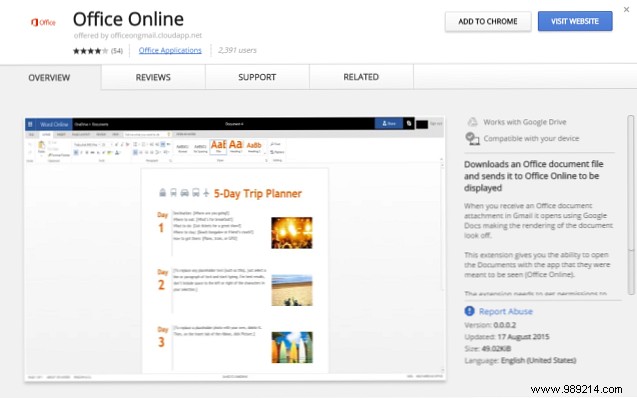
Opens Office attachments in Microsoft online suite.
Common fixes from hands-on experience:
Check Trash (left sidebar). Restore or empty selectively.
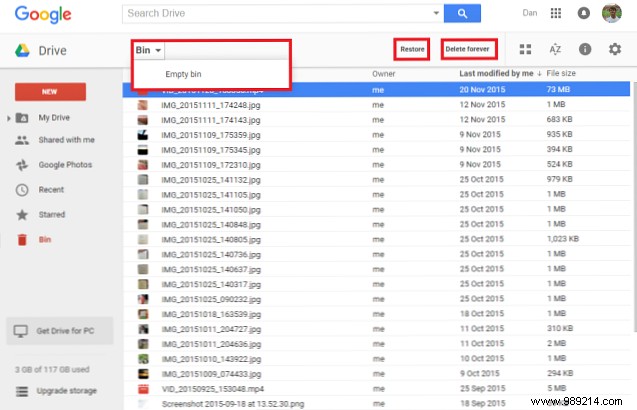
No luck? Contact owner or Google's recovery form.
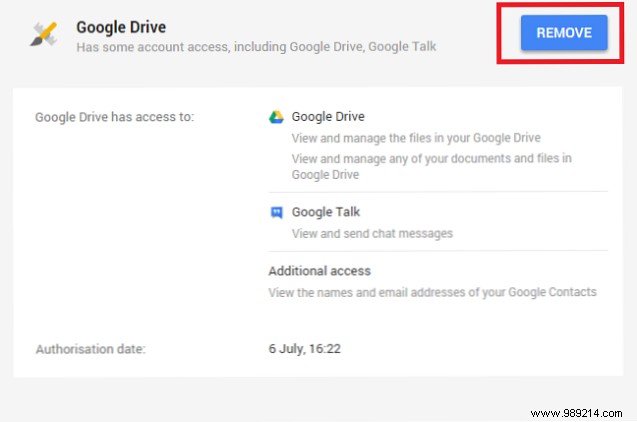
Kill processes, restart. Reauthorize at security.google.com. Update app.
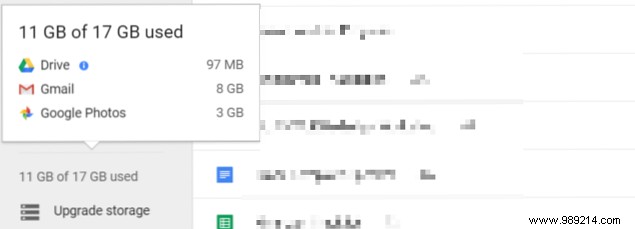
Upgrade via left sidebar. Or free space in Gmail.
Causes: Forwarded invites, editor resharing, link-to-individual switch. Revoke access.
Google Workspace admin restriction—contact them.
Help center, forums, feedback (Gear > Help > Send feedback), or phone/chat.
Requires full Google account (Gmail, search history). Privacy-focused? Use client-side encryption tools. Files encrypted in transit/at rest.
This covers the essentials, but Drive evolves—explore to uncover more. What key features did we miss? Share your tips or alternatives in the comments below.
