A PDF reader is one of the first apps many install on a new computer. It's not glamorous, but it's essential for productivity. Yet, modern web browsers double as capable PDF viewers. Windows 10 defaults to Microsoft Edge, for instance. So, do you need a dedicated reader like Adobe Reader? Adobe Reader is bloated, slow, and a security risk—often unnecessary. Here's a head-to-head comparison of browsers versus dedicated PDF readers across key factors to help you choose wisely.
Every computer comes with a browser pre-installed: Edge on Windows, Safari on Mac, or options like Chrome and Firefox. Why download software that duplicates this functionality?
Dedicated readers consume extra disk space—problematic on older machines. For example, Adobe Acrobat requires 380 MB, while Chrome takes 470 MB but offers far more versatility.
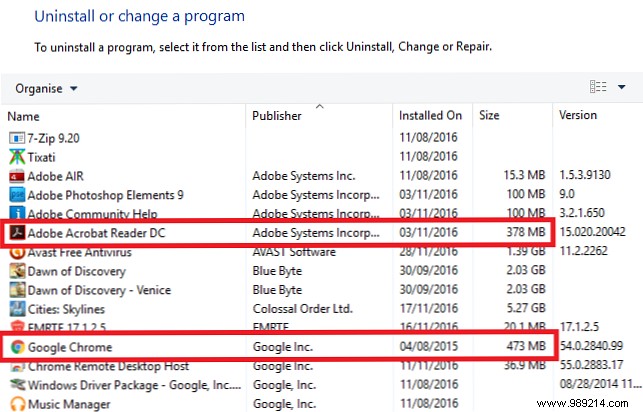
Verdict: Browsers win. Lightweight alternatives exist for PDFs and Office files, saving space and boosting performance without extra installs.
Launch times vary by app size, complexity, and system load. Quick access is crucial when working with PDFs to maintain your workflow.
Browsers open in seconds. Recent benchmarks show variability across Edge, Chrome, Opera, and Firefox. Adobe Acrobat often takes twice as long, especially with large files. Lightweight options like portable Sumatra PDF can outperform.
Verdict: A draw. Fastest apps sacrifice features; feature-rich ones load slower. Prioritize based on your needs.
Power users demand advanced tools. Browsers offer basics: Chrome's viewer supports simple edits, though limited. Edge lacks rotation.
Dedicated readers shine with annotations, editing, e-signatures, custom views, and more—some premium apps cost hundreds.
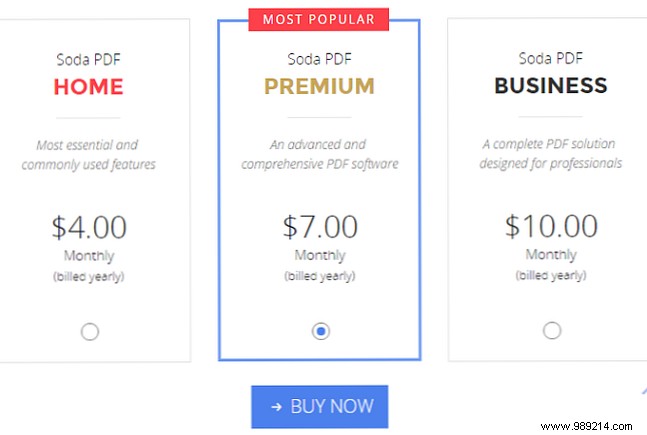
Verdict: PDF readers win easily—if you use those extras. Most casual users stick to basics.
PDFs hold sensitive data: statements, invoices, bills. PDF apps can introduce vulnerabilities.
A 2015 Secunia Research study found 1,114 flaws in top browsers (Chrome, Firefox, IE, Opera, Safari) and 147 in popular readers (Adobe, Foxit, etc.). Issues often stem from plugins. Microsoft products accounted for just 21% of top-50 app bugs despite market share.
Verdict: A draw. Edge may edge out, but no clear winner—stay updated regardless.
Not all PDFs render perfectly. Adobe LiveCycle files fail in browsers; Chrome GPU settings or updates (e.g., v46) cause glitches.
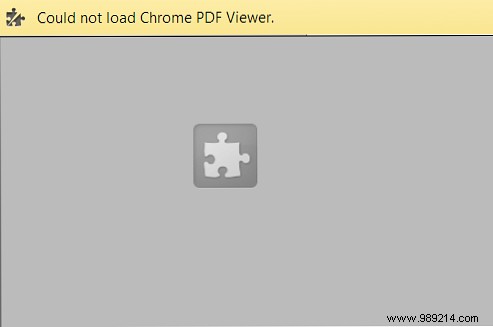
Verdict: PDF readers win. Browsers are convenient but unreliable for edge cases.
PDF readers lead 2-1 with two draws. Tailor to your needs: Use browsers for quick views; dedicated apps for advanced tasks. No space crunch? Run both.
Change defaults easily: On Windows, via settings; on Mac, right-click > Get Info > Open With > Change All.
Do you prefer a dedicated PDF reader or browser? Share your choice and why in the comments.
