In the world of note-taking apps, Google Keep and Evernote stand out as top choices. As someone who's tested both extensively, I can say Google Keep serves as a strong Evernote alternative for simplicity, but each excels in different ways. We've broken down seven key areas to help you choose.
If you're debating Google Keep vs. Evernote, this detailed comparison covers interfaces, features, ease of use, pricing, and more to guide your decision.
Both apps prioritize intuitive design, but they deliver it differently.
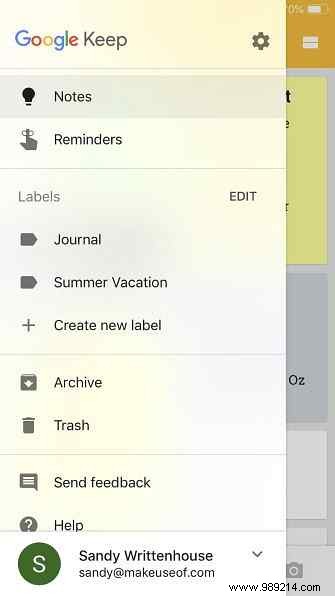
Google Keep shines with its straightforward interface across platforms. The web version greets you with your notes in grid or list view, a prominent 'Take a note' field, and quick search. Navigation on the left includes Notes, Reminders, Labels, Archive, and Settings, with easy Google account access at the top.
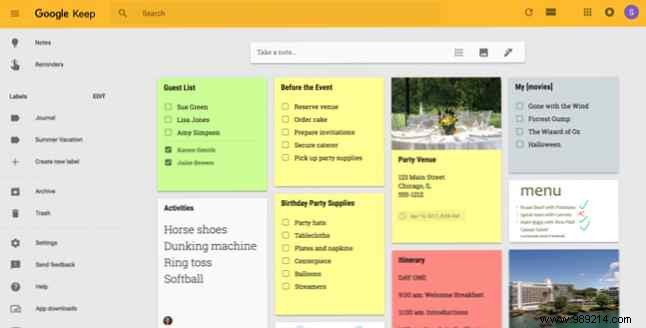
Mobile apps mirror this clean, simple layout.

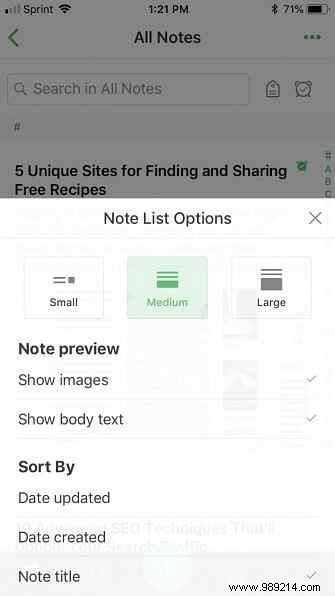
Evernote's web interface feels busier at first: sidebar navigation, note list with sorting and Web Clipper options, and your latest note in the center. Top controls include note actions, upgrade prompts (for free users), share, and full-screen.

The newer web experience is cleaner with color separators, but limited to Chrome and Safari. Mobile apps offer a streamlined note list, quick note creation, and easy access to shortcuts, profile, search, and notebooks.

Summary: Google Keep wins for sheer simplicity on web and mobile. That said, as a long-time Evernote user, its interface grows on you with familiarity.
Both support core functions like text, images, links, lists, reminders, labels (for organization), sharing, and quick access (pins in Keep, shortcuts in Evernote).
What sets them apart:
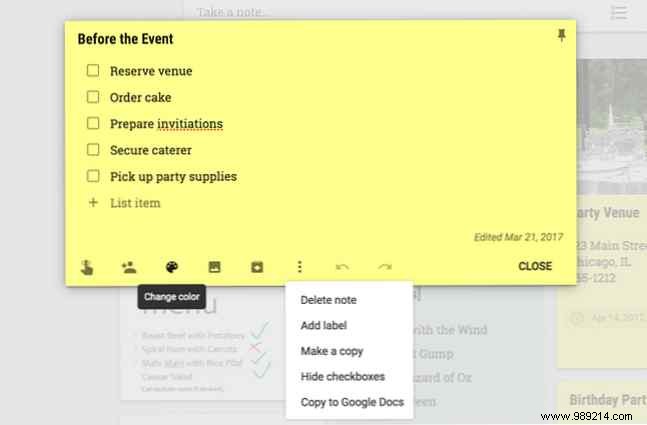
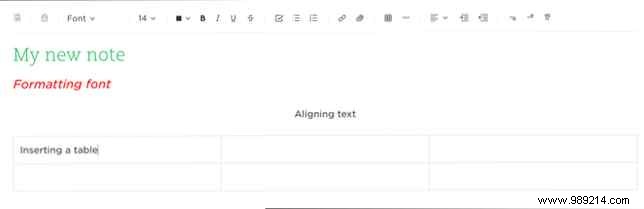
Summary: Google Keep covers essentials effortlessly, while Evernote offers deeper, more flexible tools for power users.
Both excel at quick note capture.
Click 'Take a note,' type, and done—your note tops the list. Add titles, colors, or extras later.

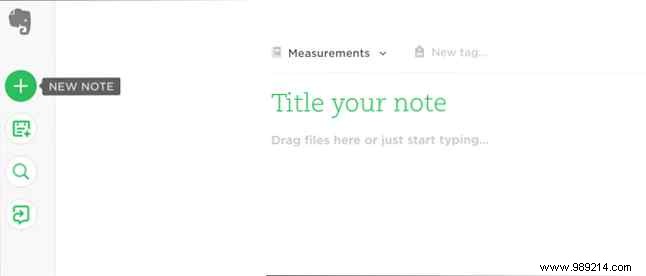
Hit the 'New note' button (+), write, and save. Format on the fly if needed; it appears prominently.
Finding notes later is straightforward in Keep; Evernote benefits from notebooks/labels.
Summary: Both are fast for capture, but Keep edges out for instant access without extra organization.
Google Keep is completely free across all features and devices.
Evernote Basic is free (limited to two devices, basic features). Premium or Business plans unlock unlimited devices, larger uploads, and more—for a monthly per-user subscription.
Summary: Go Google Keep for free basics. Evernote Basic works for light use; upgrade for advanced power.
Google Keep: Android, iOS, Chrome extension, web.
Download: Google Keep for Android | iOS (free)
Install: Google Keep for Chrome (free)
Access: Google Keep on the web
Evernote: Android, iOS, macOS, Windows, web, Web Clipper for major browsers.
Download: Evernote for Android | iOS (free)
Download: Evernote for macOS | Windows (free)
Install: Evernote Web Clipper for Chrome | Edge | Firefox | Opera | Safari (free)
Access: Evernote on the web
Official extensions listed; third-party options exist.
Summary: Evernote covers more platforms—choose based on your devices.
This Google Keep vs. Evernote breakdown highlights their strengths. Consider your priorities: simplicity and free (Keep) or depth and versatility (Evernote). Whichever you pick, you'll boost your productivity!
