Excel shines at crunching numbers (8 Tips to Learn Excel Fast), but it's equally powerful for managing text like headings, labels, and names in spreadsheets.
As an Excel expert with years of experience optimizing workflows, I'll share proven techniques for working with text. All functions begin with an equals sign (=).
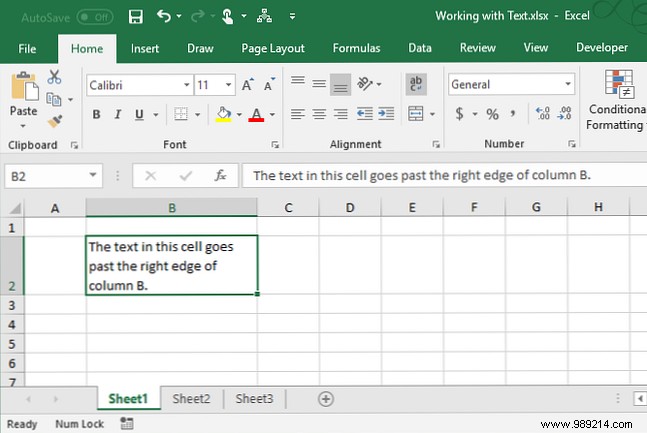
When text exceeds a cell's width, it spills over by default. Wrap it to fit by selecting the cell and clicking Wrap Text in the Alignment group on the Home tab. Text wraps automatically as column width changes.
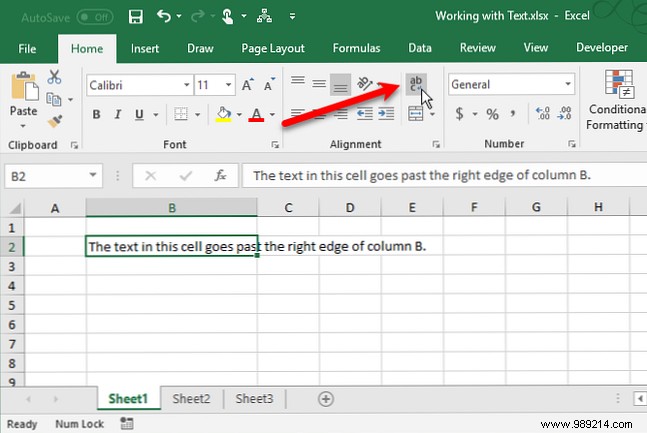
The row height adjusts to accommodate the wrapped text.
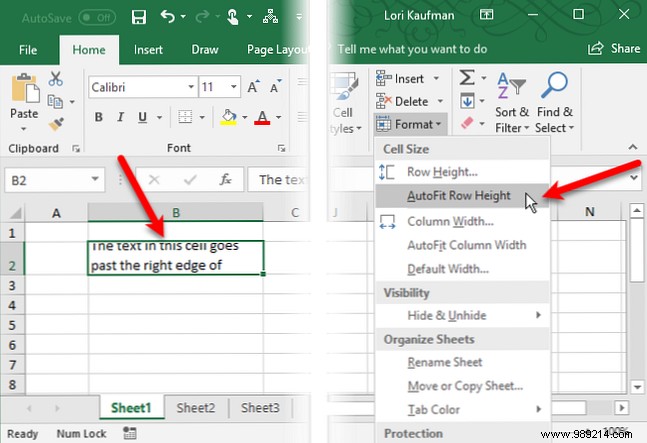
If it doesn't, select the cell, go to Home > Cells > Format > AutoFit Row Height.
For a fixed height, choose Row Height, enter a value, and click OK. Or drag the row's bottom border.
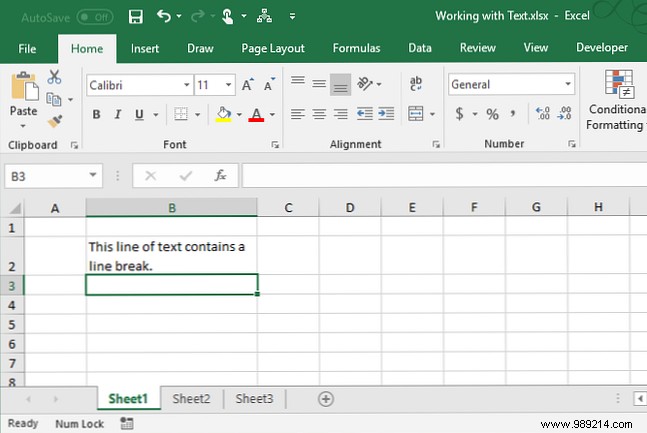
To force a line break within text, double-click the cell (or press F2), position the cursor, and press Alt + Enter.
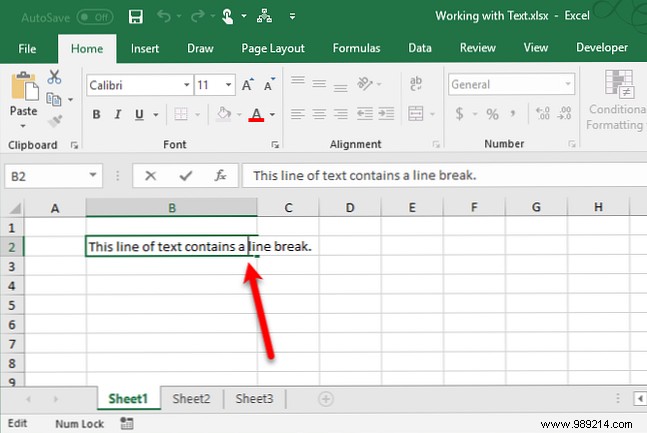
Row height auto-adjusts if set to AutoFit Row Height on the Home tab.
Use COUNTIF to tally cells with text (excluding numbers, errors, formulas, or blanks). See our Mini Excel Tutorial on Advanced Counting.
Formula:
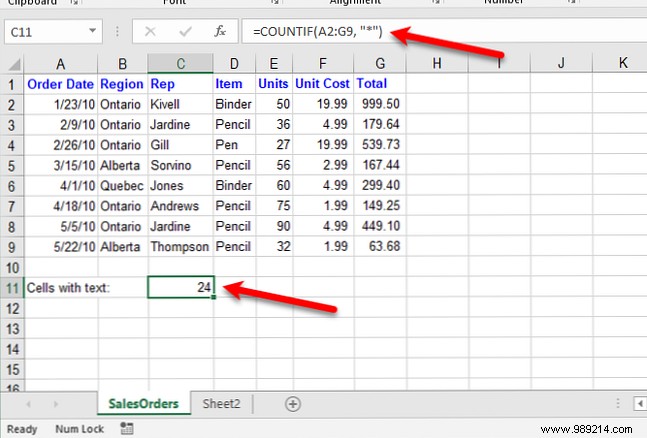
=COUNTIF(range, "*")The asterisk (*) wildcard matches any text. Notes:
Example: Select range A2:G9, enter =COUNTIF(A2:G9,"*").
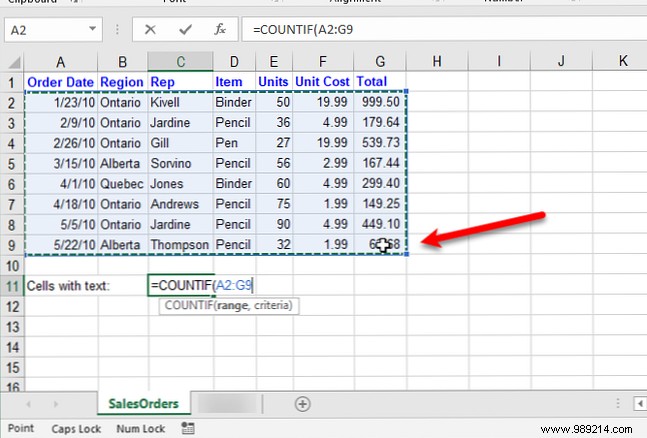
Press Enter for the result. Case-insensitive.
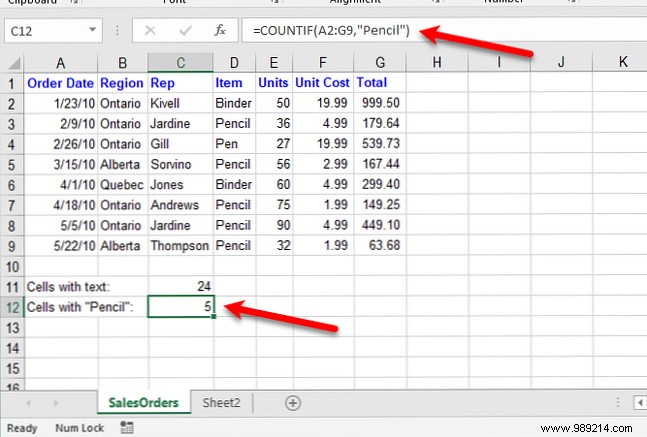
COUNTIF for exact matches:
=COUNTIF(range, "text")Example: =COUNTIF(A2:G9, "Pencil") counts cells with "Pencil" (case-insensitive).
COUNTIFS excludes text: =COUNTIFS(A2:G9, "*", A2:G9, "<>Pencil").
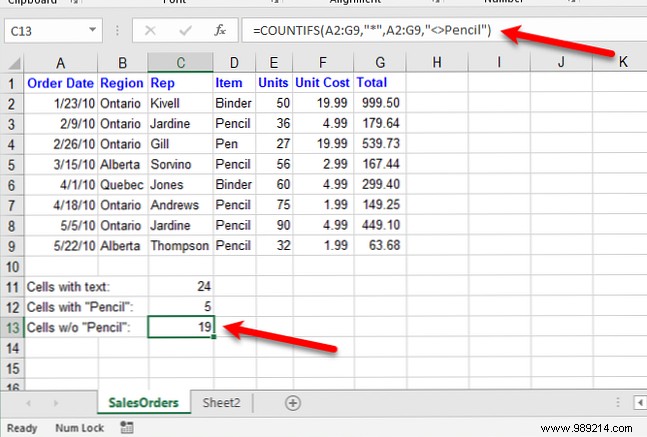
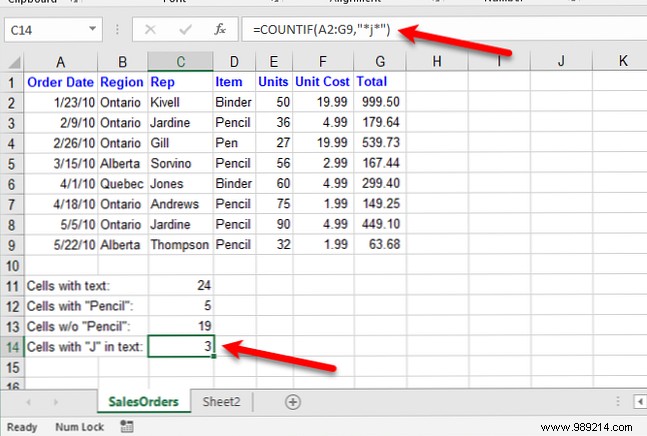
Use wildcards like *Pencil* for partial matches, e.g., =COUNTIF(A2:G9, "*j*").
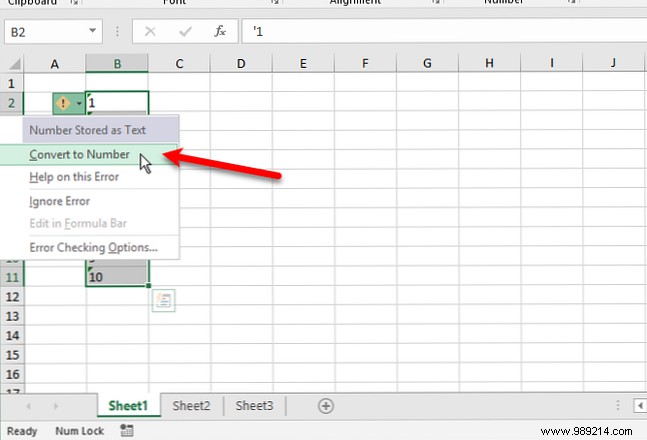
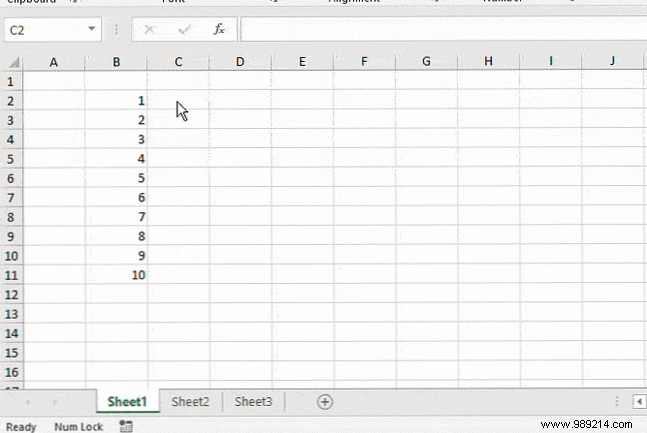
Text-formatted numbers left-align and may show a green triangle. Convert via Error Checking > Convert to Number, Text to Columns, or Paste Special. Details in our guide on extracting numbers and text.
Prefix with ' or use TEXT: =TEXT(B2, "0").
Copy results, then Paste Special > Values to original column. See Flash Fill and AutoFill guide. More formats at Microsoft support.
Use DATE with LEFT, MID, RIGHT:
=DATE(LEFT(C2,4), MID(C2,5,2), RIGHT(C2,2)) for 20171024.
Adapt for formats like 2102018, DDMMYYYY, MMDDYYYY.
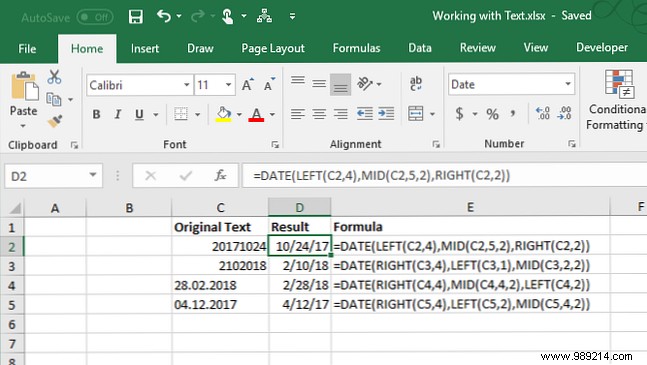
Copy formulas across similar data for efficiency.
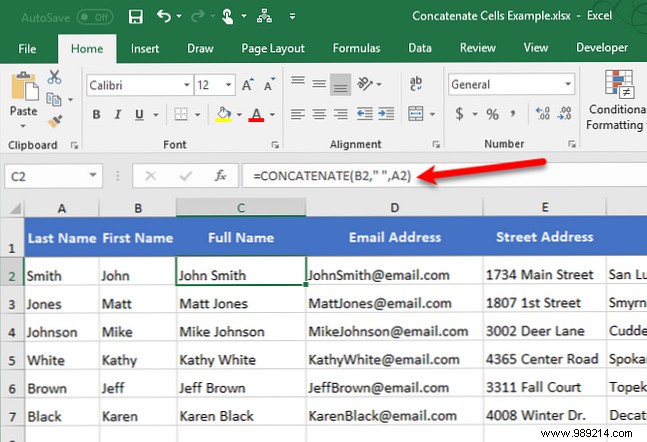
Combine with CONCATENATE: =CONCATENATE(B2, " ", A2) for full names. Or =CONCATENATE(B2, A2, "@email.com"). See our 16 Essential Excel Formulas.
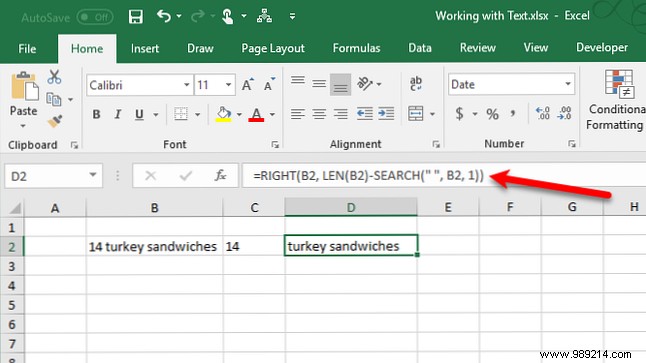
Extract numbers: =LEFT(B2, SEARCH(" ", B2, 1)-1).
Text: =RIGHT(B2, LEN(B2)-SEARCH(" ", B2, 1)).
More in our mixed-format extraction guide.
Streamline spreadsheets with these tools. Dive deeper in our Text Operations Guide.
