Microsoft Excel remains a powerhouse for managing spreadsheets and workbooks, whether in professional settings or at home. Leveraging its time-saving features lets you complete tasks faster and focus on what matters.
Here are proven strategies, drawn from years of hands-on Excel expertise, to streamline your workflow.
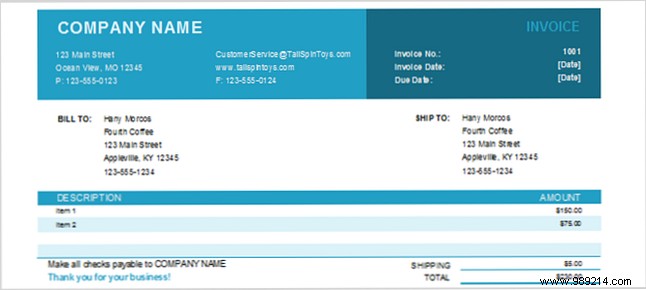
One of the top time-savers is using pre-built templates. Just as in Microsoft Word, Excel templates excel for project schedules, calendars, invoices, estimates, and more, eliminating repetitive setup.
Explore Microsoft's official templates for calendars, planners, expense trackers, and timesheets. Vertex42 offers schedules, budgets, to-do lists, and balance sheets, while Worksheet123 provides invoices, inventory, sign-in sheets, and attendance trackers.
For lengthy spreadsheets, freezing rows and columns keeps headers visible while scrolling through data.
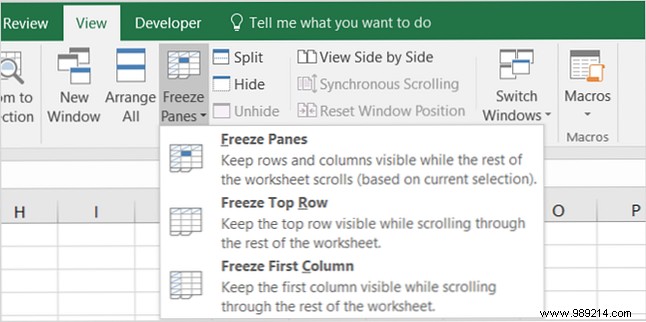
To unfreeze, revisit Freeze Panes and select Unfreeze Panes. In older Excel versions, select the intersection cell before freezing.
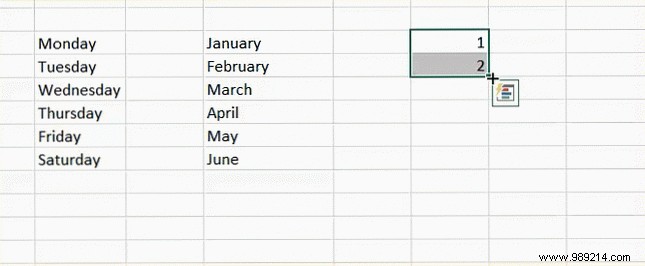
The fill handle automates cell population, saving hours on sequences. Enter 1 and 2 in adjacent cells, select them, and drag the handle to extend the series.
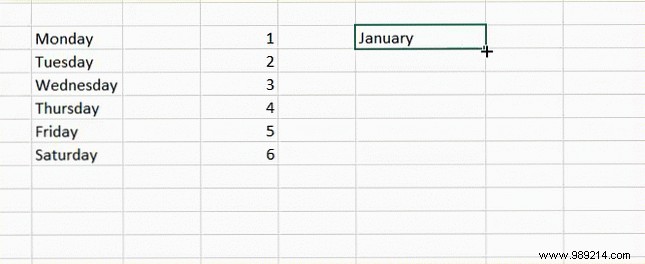
For dates, enter a start date (e.g., 12/25/16) and drag to increment by days. It works for weekdays, months, or across rows/columns. Double-click the handle on text entries to auto-fill down to adjacent data.
Switch row headers to columns effortlessly without retyping.
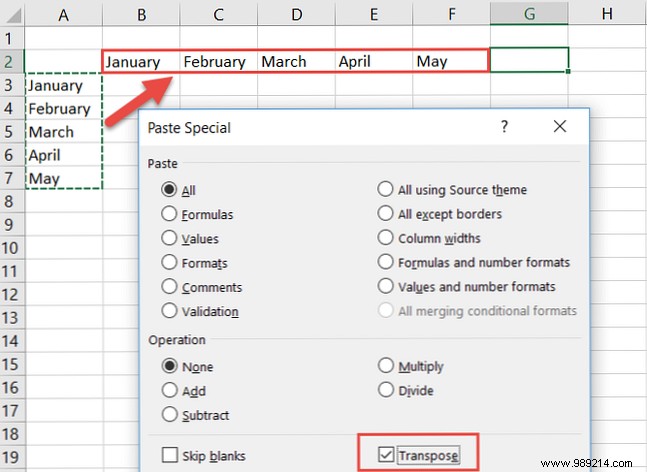
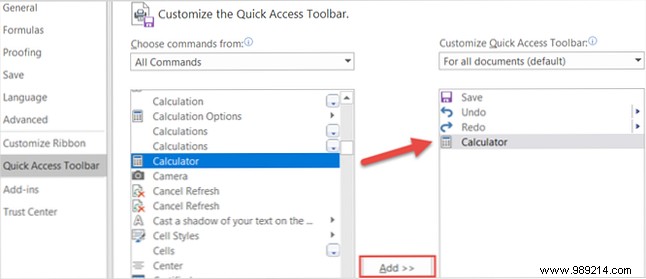
Access Excel's calculator for quick math outside formulas. Customize your ribbon or Quick Access Toolbar: File > Options, select All Commands, add Calculator.
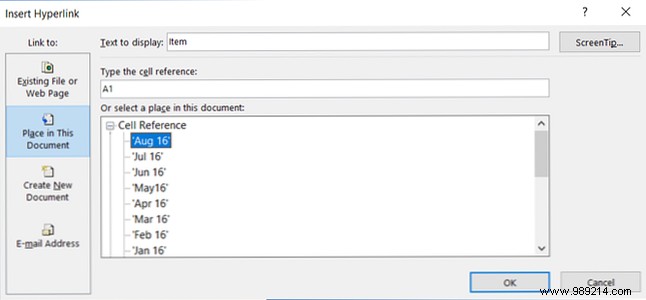
Link cells or sheets for fast navigation in multi-sheet workbooks.
Power users rely on shortcuts for speed.
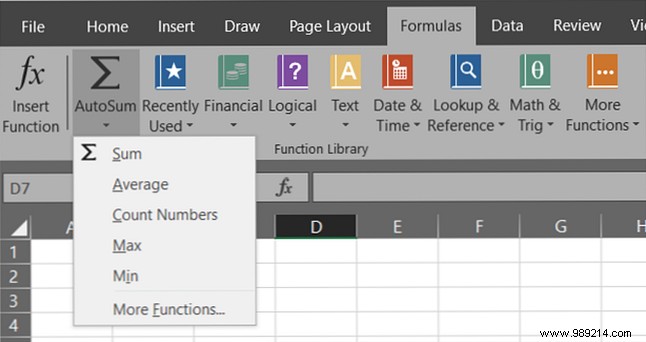
AutoSum delivers instant sums, averages, counts, min/max via the Home tab. The Formulas tab offers categorized functions for advanced needs.
Highlight data dynamically, like Yes/No responses in surveys.
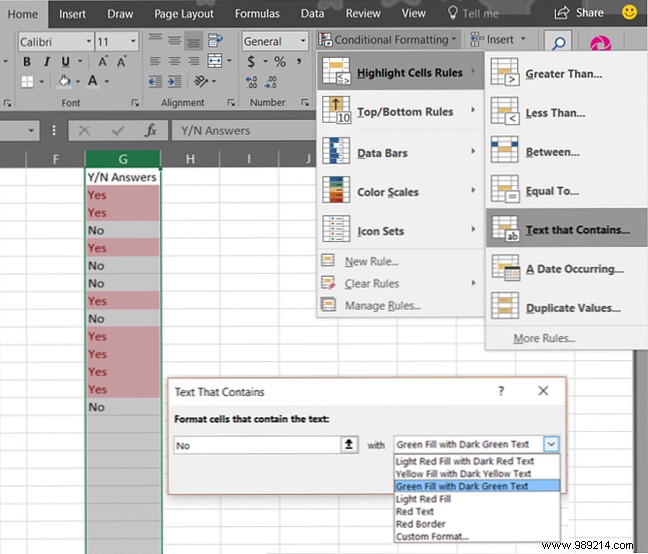
Apply to entire columns for automatic future formatting.
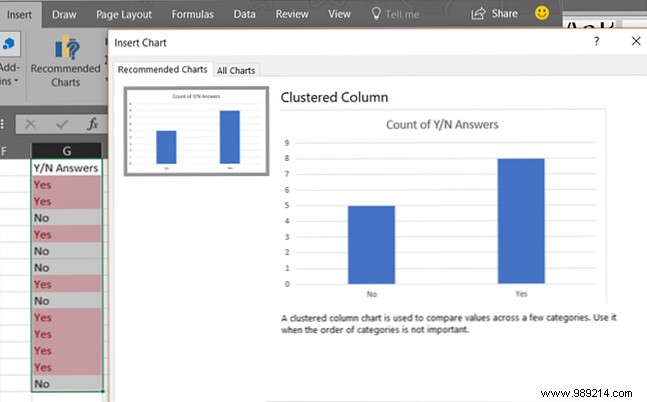
Visualize data in seconds.
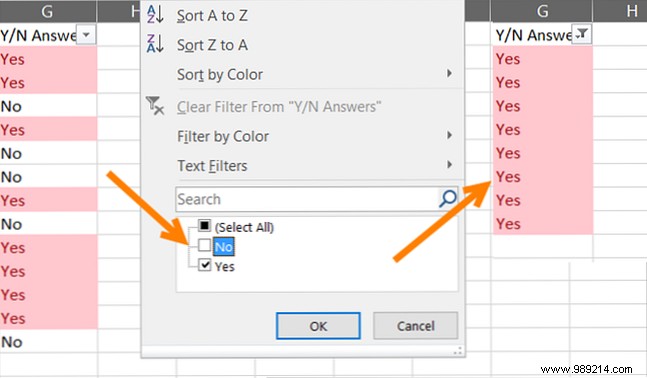
Apply filters sheet-wide:
Sort by column arrows; filter via checkboxes—non-destructive to originals.
Copy formatting instantly:
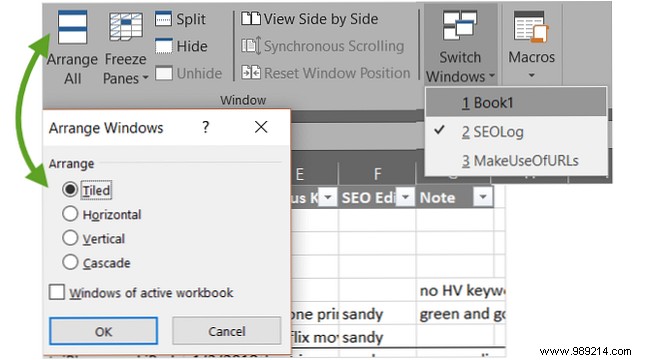
Under View:
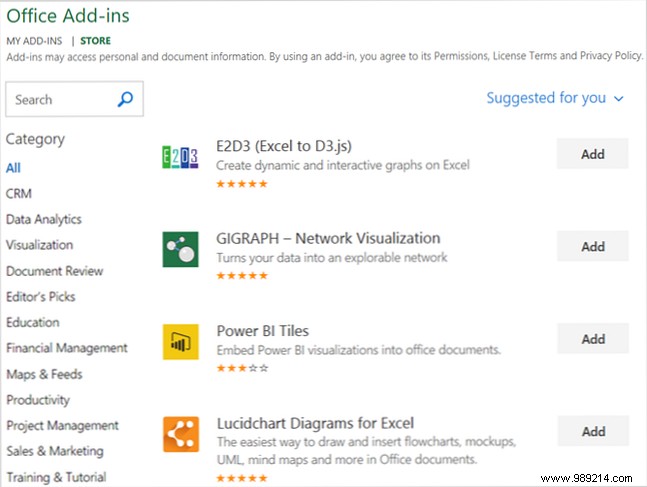
Enhance Excel via Insert > Add-ins. Categories include Productivity (automation/templates) and Project Management (Gantt charts).
Excel pros continually uncover efficiencies. Share your favorites in the comments!
