As a seasoned Excel user and productivity expert with years of experience streamlining workflows for teams and individuals, I've curated these top Microsoft Excel templates. They eliminate the need to build spreadsheets from scratch, helping you manage planning, tasks, expenses, and more efficiently—keeping your business, office, and personal life on track.
Effective planning is the foundation of peak productivity. Explore these free printable productivity planner templates to reclaim your time. Download, customize, and integrate them into your routine for seamless scheduling of appointments and events.
Organize every week with Vertex42's versatile weekly planner template. The downloadable workbook features five tabs: one for each week of the month plus a holidays tab. Enter events by time slots digitally or print for handwritten notes.
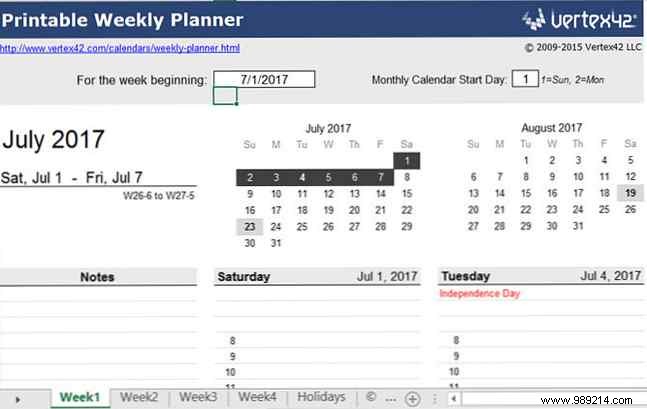
To update dates, input the start date in the For the beginning of the week field and hit Enter. The entire workbook auto-adjusts instantly.
For packed schedules, Vertex42's daily agenda template divides your day into hourly and 15-minute increments. It includes nine tabs: one for events, one for holidays, and daily planners with two days per sheet.
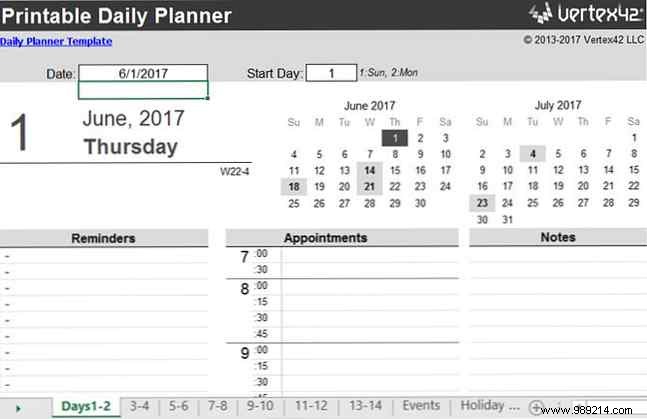
Enter the current date in the Date field and press Enter to refresh all tabs automatically.
Task tracking is crucial for sustained productivity. While apps have their place, these Excel templates offer robust, customizable alternatives.
Stay focused on high-impact tasks with Spreadsheet123's prioritized to-do list. Divided into high-priority (top), low-priority (middle), and notes (bottom) sections, it includes dark and light theme tabs.
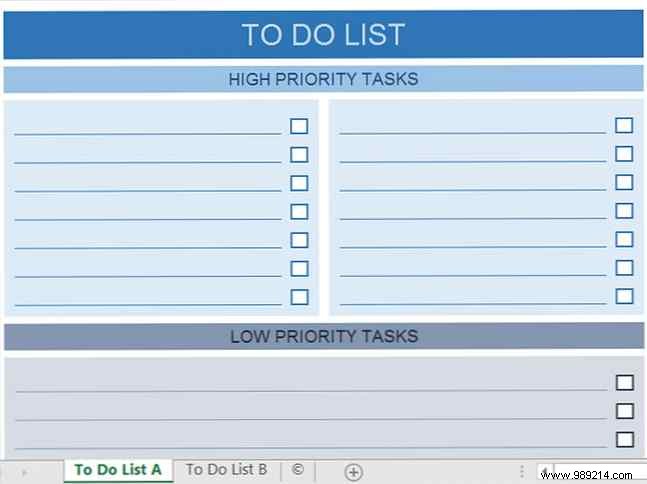
Its flexible design extends beyond daily, weekly, or monthly use, scaling for any project by priority order.
For day-by-day tasking, Spreadsheet123's template supports six tasks daily across a week, with dark and light themes.
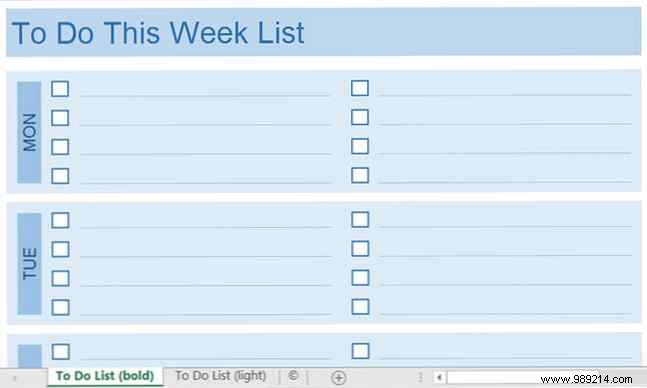
Focus on workdays by deleting or hiding weekend rows, or print the top section only.
For project leaders, these extras pair perfectly with core tracking tools, drawing from proven Excel strategies I've used in real-world scenarios.
Vertex42's project budget template excels in cost management alongside Work Breakdown Structures (WBS). Track labor (hourly), materials (unit), and fixed costs with real-time totals, actuals, and variance alerts.
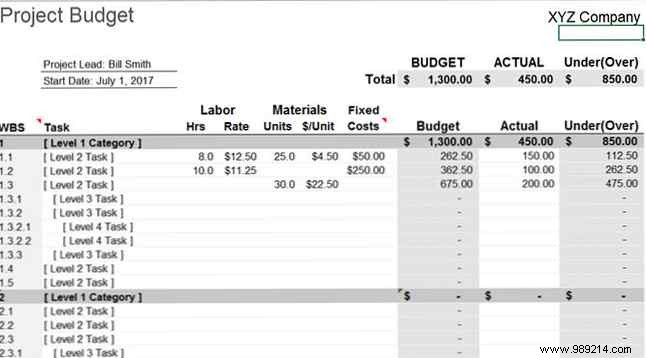
A dedicated help tab guides setup for accurate estimates.
Manage meeting outcomes or small projects with Vertex42's sortable action items template. Filter by assignee, status, due date, or priority.
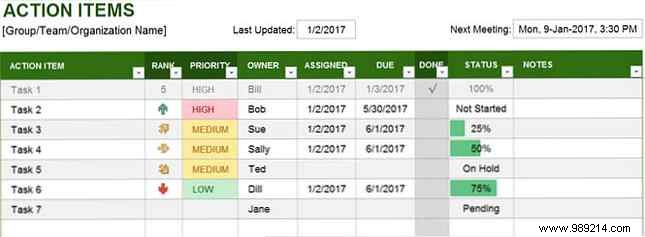
Includes a help tab for quick onboarding.
Stay compliant and budget-savvy with these reliable templates for reimbursements and oversight.
Vertex42's expense report categorizes transportation, lodging, meals, and more with auto-calculations. Add itemized 'Other' details and mileage.
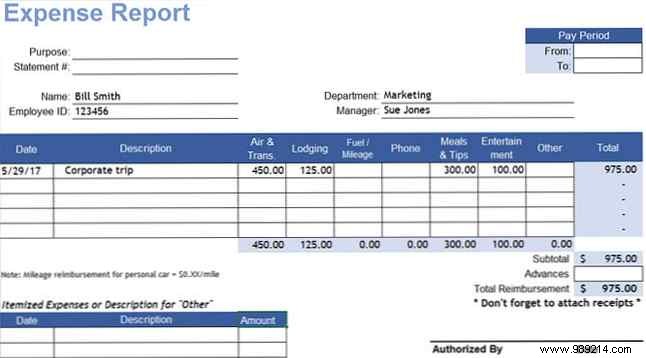
Ideal for business travel without company forms.
Monitor budgets category-by-category with Vertex42's tracker. View spent percentages, remaining balances, and a bar graph tab for visuals.
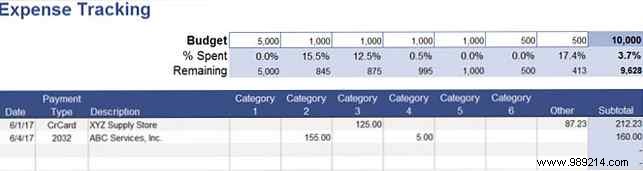
Perfect for sharing with stakeholders.
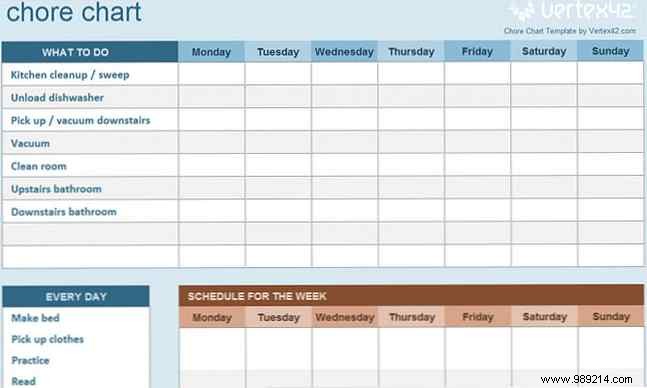
Productivity extends homeward. Leverage these for chores and bills:
Excel shines for productivity when paired with smart templates, saving time at work and home. Combine them to stay organized and efficient.
Share your favorite templates not listed here in the comments below!
