Microsoft Word has evolved into one of the world's premier word processors, helping professionals streamline their workflows. As someone who's relied on Word for years in high-stakes document creation, I've mastered features that automate repetitive tasks, letting you focus on content rather than maintenance.
From dynamic dates to seamless link updates, these built-in automations save hours. We'll cover five essential ones below. Share your favorite tips in the comments.
Insert a current date or time that updates automatically when the document opens or prints. Head to the Insert tab, click Date & Time in the Text group. Choose your format, check Update automatically, and hit OK.
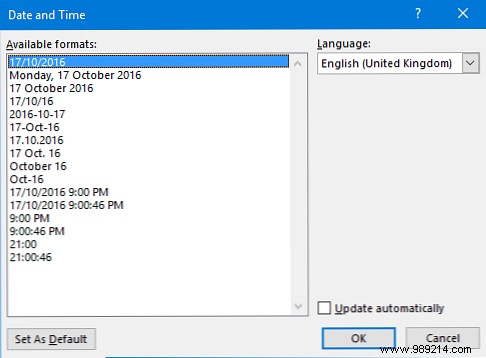
This field won't update live while typing—right-click and select Update Field. On open, it shows the current date/time. To unlink, select the field and press Ctrl + Shift + F9.
Word's proofing tools go beyond basics, auto-correcting common errors, capitalizing properly, and formatting symbols. Customize via File > Options > Proofing > AutoCorrect Options.
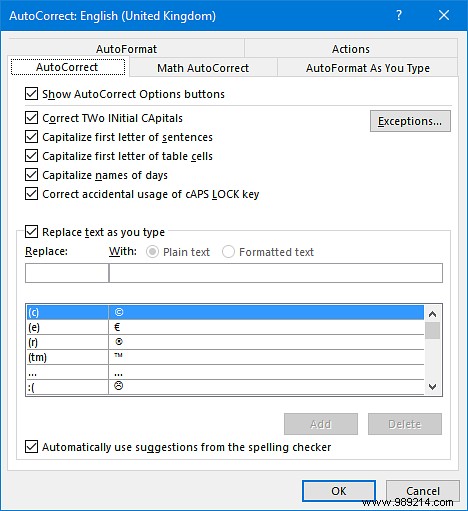
Explore tabs like AutoCorrect to add entries, or AutoFormat for auto-lists and quotes.
Bulk-update words or phrases across your document instantly. Press Ctrl + H to open the dialog.
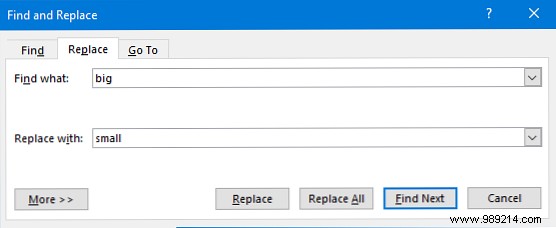
Enter text in Find what and Replace with, then Replace All. Click More >> for case matching, wildcards, or sound-alikes.
Embed Excel tables or charts that sync automatically. Enable via File > Options > Advanced, scroll to General, and check Update automatic links at open.
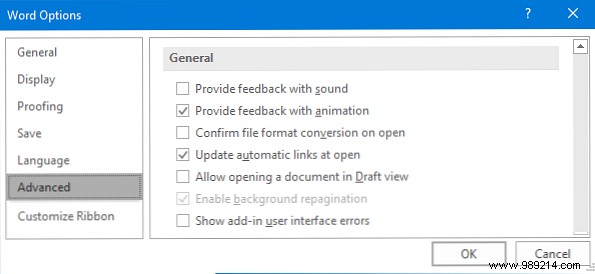
Word prompts on open. Uncheck to disable. Pair with essential Word-Excel skills for max efficiency.
Office updates automatically based on your channel, like the monthly Current Branch or deferred Business one.
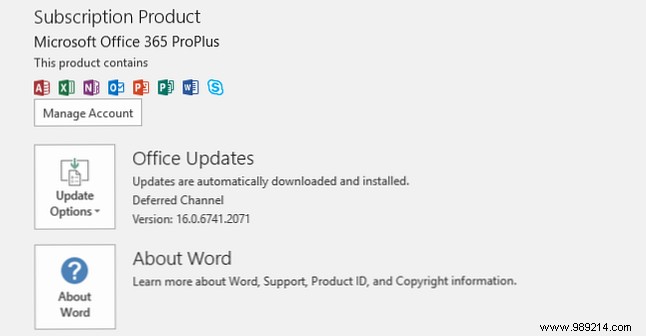
Check via File > Account > Update Options: Update Now, view history, or disable (not advised).
These features compound savings over time. Master them alongside hidden gems and simple tricks to elevate your Word expertise.
Which auto-features do you rely on? Any others to add?
