Keeping track of schedules is challenging, especially in a team environment. That's where Teamup shines—a reliable online calendar service that simplifies event scheduling and sharing. With its intuitive interface and lightning-fast sharing, it's ideal for personal use or unlimited team members, starting with a robust free plan.
Share your thoughts in the comments: Have you tried Teamup, or do you have other calendar recommendations?
Adding events is straightforward: click and drag on the calendar grid to set the time slot, then fill in details like attendees, location, and notes.
For recurring events, Teamup offers flexible options. Include descriptions with basic formatting, or embed HTML for advanced styling.
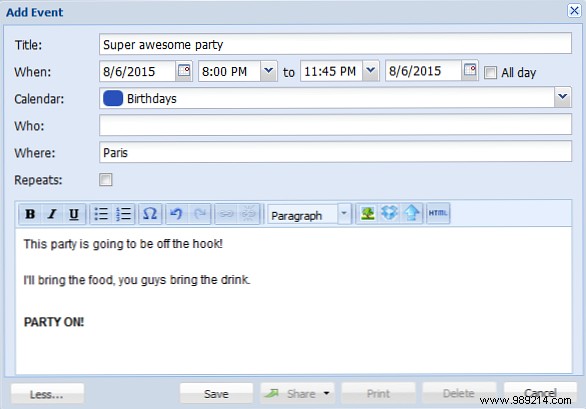
Attach images from the web, Dropbox, or documents. Premium users can upload directly from their device, Instagram, or Google Drive, keeping everything centralized for easy access.
Custom fields are absent—you'd add them manually in descriptions—which isn't ideal for enforcing consistency, though most calendars lack this too. It's a minor gap in an otherwise strong tool.
Plans allow 6 to 50 sub-calendars (free tier included in intro offer). Create one per team member or category. Unlike Google Calendar's unlimited option, this cap feels restrictive for large teams.
Toggle calendars on/off per user via cookies, ensuring personalized views without changing URLs.
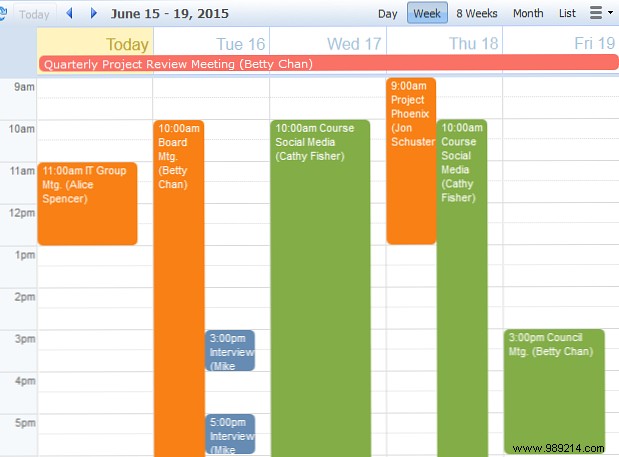
Views abound: Scheduler for side-by-side comparisons (great for room bookings), daily/weekly/monthly grids, or agenda lists. Switch effortlessly—I favor weekly for visualizing event durations clearly.
Sharing requires no accounts—just a unique URL with customizable permissions (read-only or edit). Set per sub-calendar access from one link.
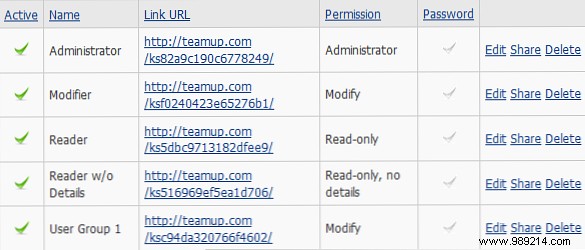
Disable links to revoke access individually. Paid plans add password protection for sensitive data, as URLs alone risk unauthorized sharing.
Pro tip: Generate unique links per user for precise control.
Paid plans let you swap logos, header text, and colors (blue/gray themes). The default clean design rarely needs changes.
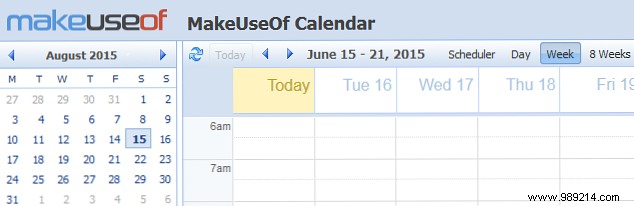
Admins can hide the sidebar by default and edit the About box with links or instructions, visible across calendars.
Options: Basic (free), Plus ($96/year), Premium ($240/year). Key diffs: sub-calendars (up to 50), history retention, passwords, direct uploads, API access.
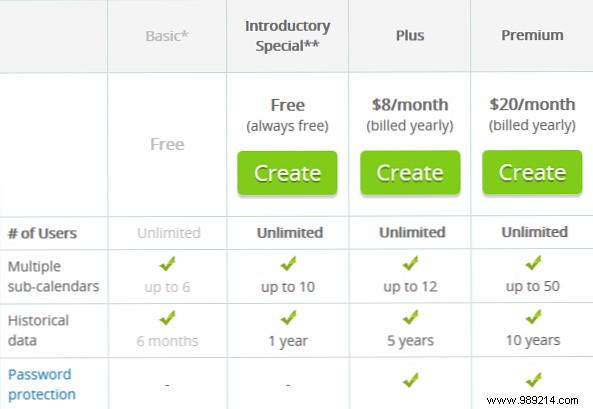
Password protection requires payment, a downside for security-focused users. Current intro free plan boosts Basics with 10 sub-calendars, 1-year history, and Scheduler view—sign up soon to lock it in permanently. Full details on Teamup's site.
Teamup excels in no-signup sharing; Google mandates accounts and per-calendar shares.
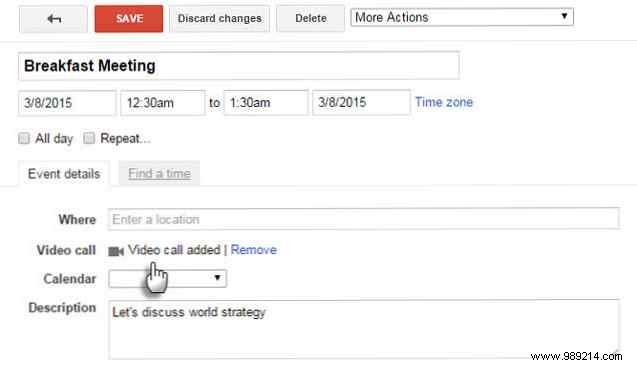
Google offers unlimited sub-calendars, infinite history, and superior search (Teamup lacks it entirely). Free security beats Teamup's paywall.
Test Teamup's free plan—its clean interface, seamless sharing, and versatile views make it a top pick for collaboration. The best tool is the one your team adopts.
Do you use Teamup? What other calendars do you recommend?
