As a productivity expert who's tested countless apps over the years, I've seen bullet-based to-do lists transform chaos into clarity—or become forgotten digital graveyards. The difference? Picking a tool you actually use consistently. Chronic procrastinators abandon them; high achievers fuel their days with them. Start simple: the best system is the one that sticks.
Bullet lists offer unmatched flexibility—call yours an "Opportunity List," "Daily Wins," or anything motivating. Without action, they're just pixels or paper. Paper notebooks excel for many, but for the digital crowd, here are my top recommendations, drawn from real-world testing across platforms.
Google Tasks is the understated powerhouse in Google's ecosystem, seamlessly integrated with Gmail. Turn emails into tasks with one click or Shift + T. They sync to Google Calendar under "My Calendars" for effortless scheduling.
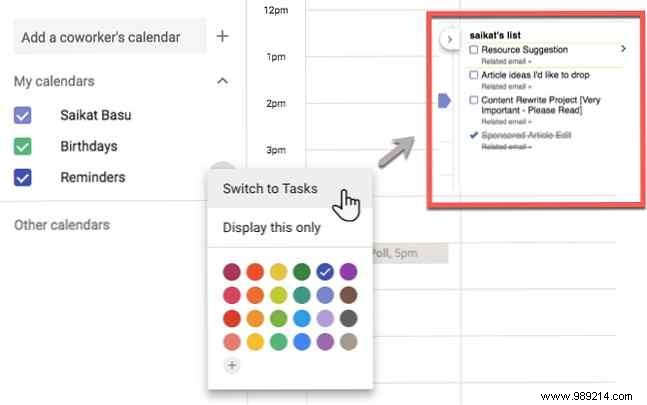
Beyond basic checkboxes, add subtasks, notes, due dates, and reminders. The Chrome extension keeps it handy. Tip: Tasks with dates appear as all-day events in your calendar—break big ones into subtasks for steady progress.
Google Keep delivers sticky-note simplicity with powerful twists: color-coded bulleted lists, labels, date/location reminders, and team collaboration. It's ideal for quick captures that evolve into actionable checklists.
Google Keep shines for creative task management too—just snap a photo of a whiteboard or receipt, and its OCR transcribes text into editable bullets. Tip: Use OCR to instantly convert meeting notes or images into checklists—no manual typing needed.
Apple Notes bridges Mac and iOS via iCloud, perfect for checklists on the go or deep dives. Since iOS 11, it's evolved: create instant checklists, convert paragraphs with one tap, or mix bullets and numbers.
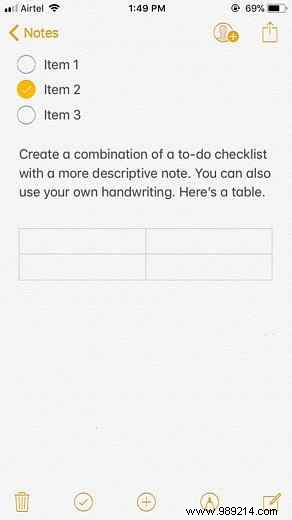
Embed photos, scans, videos, or drawings, then lock with password or Touch ID. Tip: Enable lock screen access via Settings > Notes > Access Notes from the lock screen for instant entry.
Microsoft To-Do rose from Wunderlist's ashes, blending Office 365 integration with customizable themes, due dates, and reminders. Access it web-wide or via apps.
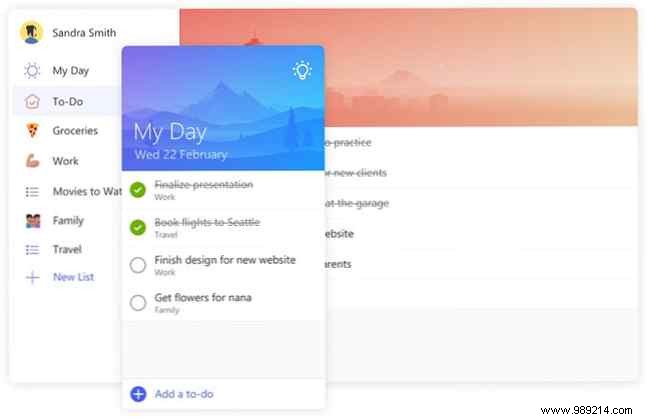
The Smart Suggestions lightbulb pulls from past tasks intelligently. Tip: Add an emoji to your list name—it becomes the sidebar icon for quick spotting.
Dynalist rivals Workflowy for outliners but excels in bullet checklists with folders, dates, and milestones. Free tier offers unlimited lists; premium unlocks more.
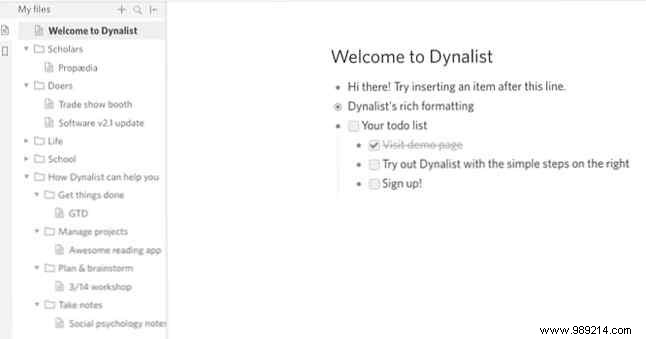
Apps for all platforms. Tip: Link bullets internally for nested organization.
Checkvist favors keyboard-driven hierarchical bullets—ideal for power users craving speed. Add notes, labels, dates, markdown; free plan is robust, pro adds integrations.
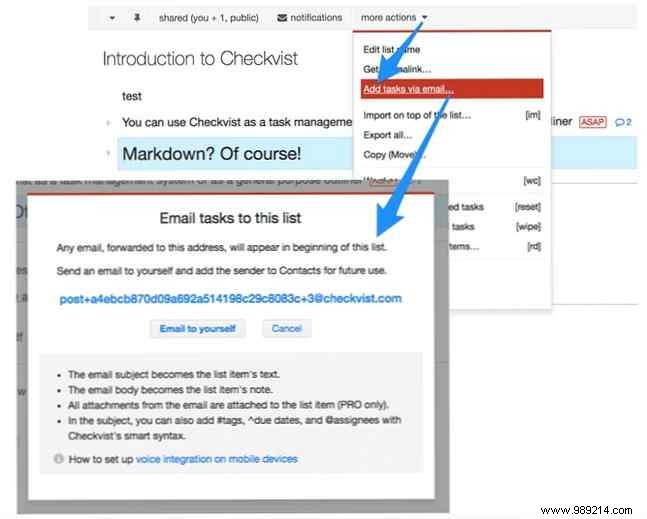
Use HTML5 on mobile. Tip: Mix styles like [*] bullets and [1] numbers in one list.
Taskade's sleek design automates breakdowns into subtasks. Chrome extension turns new tabs into checklists; share with #hashtags and @mentions.
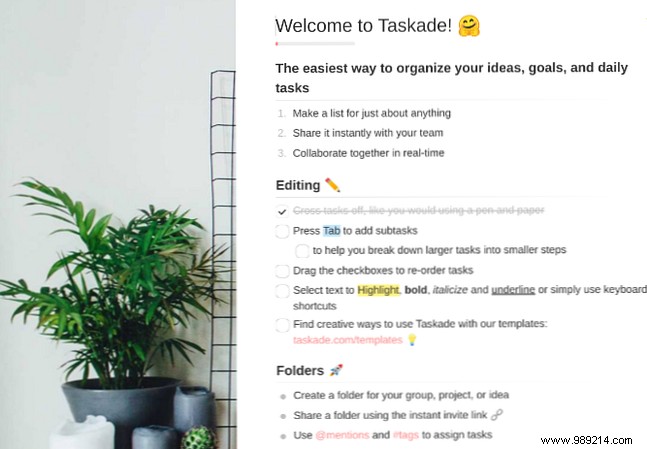
Tip: Start with pre-built templates for instant structure.
Momentum's new-tab extension (Chrome/Firefox) pairs inspiring wallpapers with Inbox, Today, and Done lists for focused flow. Plus tier syncs with Todoist, Asana, and more.
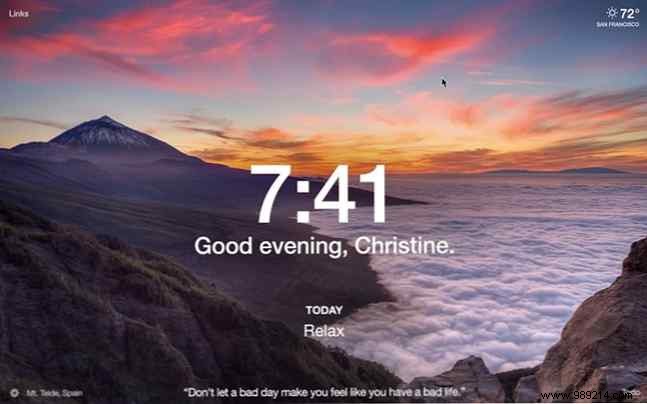
Tip: Activate Balance Mode to display only your top priority task.
For analog fans, Bullet Journal's symbols turn any notebook into a dynamic system—task tracker, diary, planner. Digital twists work in Evernote or Trello too.
Tip: Pair with the $2.99 iOS companion app.
These apps scratch the surface—even Notepad or OneNote works. Avoid pitfalls like vague tasks or missing deadlines. What's your go-to bullet app?
