As professionals who spend hours at desks—or on couches and beds—we know poor posture leads to back pain and strain. Contrary to popular belief, sitting bolt upright increases spinal stress, according to ergonomic research. But what’s the best way to use a laptop away from a desk?
A 2010 study recommends lying down with your knees elevated and laptop on your thighs for minimal body tension. This position, illustrated below, aligns your spine naturally and reduces neck and back strain.
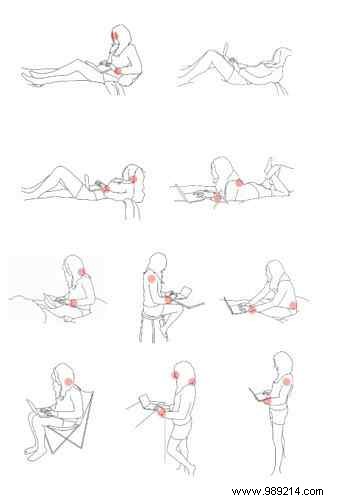
If lying down hinders focus, try sitting with a pillow supporting your lower back for lumbar relief.
Mark Goetz, an acclaimed furniture designer specializing in ergonomics, advises: "When you focus on your device, your body follows—often into unhealthy positions." Keep your laptop at eye level to avoid hunching and spinal stress.
On a couch? Elevate your screen to eye height using books or a stand.
Share your go-to tips for pain-free laptop use in the comments—we’d love to hear from fellow remote workers and experts.
