Overwhelmed by newsletters, coupons, and promotional emails? As someone who's managed high-volume inboxes for years, I know the drill—manual unsubscribes can be tedious and risky. Discover a smarter, automated solution that works seamlessly with Gmail, Outlook, Yahoo, AOL, and IMAP services like Comcast.
Head to the Unsubscribe website and sign up with your email account. Grant access once prompted—it's secure and straightforward.
After connecting, check your inbox's filters/labels section (typically on the left). A new Unsubscribe label will appear, though it may take up to a day.
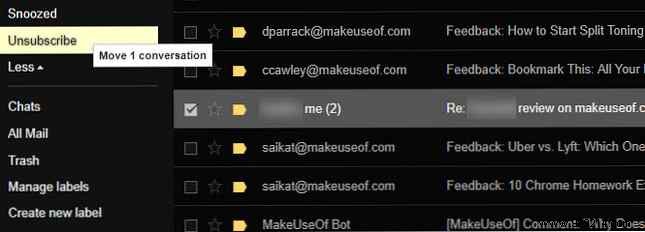
Spot an unwanted email? Just drag it to the Unsubscribe label. The service automatically handles unsubscribing, routing future messages there temporarily. It even works on mobile.
Manage everything via the Unsubscribe dashboard: review unsubscriptions or click Resubscribe to reinstate a sender anytime.
Privacy note: This free tool collects data on commercial emails for marketing insights—far less than your email provider tracks.
