As a developer with years of experience using Microsoft OneNote, I've discovered how this versatile note-taking app can transform your workflow. Far beyond basic notes, OneNote helps organize code snippets, track bugs, and build a personal knowledge base. Here are six proven tips I've relied on to stay efficient.
OneNote supports unlimited notebooks, perfect for separating projects. Dedicate one as your developer journal: capture code snippets, resource links, command outputs, and hard-won solutions. Create a section for reusable snippets to skip endless online searches.
This evolves into an invaluable personal wiki, helping you recall fixes from weeks ago.
Pages filled with code can overwhelm. Leverage OneNote's highlighter or colored text: red for unresolved bugs, blue for follow-up questions, green for key learnings. At a glance, prioritize tasks or review knowledge.
In my experience, this system cuts debugging time dramatically.
Long coding sessions strain eyes. Apply a dark theme via macros, like the Programmer (Wombat) extension. Install it, then access via the Macros tab in the Home ribbon and select Programmer (Wombat).
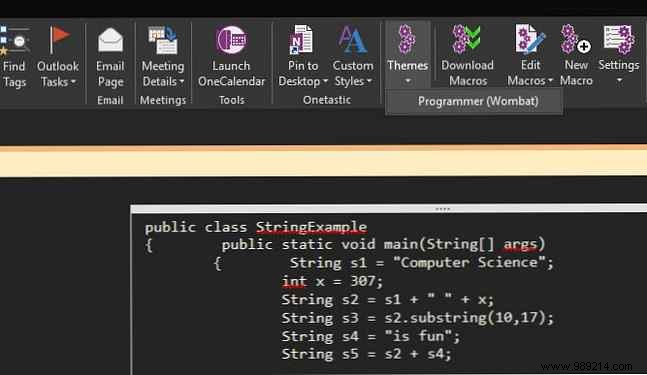
For full darkness, go to File > Account > Office Theme and choose Black or Dark Gray. It's a game-changer for late-night sessions.
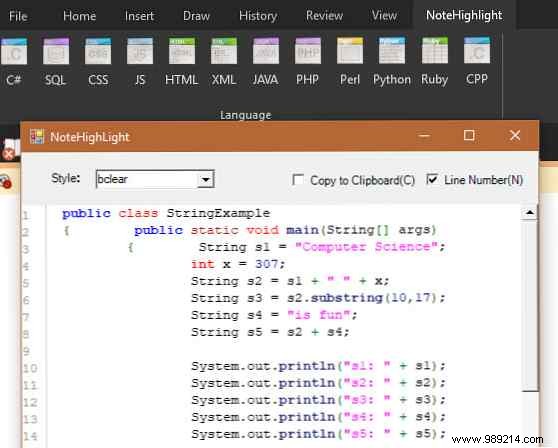
This must-have add-in formats code perfectly in OneNote. Download NoteHighlight2016 (64-bit) or NoteHighlight2016x86 (32-bit) from the releases page.
A new Note Highlight tab appears. Pick your language (C#, Java, Ruby, etc.), paste code, and hit OK for instant, readable syntax.
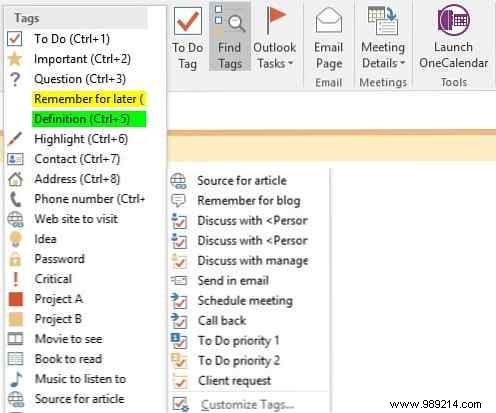
Tags offer dynamic categorization visible in a dedicated pane. In the Home tab's Tags section, click the Show all arrow for icons like Important (star), Question (?), Idea (lightbulb), or To Do checkboxes.
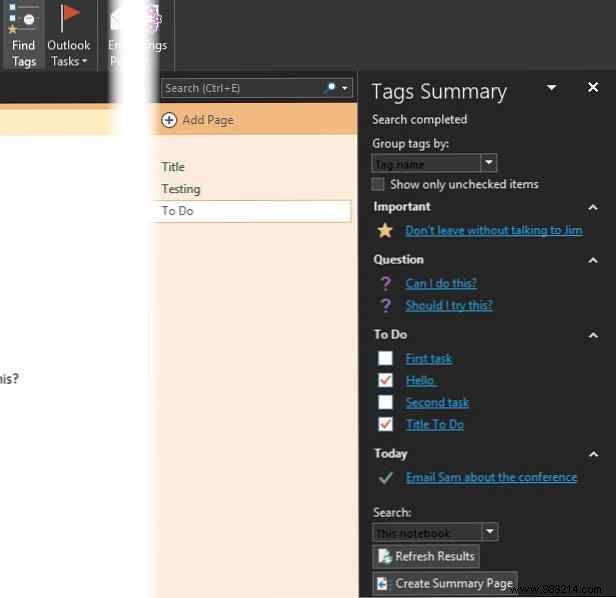
Click Search Tags for a grouped summary of all tags—jump to any instantly. Use Create Summary Page to compile them for sharing or progress tracking.
Customize tags to fit your needs perfectly.
Need quick prototyping? Repl.it spins up environments instantly. Copy any repl's URL and paste into OneNote—it embeds a live editor and runner.
Ideal for archiving tests, demos, or interactive examples right in your notes.
OneNote shines for developers through smart organization and integrations. For deeper mastery, check our comprehensive OneNote guide.
