Excel often intimidates beginners with its depth of features lurking beneath the surface. As a spreadsheet expert with years of hands-on experience training professionals, I can assure you: this powerful tool is worth mastering. The secret? Break it down into manageable steps.
While you can't learn Excel overnight, focusing on core processes builds a solid foundation fast. Work through these proven techniques, and you'll soon handle spreadsheets confidently, paving the way to advanced mastery.
Start with these essential skills. They're straightforward but crucial before tackling complexity.
Begin with basic math. Excel requires an equal sign (=) to start any formula. Type =10 + 10 in a cell and press Enter—the result displays as 20.
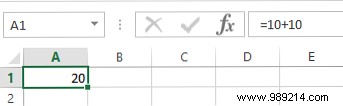
Addition and subtraction are intuitive, but use * for multiplication and / for division.
Enter two numbers in adjacent cells. Select the cell to the right or below, then go to Home > AutoSum.
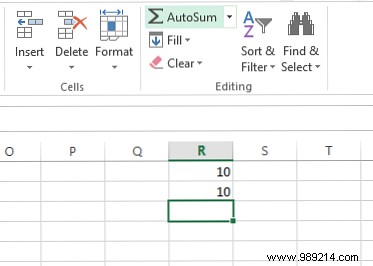
This auto-generates a SUM formula. Hit Enter for the total. Use the dropdown for other functions like AVERAGE.
As spreadsheets grow, format currencies, dates, and percentages properly. Select cells, find the Number dropdown (default: General).
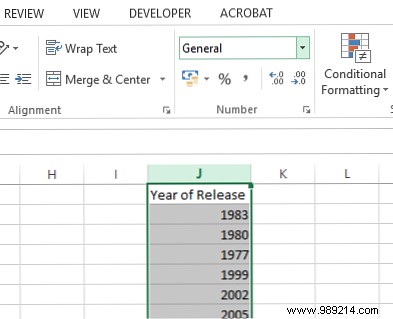
Choose formats or select More Number Formats for custom decimals and currencies.
Select your data including headers, click the Quick Analysis tool (bottom-right of selection), go to Tables > Table.
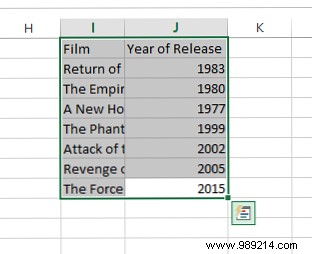
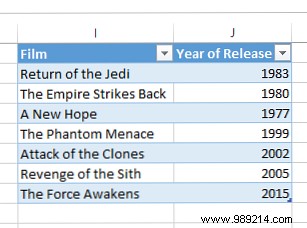
Headers gain filter/sort arrows for easy data management.
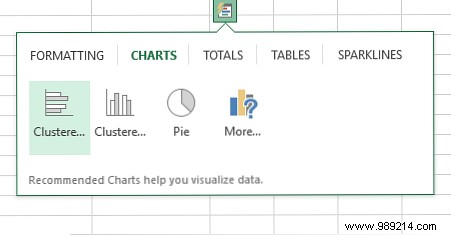
Select data, use Quick Analysis > charts. Preview options or choose More for customization. Pick the best type for your story.
Excel's interconnected features mean mastering one unlocks others. Here's how to elevate your game.
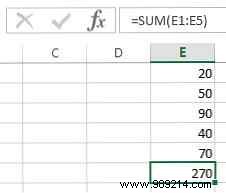
Beyond basics, explore functions like SUM. For numbers in E1:E5, type =SUM(E1:E5).
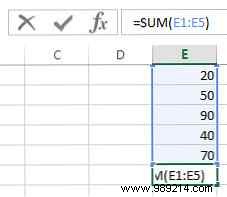
Or type =SUM(, select cells (Ctrl+click or drag), and close. Cell references auto-update changes—ideal for dynamic sheets.
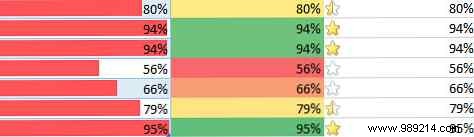
Highlight insights visually. Select data, go to Home > Conditional Formatting.
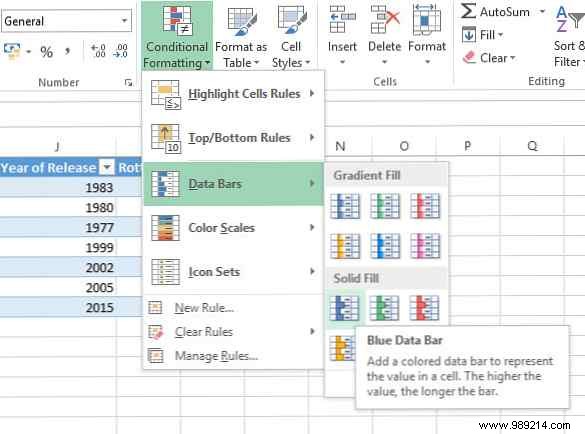
Use data bars, color scales, or icons. Tweak via More Rules for clarity.
Right-click your chart, select Chart Elements (+ icon), check Trendline or customize.
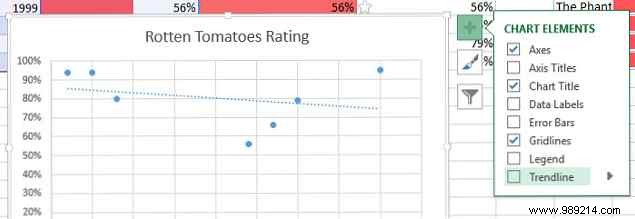
Use judiciously—ensure it enhances, not clutters, your data narrative.
Microsoft's support site offers clear tutorials. Excel Functions is a top reference. MakeUseOf has practical guides too.
Questions on mastering Excel? Share in the comments—experienced users, drop your tips!
