As a project management expert with years of experience applying enterprise tools to personal workflows, I've found that standard to-do lists excel at capturing what needs to be done and who should handle it—but they fall short on planning the when. That's where the Waterfall methodology shines, a structured approach long trusted by businesses to deliver projects on time and within scope.
Companies adopt rigorous project management for profitability: every delayed hour costs money. For personal projects, distractions like fatigue, work demands, or endless cat videos often derail us. Waterfall instills discipline, setting realistic timelines from the start to ensure completion.
In this guide, drawn from real-world applications, I'll show you how to adapt Waterfall principles for personal use and implement them with free tools like ProjectLibre.
Master these fundamentals to transform chaos into progress:
Start with your end goal and decompose it into actionable tasks. For example, launching a WordPress blog breaks into high-level phases: creating content, designing creatively, and installing/deploying the site. A WBS drills down to bite-sized tasks anyone can grasp and execute.
Here's a sample WBS:
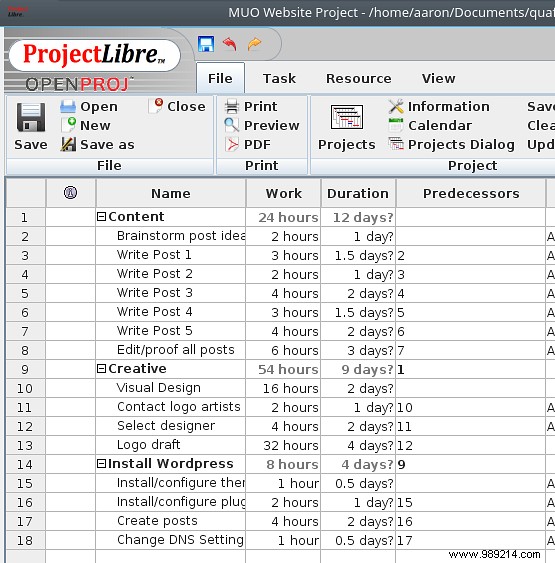
The smaller the tasks, the better. Breaking "write content for posts" into individual posts reveals progress sooner, offers flexibility for reprioritization, and clarifies dependencies—what must finish before the next step begins (predecessors). For instance, the logo draft can't start until you've selected a designer.
Updated WBS with dependencies:
Next, assign who does what and when. Assess availability first—don't overload. Track hours realistically. With a full-time job (8 hours/day at work), block 1-2 hours nightly for personal projects: that's 10 hours weekly capacity (2 hours x 5 days). A task taking 10 hours full-time might stretch to two weeks part-time.
Capacity calculations reveal true project durations.
WBS provides the initial plan, often optimistic (one task at a time). Refine for reality: hard constraints (e.g., can't start before a date), parallel tasks (one person on A, another on B), or multi-person tasks. Balance to shorten bottlenecks while respecting dependencies.
With your plan outlined, let's build it in ProjectLibre.
Skeptical of project tools? "I just need a list" or "Gantt charts take too long"? Gantt charts—over a century old—remain the gold standard for Waterfall visualization: timeline, status, and tasks in one view. Calendars lack dependencies; lists ignore them. Gantt tools auto-update dates.
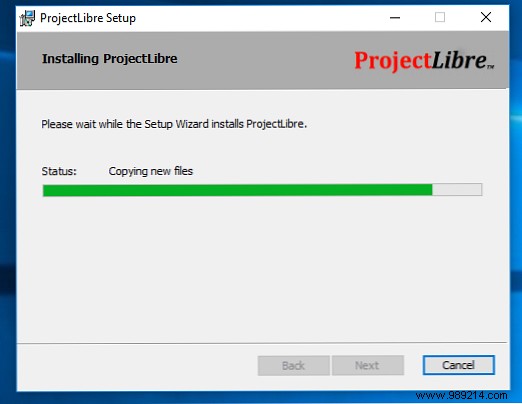
ProjectLibre (free, cross-platform) simplifies this. Download version 1.7+, install via EXE (Windows), DMG (Mac), or RPM/DEB (Linux).
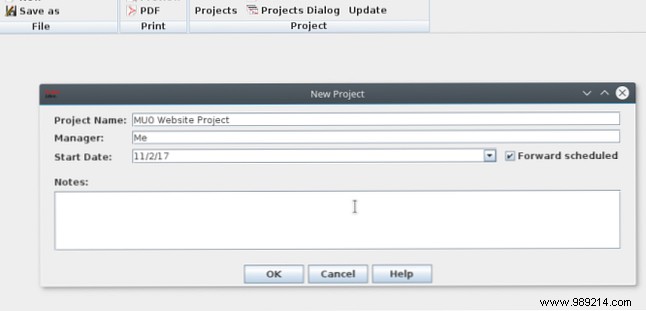
Launch, select Create Project, enter name and start date.
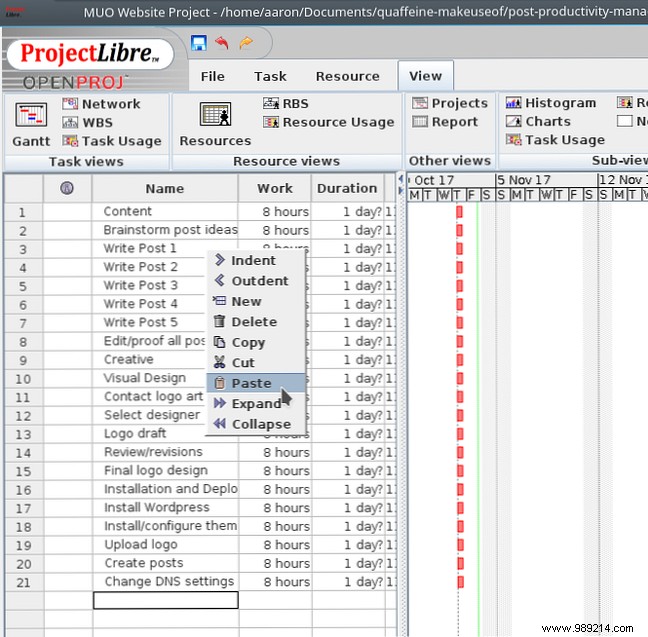
Brainstorm tasks anywhere, then paste into ProjectLibre's Gantt view spreadsheet. Use arrow keys, F2 (edit), Enter (commit), Ctrl+. (indent), Ctrl+, (outdent) for outline structure.
Add predecessors and work estimates (hours). Parent tasks become phases; dates auto-adjust.
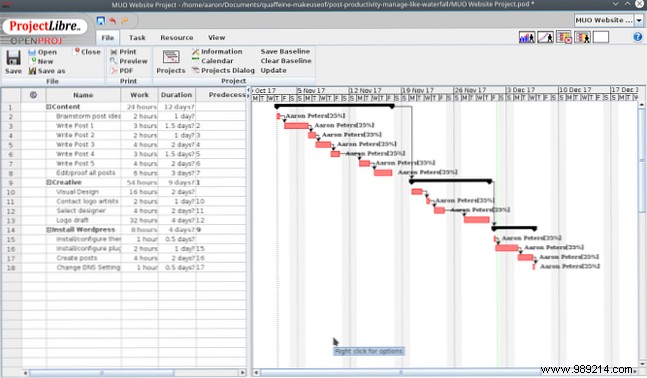
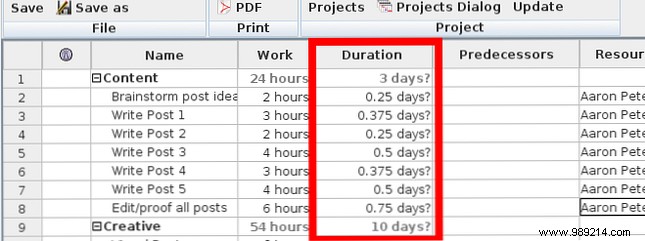
Durations show "0.25 days?" assuming 8-hour days. Assign resources with capacity, e.g., "You [25%]" for 2 hours/day. Durations scale automatically—revealing five weeks for 80 hours total.
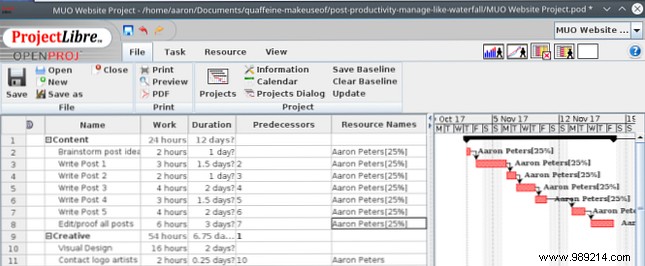
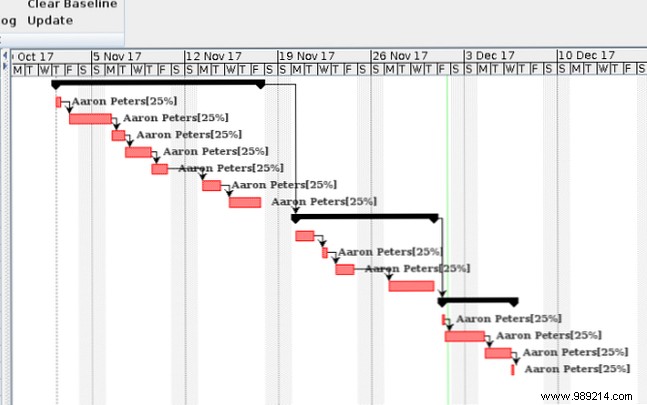
Review: Offload specialties (e.g., logo to an artist) for parallelism. Tweak predecessors to overlap phases, shaving a week.
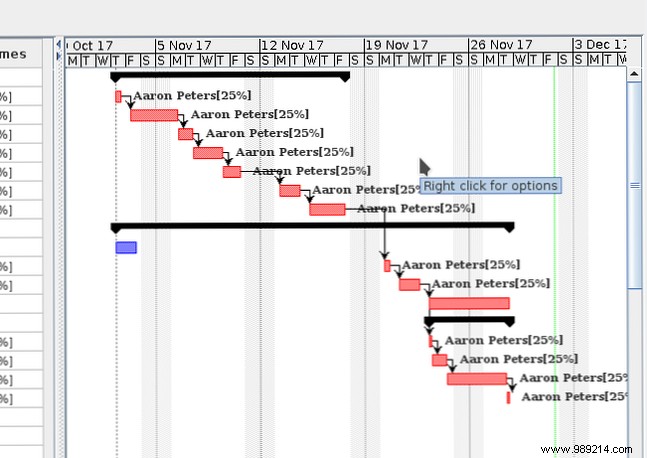
Skip calendars or light tools—Waterfall with ProjectLibre forces honest assessment: true availability, bottlenecks, help needed. Break projects into progress chunks effortlessly.
Do you wing pet projects or use structured systems like Waterfall? Share your approach in the comments!
