Whether you're changing scenery, maximizing travel time, or facing unreliable internet, these Chrome offline apps keep you on track. Set up on the beach, bus, or park bench—these reliable tools ensure productivity never skips a beat.
Track billable hours or harness the Pomodoro Technique with these offline Chrome apps designed for precise time management.
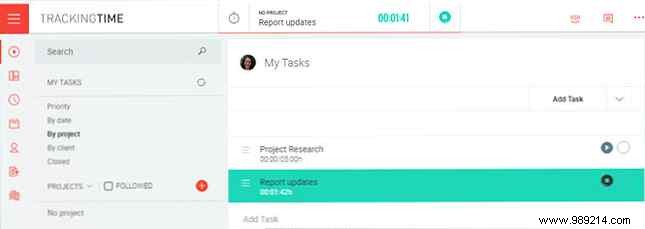
TrackingTime is a dynamic offline tool ideal for projects of any scale. Quickly add tasks, invite collaborators, review calendars, reports, and dashboards—all with a single click to start timing. Add details later if needed, include clients and services, mark billable items, and enjoy seamless integration with Outlook, Basecamp, and Trello. It's a standout for comprehensive time tracking.
On the flip side of advanced tracking, Cherry Tomato Clock leverages the Pomodoro Technique for focused 25-minute bursts. This clever tool offers easy timer starts plus handy extras.
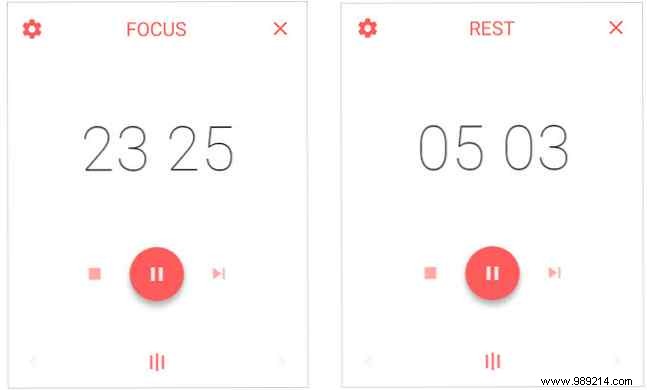
Pause with one click, customize keyboard shortcuts, and get desktop notifications for breaks or resets. Perfect for Pomodoro users seeking simplicity and efficiency.
Task management is crucial across industries and projects. Stay on top of to-dos anywhere with these robust offline options.
Wunderlist excels in task lists, reminders, and read-later items. Available online, offline, and on mobile, it keeps everything accessible.
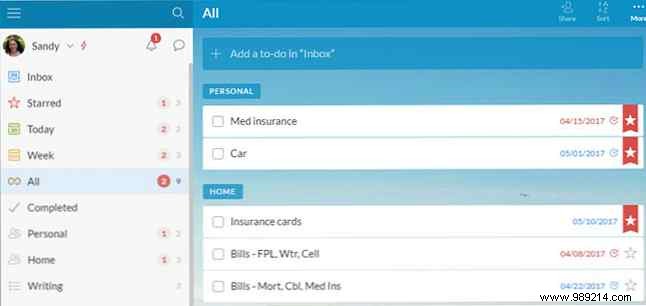
Share tasks, assign to others, set due dates, reminders, subtasks, notes, comments, recurring items, and attachments—ideal for work or home.
Any.do offers a fresh take on tasks, working online, offline, and mobile. Create lists, add to-dos, and switch between list or calendar views.
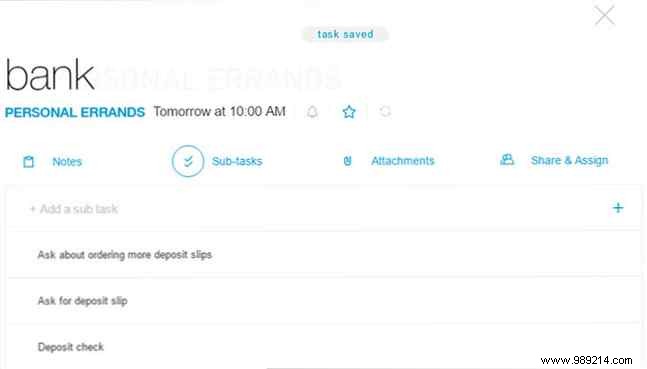
Add notes, subtasks, attachments; share or assign; set recurring tasks daily, weekly, monthly, or yearly. A solid, versatile choice.
For more than basic tasks, Manage It delivers robust offline project management. View tasks, calendars, activity; create projects, assign tasks with effort estimates.
Color-coded workspaces simplify scheduling. Attach files, photos (via update), or from Dropbox, Evernote, Google Drive. Feature-rich for projects and tasks.
Need to review reports or tweak docs on the go? These apps provide seamless offline editing without internet.
This straightforward Google extension lets you drag-and-drop files from your computer into Chrome for instant editing of Word, Excel, or PowerPoint docs.
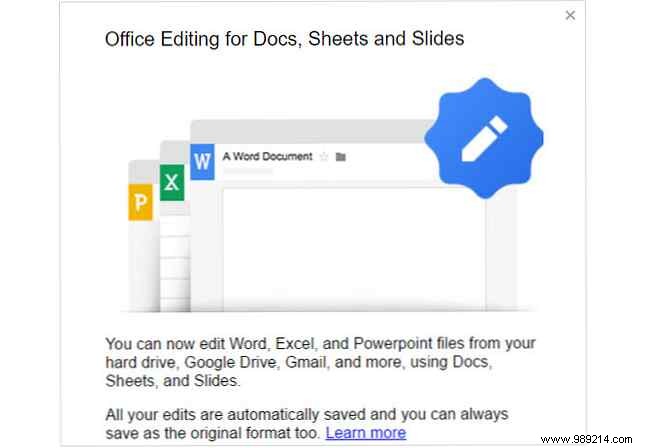
Opens in Google Docs, Sheets, or Slides—even from Gmail or Drive. Perfect for quick Office edits without the full suite installed.
Kami simplifies viewing, annotating, and sharing PDFs and docs. Import from Drive or upload locally, then highlight, strikethrough, underline text; add comments, drawings; split/merge pages; share, export, or print.
Jump pages, rotate, toggle views. Basics are free; advanced features via paid plans.
Flowcharts, charts, mind maps—build or edit them offline with these intuitive tools.
Lucidchart's intuitive editor lets you drag shapes and containers to the canvas, add connectors, and apply built-in color themes.
Export as image/PDF, create presentations. Free for three docs; subscribe for unlimited and integrations.
Gliffy makes diagramming easy: drag shapes, connect with the link tool, add text. Customize colors, fonts, shadows, connectors; drag in desktop images.
Create flowcharts, swimlanes, Venn diagrams, floor plans, mind maps. Export as JPG/PNG/Gliffy. Includes tips and user manual—highly intuitive.
Capture ideas, meeting lists, or project thoughts instantly with these offline note-taking apps.
Note Board brings visual sticky-note style with customizable boards. Use five boards with unique backgrounds for work/home/projects.
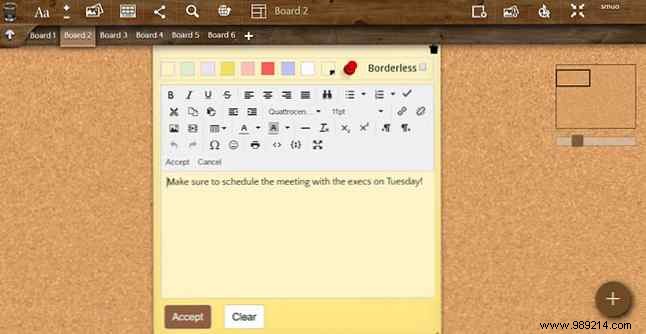
Notes feature backgrounds, drawings, images, adjustable fonts/styles, due dates/reminders. Free account syncs across web, Android, iOS.
Memo Notepad's clean desk-pad interface minimizes distractions. Create, share, delete, search notes effortlessly.
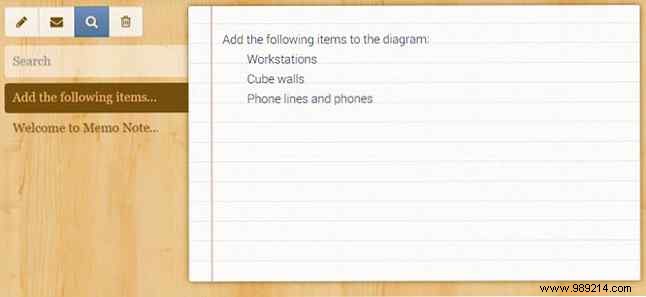
Cloud/mobile sync (in-app purchase), backups; free for iPhone/iPad.
Nimbus Notes captures and organizes thoughts offline. Basic formatting (bold, italic, underline, strikethrough); insert URLs or links.
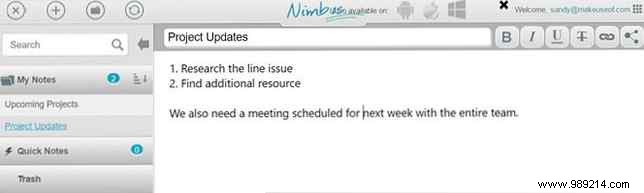
Available on Android, iOS, Windows for seamless mobility.
Chrome offers endless offline options for business or personal use. Grab your laptop and dive in—no internet required.
On the bus, beach, or break—what Chrome offline apps boost your productivity?
