Over 1.2 billion people worldwide rely on Microsoft Office daily. In fact, 80% of Fortune 500 companies use Microsoft's cloud-based solutions. While some users stick to local desktop saving, Office 2016's cloud features unlock seamless collaboration for everyone else.
The cloud market, forecasted at $204 billion by 2016, revolutionized productivity. Microsoft joined the leaders with Office 365, boosting its popularity.
Where do you stand on cloud collaboration? Explore new Office Online features for document management and teamwork. Office Online is Microsoft's free web suite with recent updates enhancing OneDrive, Dropbox, and Skype integration. Read more?
Begin with saving Office 2016 files to the cloud—collaboration starts with the Save command.
Save a new document via the Save button on the Quick Access Toolbar or by selecting File > Save or Save As. This opens the Save As page with local and cloud options.
Choose a desktop folder or OneDrive. Add SharePoint if your organization uses it via Add a place.
By default, OneDrive is the primary cloud option for most users.
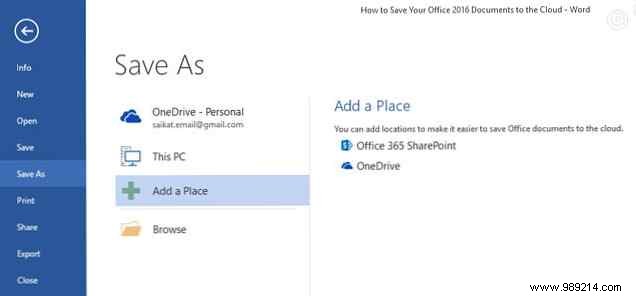
Competitor clouds like Dropbox aren't listed directly. Access synced local folders via Open or Save As, but direct cloud access requires extra steps—which we'll cover.
Integrating options like Dropbox and Google Drive offers key advantages:
Office Online supports Dropbox for Word, Excel, and PowerPoint since 2014, enabling shared folder collaboration. Files integrate with Outlook, bypassing attachment limits.
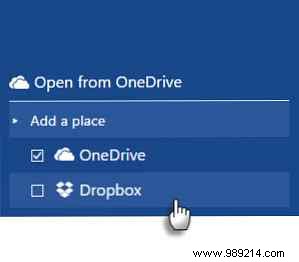
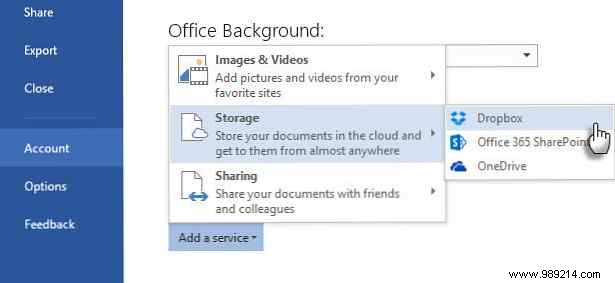
Sign into Office.com, launch Word, Excel, or PowerPoint. Click Add a place at bottom-left and select Dropbox.
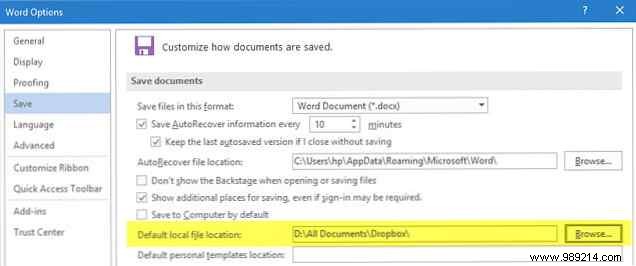
For desktop Office 2016, set your local Dropbox folder as default.
Go to File > Options > Save, browse to Dropbox sync folder, and confirm.
Registry tweaks? Older batch files for Office 2013 don't reliably work in 2016. Direct Save to Dropbox in Backstage is no faster than browsing locally. Dropbox forums discuss workarounds, including an Office 2016 update, but results vary.
Despite rivalries, the official Google Drive add-in bridges Office and Drive. Edit, email, and share without desktop sync or browser.
Works with Word, Excel, PowerPoint, Outlook (2007-2016). Download driveforoffice.exe (~900 KB).
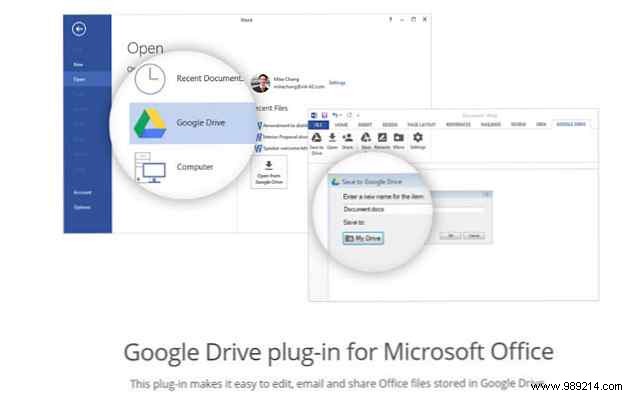
Install, authorize, and access via ribbon. Select File > Google Drive > Open from Google Drive.

Open files directly; Google formats launch in-browser. Save Office files to any Drive folder and share.
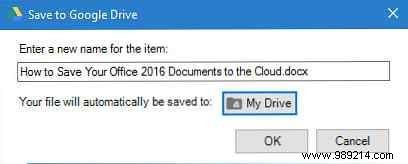
Sign out via Google Drive > Settings > Account.
Attach Drive files easily. In new email, click Insert files using Drive:
Select and send. Save attachments to Drive too.

Office iOS apps sync with iCloud Drive across Mac, PC, iPad, iPhone—but can't create new docs directly there. Access via:
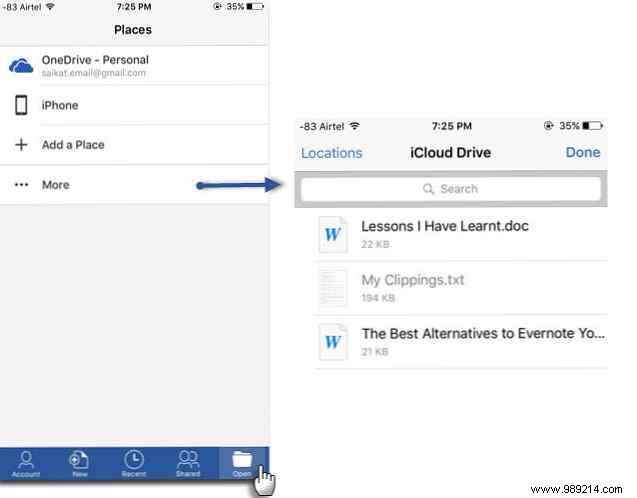
In app, tap Open > More for iCloud. Edit and save existing files. Google Drive also supported for opening.
The Evernote for Outlook add-in saves emails/attachments to Evernote. Clip threads, attach notes. Available for Outlook 2013/2016, Office 365. See Quick Start Guide.
Microsoft Flow connects 41 services to Office. Explore templates like syncing Box to OneDrive.
IFTTT's OneDrive channel offers recipes:
Office 2016 enables anywhere access and team upgrades. Combine desktop and cloud for max productivity. How do you save Office files? Share your OneDrive or other cloud tips in comments.
