As professionals with decades of experience in productivity consulting, we've seen firsthand how Google's suite of tools transforms chaotic schedules into streamlined workflows. With a standard 40-hour workweek, mastering time management is essential. These expert strategies, drawn from real-world applications in business and personal settings, leverage Google Calendar, Gmail, Docs, Keep, and more to help you reclaim control. Adaptable to other apps, they deliver measurable results in organization and efficiency.
Emails can derail focus, pulling you from critical tasks like document creation. As a best practice, designate specific blocks for handling non-urgent messages, prioritizing emergencies only.
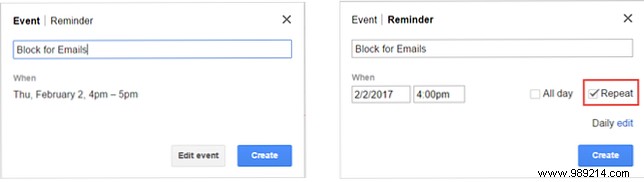
Schedule email sessions by adding a recurring event in Google Calendar. Name it, set reminders, and make it repeat. Shared calendars let colleagues respect your focus time. Click an available slot, enter details, and hit Create.
Gmail's stars (flags) keep important messages top-of-mind. Customize via Settings > General > Stars: Drag desired icons from Not in use to In use. Star emails as they arrive.

This Calendar-Gmail synergy ensures emails stay managed without constant interruptions.
Google Calendar's views (day, week, month, workweek) make planning intuitive. Highlight availability to optimize collaboration.
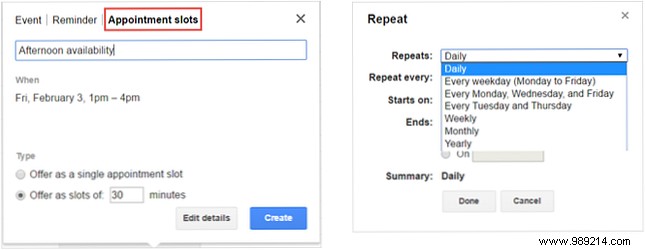
With a work or school account, create appointment slots instead of rigid events. For 1-4 PM availability: Switch to Day or Week view, click the time, select Appointment slots, name it, choose duration, and Create (or Edit details for more).
Without access? Block busy times as before.
For frequent hosts, integrate Google Docs and Calendar for polished, efficient sessions.
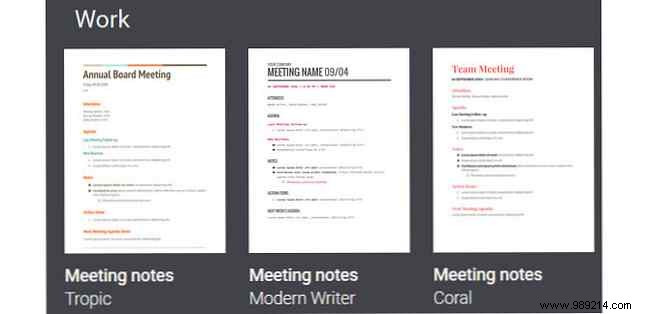
A structured agenda prevents wasted time. In Google Docs, access Template Gallery > Work for Meeting Notes templates, covering attendees, agenda, notes, and actions.
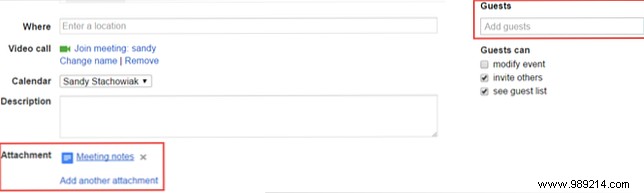
Create the event in Calendar, click Edit details, add Guests via emails, then Add an attachment under Description to link your agenda Doc.
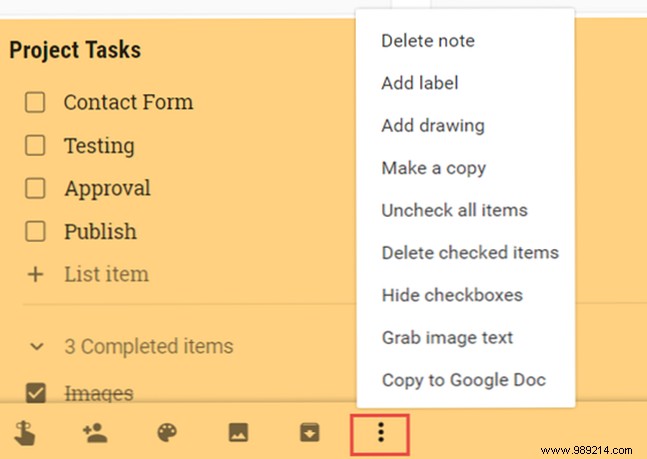
Google Tasks suits basics, but Keep excels for visual, collaborative lists. Switch effortlessly in Calendar.
Transform notes into checklists with reminders, images, drawings, labels, colors, and pins for priorities. Ideal for simple project tracking.
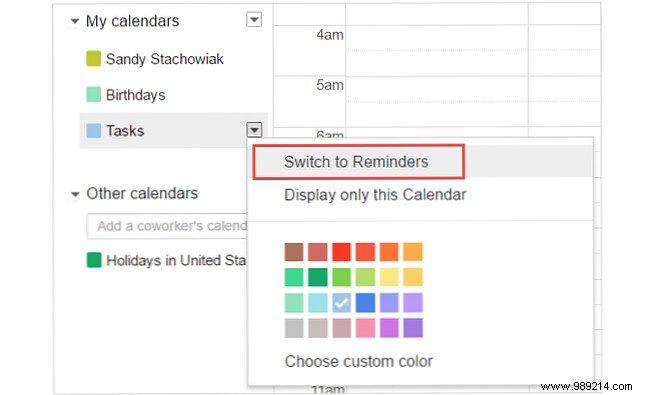
On the main screen, under My calendars, expand Tasks and select Switch to Reminders (or back). Keep reminders appear instantly.
Prep anywhere with native apps: Google Calendar (Android/iOS free), Keep (free), Docs (free), Gmail (free).
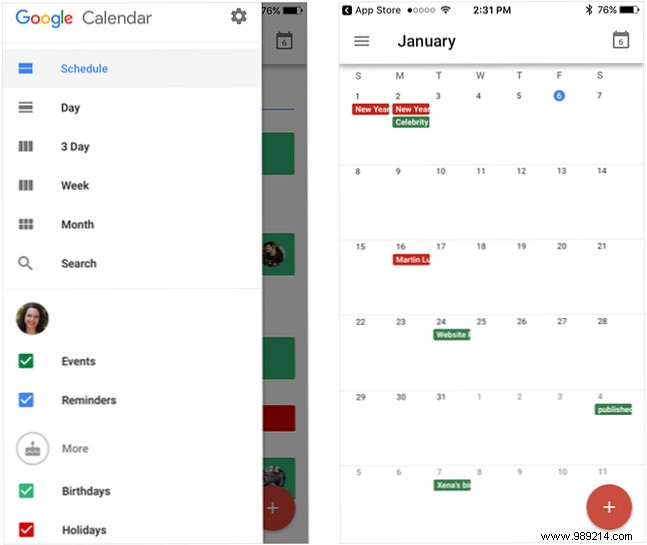
This mobile-first approach ensures you're Monday-ready with a proactive plan.
Google's ecosystem shines in integration. Which features boost your productivity? Share in the comments!
