Microsoft Office dominates the productivity suite market, but worthy challengers like OnlyOffice offer compelling free alternatives. As someone who's tested numerous office suites over years of professional use, I can attest that OnlyOffice—free, open-source, and cross-platform—delivers robust features without the subscription costs.
Formerly TeamLab Office, OnlyOffice provides an integrated platform centered on document, spreadsheet, and presentation editors. Its clean, clutter-free interface strikes a balance between Google Docs simplicity and OpenOffice familiarity, though it may feel slightly dated next to Microsoft Office 2016's polish.
OnlyOffice shines with expandability via third-party plugins, including templates, YouTube embeds, and even a chess game. Find these on the OnlyOffice GitHub.
It supports a wide array of formats: DOC, DOCX, ODT, RTF, TXT, PDF, HTML, EPUB, XPS, DjVu, XLS, XLSX, ODS, CSV, PPT, PPTX, ODP. The tabbed interface allows seamless editing of multiple documents in one window—a practical touch for multitasking.
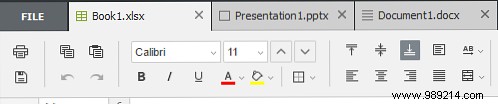
This keeps your workspace organized, though preferences vary—some prefer separate windows for clarity.
OnlyOffice's desktop apps are free for Windows, macOS, and Linux. Here's a breakdown based on my hands-on experience:
The minimalist black, white, and gray workspace minimizes distractions. The intuitive toolbar covers essentials like formatting and styles, with pre-installed themes for quick customization.
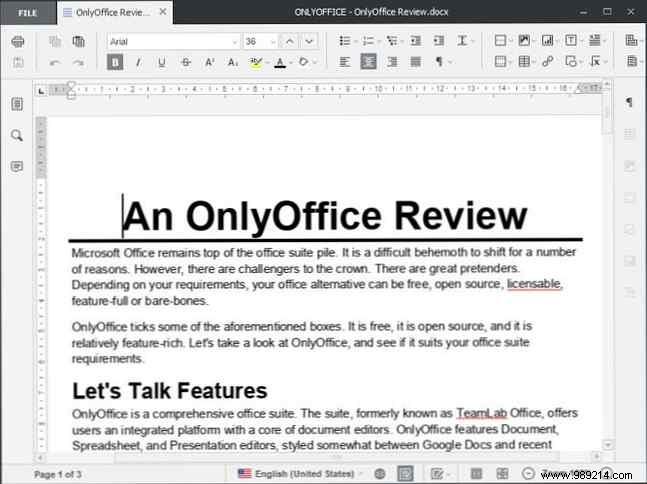
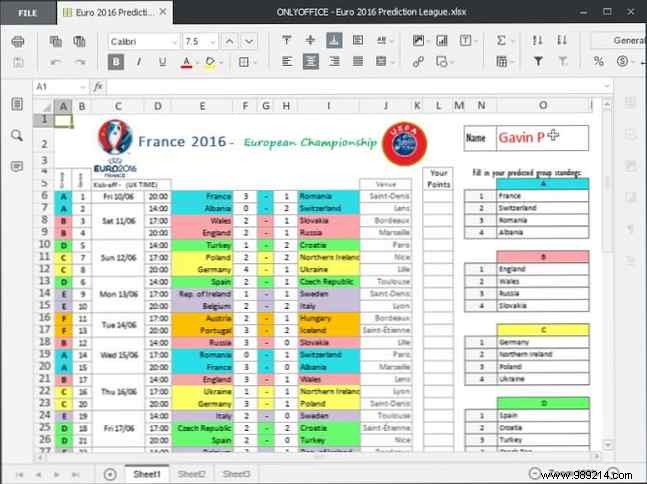
It holds its own against Excel for everyday tasks, with auto-suggest functions, diverse charts, and styles. Advanced power users might miss specialized tools, but it's ideal for casual to intermediate needs.
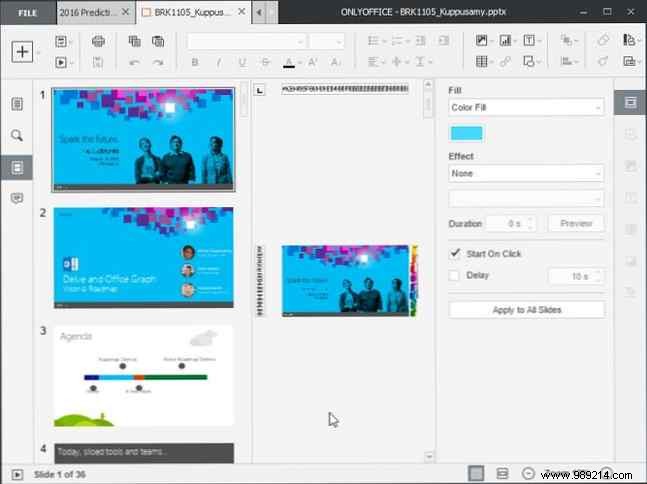
A solid PowerPoint rival with themes, standard/widescreen options, transitions, and effects—everything for professional slideshows.
Install the free open-source Community Server to unlock advanced features: integrated document management, Google Drive/Box/Dropbox/OneDrive/OwnCloud integration, file sharing, CRM, invoicing, project tools (Gantt charts, tasks), and more. Check the document, community, and mail servers here.
No major flaws, but paste formatting doesn't auto-merge, save times can lag on longer docs (this 1,000-word review took noticeable pauses), and window resizing is limited (min 800x600px)—frustrating on large monitors or laptops. Style presets vanish when minimized.
Yes—OnlyOffice earns my strong recommendation. It delivers a professional experience powered by community tools, perfect for individuals or teams ditching Microsoft subscriptions. Test it yourself; some features will delight, others may not fit power users.
What's your go-to office suite? Sticking with Microsoft, or ready for free open-source options? Share in the comments!
