Microsoft Office includes powerful built-in accessibility tools to support users with disabilities and help create inclusive documents. As a Microsoft Office expert with years of experience optimizing workflows for diverse teams, I've tested these features extensively. They operate at the system level and within Office apps, making documents more usable for everyone.
Whether you're dealing with visual impairments, dyslexia, or other challenges, these tools enhance usability. Here's a guide to the top five, drawn from real-world application.
Office apps like Word and Excel offer templates for reports, budgets, job applications, and more. Traditional ones can pose issues like small text or poor contrast.
Microsoft addresses this with an "Accessible" label in the template library. These are optimized for screen readers, high contrast, large fonts, and more.
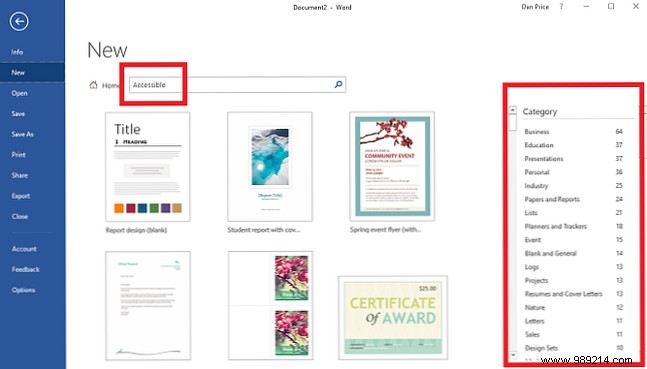
To access: Go to File > New, search "Accessible," and filter by categories. Preview details, then select Create to edit.
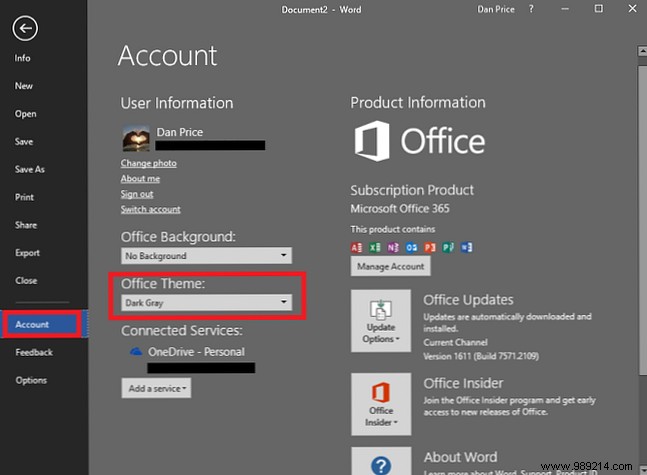
Dyslexia often makes screen reading harder than print, worsened by white backgrounds. While dark themes help, they don't change page color.
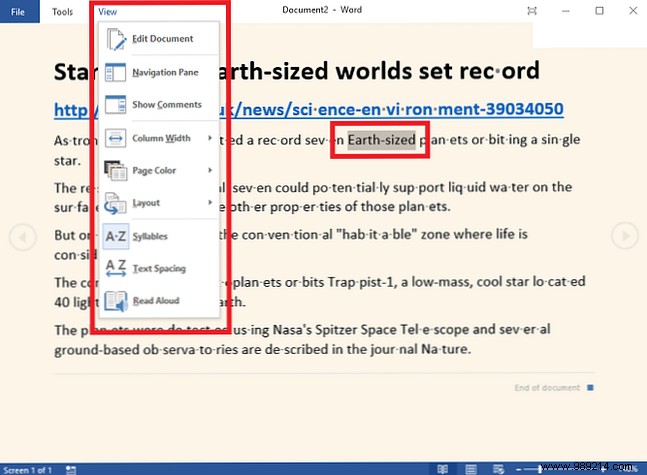
Office's Read Mode (via View > Reading View) focuses on text with customizable options: page backgrounds (white, sepia, black), syllable breaks, expanded word spacing, and text-to-speech with highlighting.
Microsoft has improved compatibility with screen readers and third-party tools across key apps:
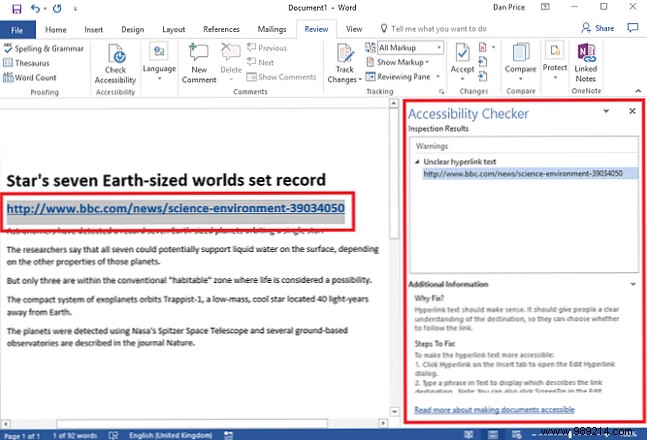
For creators: Ensure documents are usable by others with the built-in checker. Go to Review > Check Accessibility. It scans for issues, explains problems, and suggests fixes with highlights and training links.
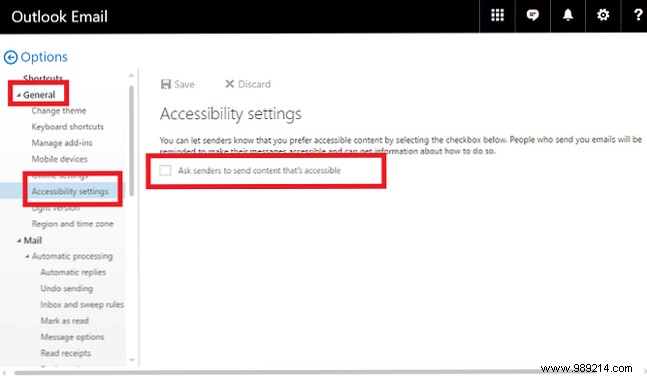
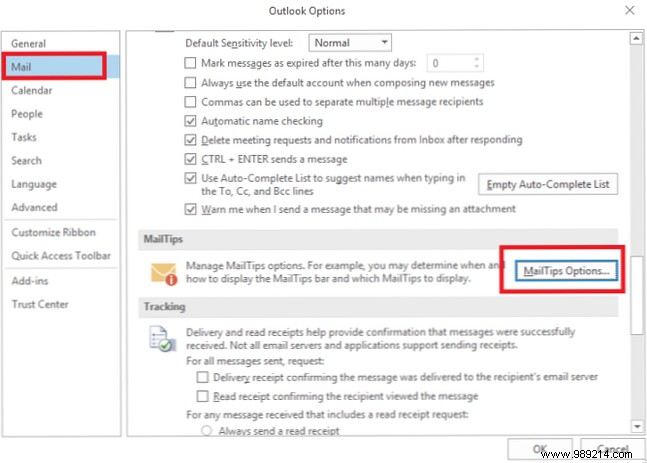
Outlook's MailTips prevent errors like missing attachments. New accessibility tips alert senders if recipients need accessible content and remind to run the checker.
Available now in Outlook web (Settings > View all Outlook settings > General > Accessibility > Ask users to send accessible content).
Desktop rollout soon via File > Options > Mail > MailTips Options.
These features advance inclusivity, but there's room for more. As daily users, what works well? What's missing? Share in the comments below.
