Family Encyclopedia >> Work

16 Essential Excel Formulas to Solve Everyday Financial and Data Challenges

Excel goes far beyond business spreadsheets—it's a versatile tool for real-life tasks like budgeting, loan comparisons, tax prep, grading, and more. Drawing from years of guiding users through practical Excel applications, I've curated these 15 straightforward yet powerful formulas (plus variations) that deliver real results. Whether you're a parent tracking household spending, a teacher calculating grades, or a homeowner evaluating mortgages, these will save you time and effort.

Financial Formulas

Confused by mortgage terms or car loan offers? Use Excel to compare options confidently before signing.

16 Essential Excel Formulas to Solve Everyday Financial and Data Challenges

Research ahead with these proven formulas—I've used them to help countless people make informed decisions.

PMT: Calculate Loan Payments

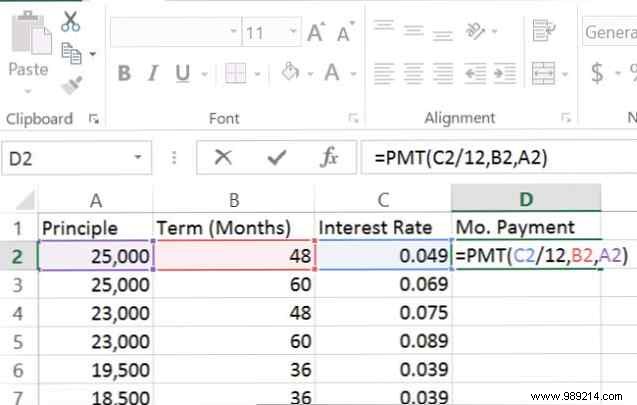
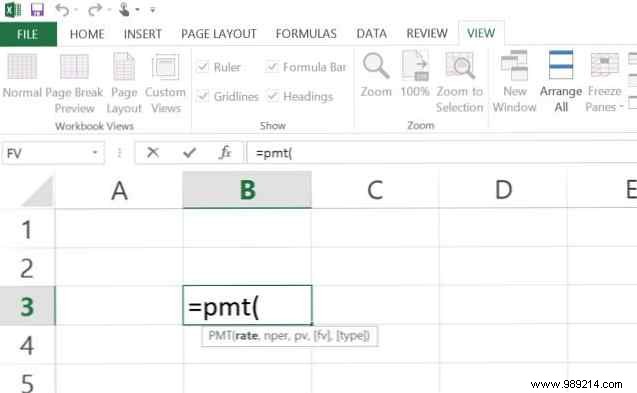
When comparing loan terms, the PMT formula instantly shows your monthly payment. It's simple and essential for side-by-side analysis.
16 Essential Excel Formulas to Solve Everyday Financial and Data Challenges

Key inputs:

  • Interest rate (as decimal).
  • Number of payments.
  • Loan principal.
  • Future value (optional).
  • Payment due: 0 (end of period) or 1 (beginning, optional).

16 Essential Excel Formulas to Solve Everyday Financial and Data Challenges

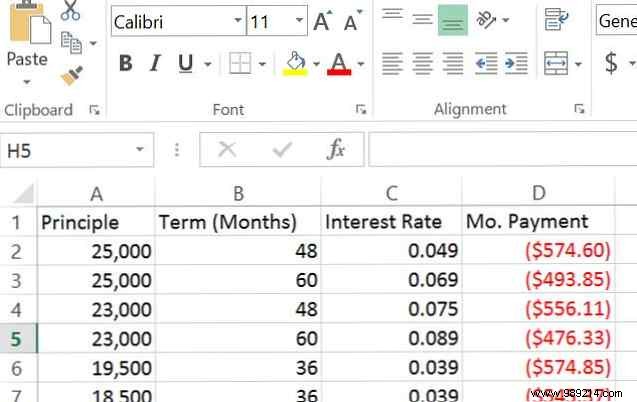
Drag the formula down to compare multiple loans. For a $19,500 car loan, a lower rate can save hundreds monthly and thousands overall. (Tip from Excel pro Mark Jones (@redtexture on Twitter): Match periods, e.g., divide annual rate by 12 for monthly.)
16 Essential Excel Formulas to Solve Everyday Financial and Data Challenges

FV: Project Future Value

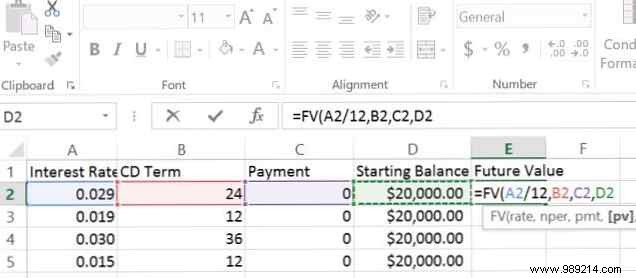
Planning a CD or investment? FV reveals the payout at maturity.

Inputs:

  • Interest rate.
  • Number of periods.
  • Periodic payment.
  • Present value (optional).
  • Due date (0 or 1, optional).

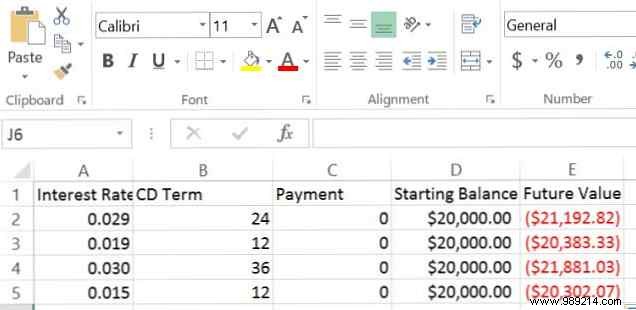
For a $20,000 CD investment:

16 Essential Excel Formulas to Solve Everyday Financial and Data Challenges

16 Essential Excel Formulas to Solve Everyday Financial and Data Challenges

Higher rates over longer terms yield more, but liquidity matters.

IF and AND: Spot Overspending

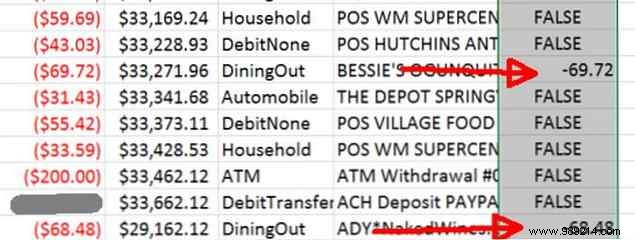
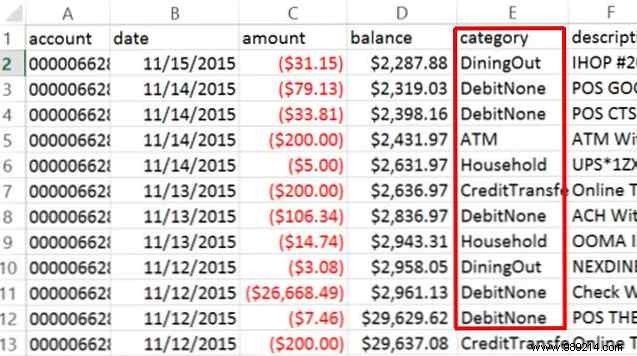
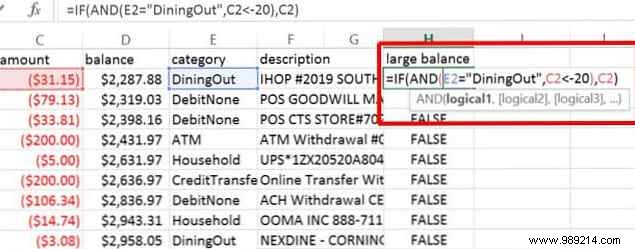
Download bank CSVs and use logic to flag excesses. Categorize dining, then highlight spends over $20.
16 Essential Excel Formulas to Solve Everyday Financial and Data Challenges

=IF(AND(B2="Dining",C2<-20),C2,FALSE)
16 Essential Excel Formulas to Solve Everyday Financial and Data Challenges

16 Essential Excel Formulas to Solve Everyday Financial and Data Challenges

Instant insights without manual review.

Managing Lists Efficiently

From PTA donations to employee expenses, Excel organizes chaos.

COUNTIF and SUMIF

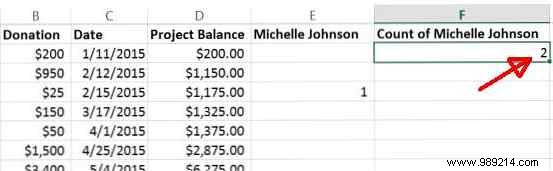
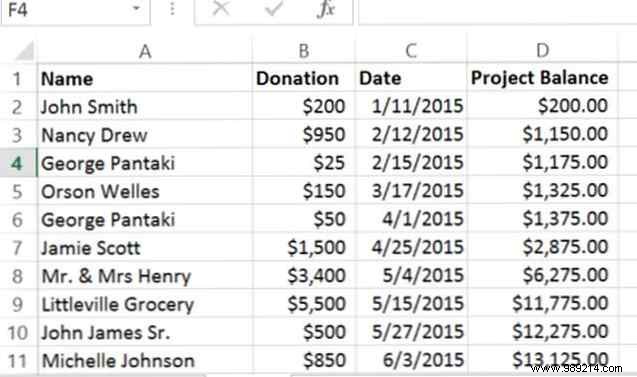
Count specific entries in donor lists:
16 Essential Excel Formulas to Solve Everyday Financial and Data Challenges

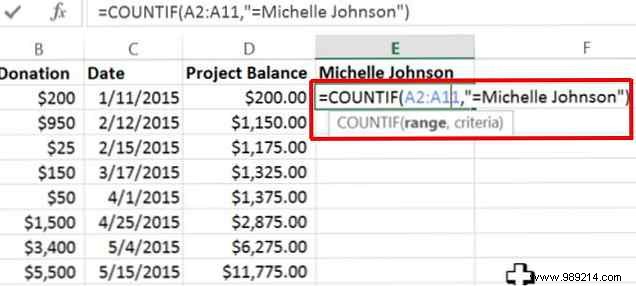
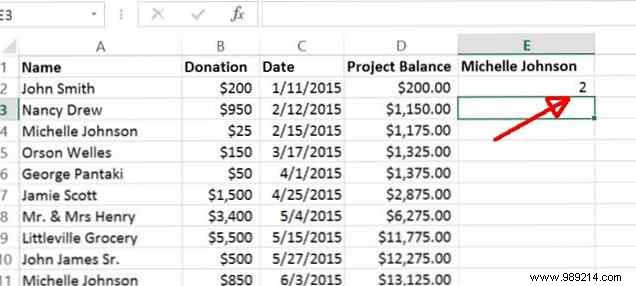
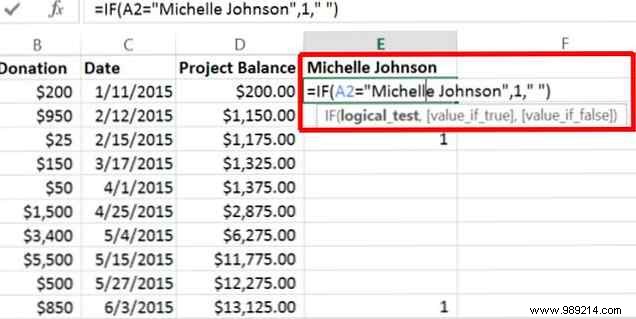
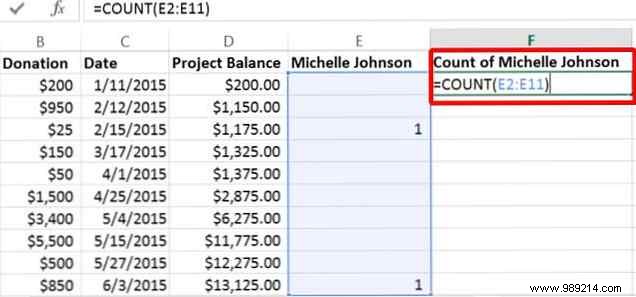
First, flag with IF, then COUNT non-blanks. Or use COUNTIF directly: =COUNTIF(A:A,"Michelle Johnson")
16 Essential Excel Formulas to Solve Everyday Financial and Data Challenges

16 Essential Excel Formulas to Solve Everyday Financial and Data Challenges

16 Essential Excel Formulas to Solve Everyday Financial and Data Challenges

16 Essential Excel Formulas to Solve Everyday Financial and Data Challenges

16 Essential Excel Formulas to Solve Everyday Financial and Data Challenges

SUMIF and AVERAGEIF work similarly for totals/averages.

LEN: Analyze Text Length

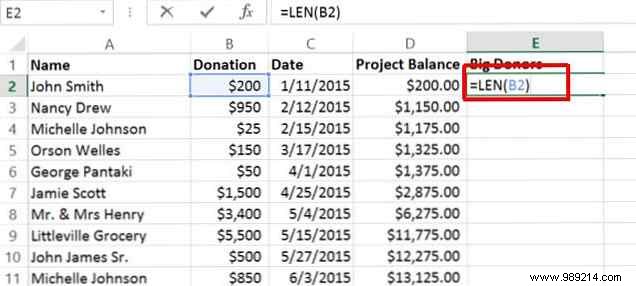
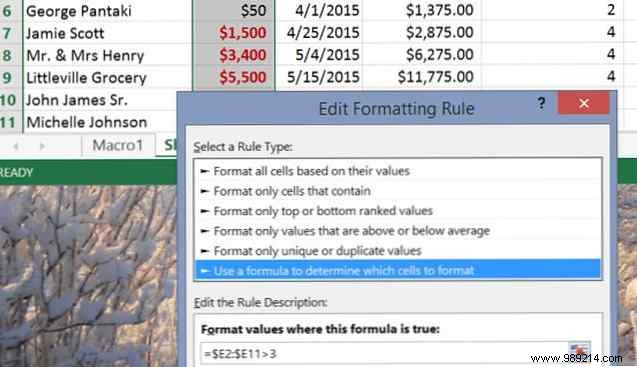
LEN counts characters—spot big donations (>$1,000 have 4+ digits).
16 Essential Excel Formulas to Solve Everyday Financial and Data Challenges

Apply conditional formatting: Home > Conditional Formatting > New Rule > Use formula ($E2:$E11>3).
16 Essential Excel Formulas to Solve Everyday Financial and Data Challenges

Organizing Bank Downloads

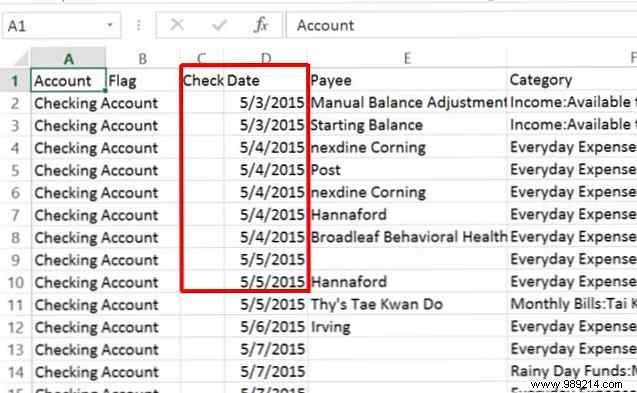
Mismatched data? Extract and reformat easily.
16 Essential Excel Formulas to Solve Everyday Financial and Data Challenges

RIGHT, LEFT, TEXT, CONCATENATE

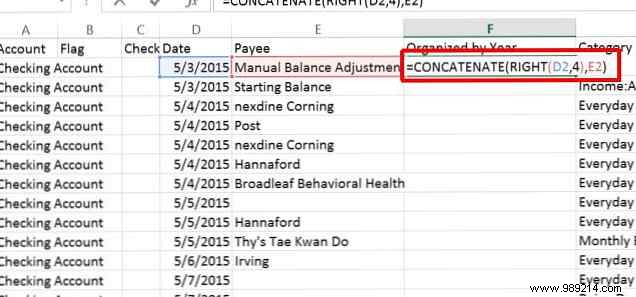
Grab year: =RIGHT(D2,4). Concatenate: =CONCATENATE(RIGHT(D2,4),E2)
16 Essential Excel Formulas to Solve Everyday Financial and Data Challenges

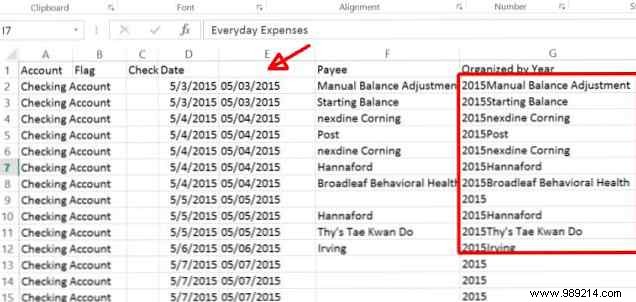
For dates: =TEXT(D2,"mm/dd/yyyy"), then RIGHT.
16 Essential Excel Formulas to Solve Everyday Financial and Data Challenges

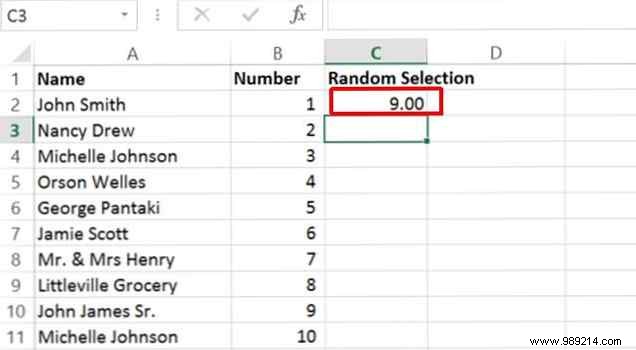
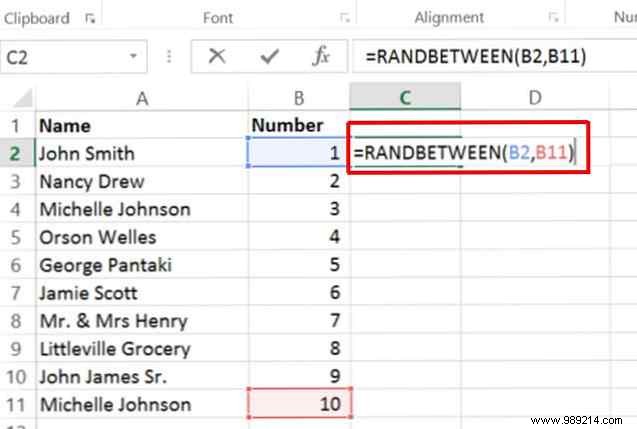
Random Selection: RANDBETWEEN

Pick raffle winners fairly: =RANDBETWEEN(1,50)
16 Essential Excel Formulas to Solve Everyday Financial and Data Challenges

16 Essential Excel Formulas to Solve Everyday Financial and Data Challenges

Excel for Everyday Wins

These formulas prove Excel's power for anyone. Share your creative uses in the comments!