Microsoft Word remains the gold standard for word processing, but its subscription costs and complexity drive many users to seek alternatives. Whether you're looking for free tools due to budget constraints, cross-platform compatibility, or a simpler interface, plenty of reliable options exist.
We've tested dozens of word processors over years of professional writing and editing. Here are 10 standout free alternatives that deliver robust features without compromising quality.
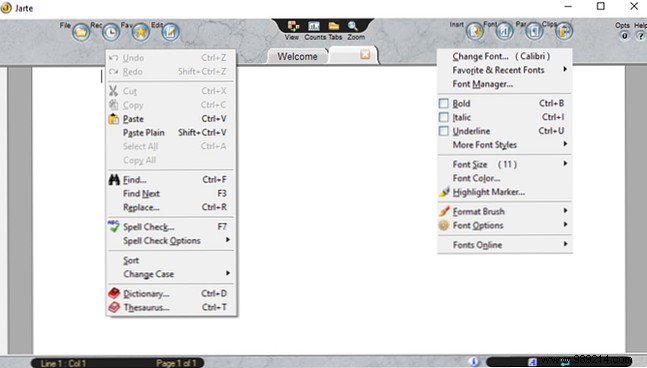
Jarte offers a clean, tabbed interface reminiscent of classic word processors, making it intuitive for everyday use. Customize button labels, enable auto-link detection, and adjust text wrapping to suit your workflow.
Key Features:
Download Jarte for free. For extras like custom shortcuts, scripts, and autocorrect, upgrade to Jarte Plus.
Download: Jarte
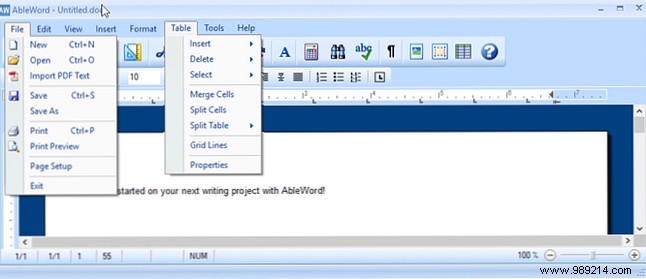
AbleWord mirrors Microsoft Word's familiar ribbon interface, with top menus for File, Edit, and View, quick-action buttons, and a dedicated font bar—ideal for seamless transitions.
Key Features:
Fully free with no limits. Access help via the toolbar or online documentation.
Download: AbleWord
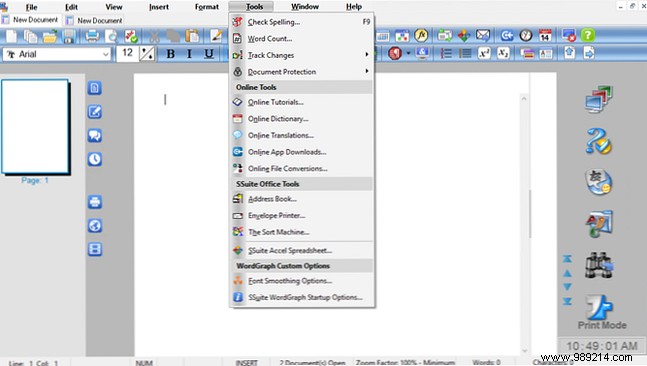
From SSuite Office, WordGraph provides a professional layout with tabbed documents, standard menus, and quick tools—perfect for users wanting a full-featured suite without the bloat.
Key Features:
Free download, plus tutorials for quick onboarding.
Download: WordGraph
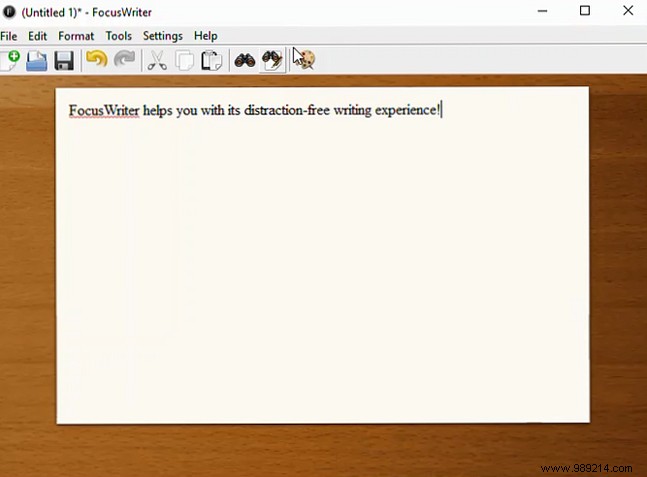
FocusWriter excels in distraction-free writing with a serene wooden background and hidden toolbars that appear on hover—trusted by authors for boosting productivity.
Key Features:
Free across platforms for focused writing sessions.
Download: FocusWriter
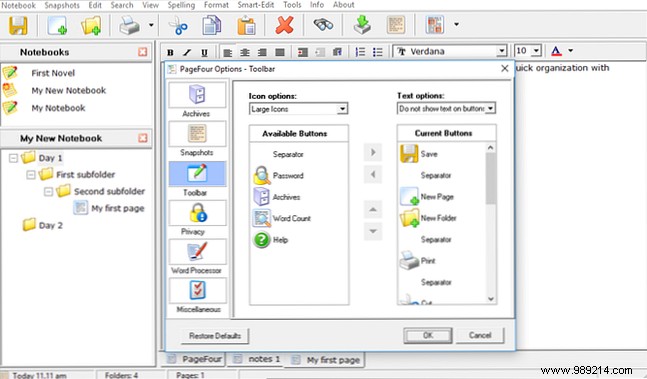
Page Four suits writers and organizers with its notebook system for hierarchical folders, subfolders, and pages—great for managing projects.
Key Features:
Free from Bad Wolf Software (no future updates).
Download: Page Four
Shaxpir 4 (pronounced like Shakespeare) targets creative writers but works for essays and brainstorming too. Organize by books, stories, or articles in an intuitive interface.
Key Features:
Free with Pro trial for EPUB, themes, history.
Download: Shaxpir 4
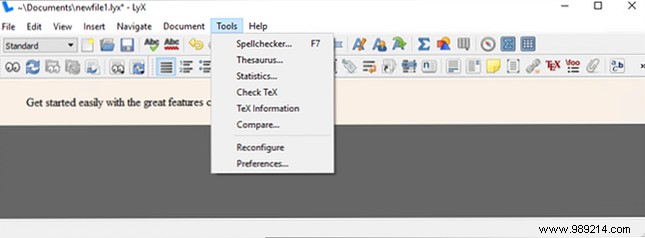
LyX is a powerhouse for technical documents, with tabbed views and tooltip hints easing its button-heavy interface.
Key Features:
Open-source, multi-platform, with active development info.
Download: LyX
No downloads needed—access ThinkFree via browser. Start with New Document > Word for a familiar editor.
Key Features:
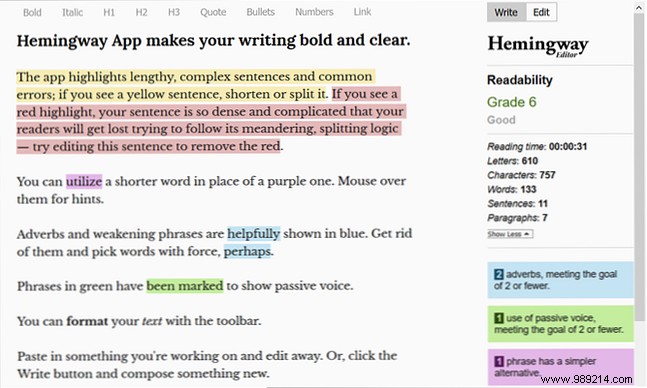
Hemingway prioritizes clarity with readability analysis. Write, then Edit for insights—no images/tables, but excellent for prose.
Key Features:
Free online; desktop app ($19.99).
Website: Hemingway
Download: Hemingway Editor 3 for Windows | Mac ($19.99)
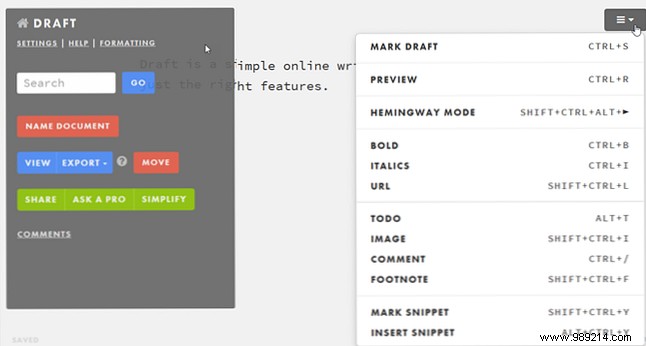
Draft is a minimalist online tool with version control. Sign up free and start writing—perfect for collaboration.
Key Features:
Ideal for any web-connected device.
Website: Draft
From full suites to minimalist editors, these tools cover every need. Test a few to find your fit and elevate your productivity today.
