As a seasoned Microsoft Office user with years of experience optimizing workflows, I've seen how small updates can transform daily tasks. Office 2016 introduces features that streamline collaboration, data handling, and presentation creation. Here's my curated list of the top 10 enhancements to boost your efficiency across Word, Excel, PowerPoint, and Outlook.
Across Office apps
Streamline Outlook with a one-click Archive button. Easily add or navigate ribbon groups using new controls. If missing, customize via right-click on the ribbon > Customize Ribbon. Add commands from the left panel to the right for a tailored interface.

Word and PowerPoint
Share and comment effortlessly with icons at the top-right. Track changes via the Activity button, which opens a side panel showing document history and versions.

Outlook
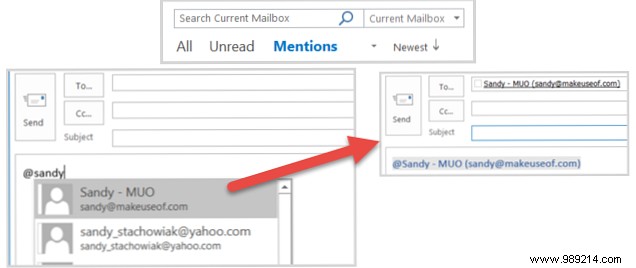
@Mention colleagues in emails or invites by typing @ followed by their name. A dropdown lists contacts; selections highlight names, auto-add to To: field, and enable inbox sorting by mentions.
Excel
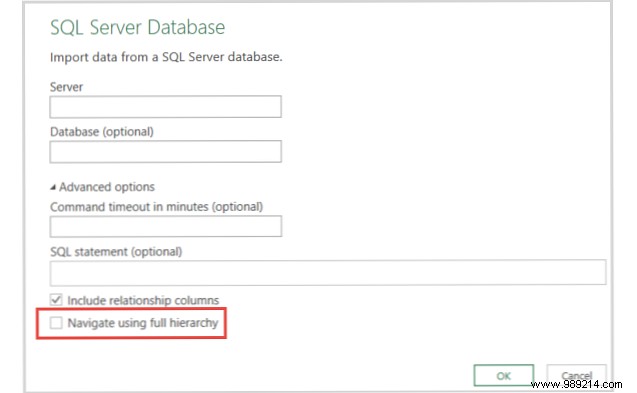
Import from SAP HANA, SharePoint, Salesforce via Data > New Query. Improved IBM DB2 (Microsoft driver) and SQL Server (schema navigation) connectors enhance data workflows.
Word, Excel, PowerPoint
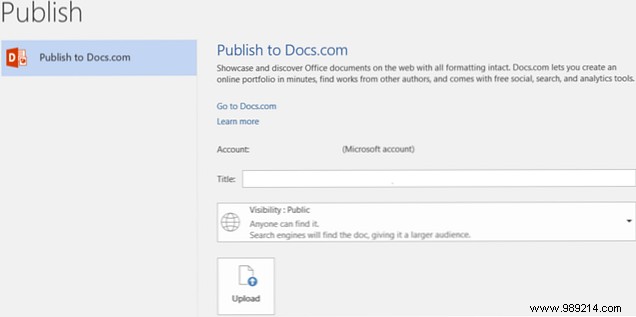
Share docs directly: File > Publish > Docs.com. Set title and visibility; sign in with email, Facebook, or Microsoft account.
Excel
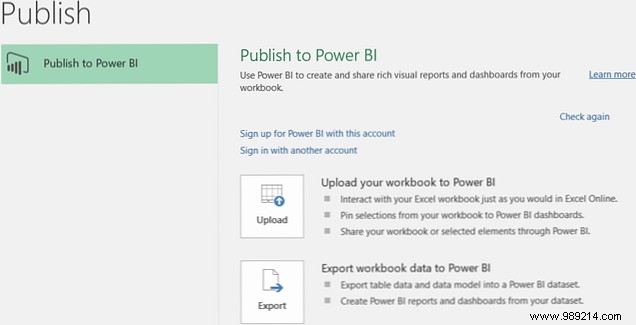
Transform data into interactive dashboards: File > Publish. Requires OneDrive for Business.
Word
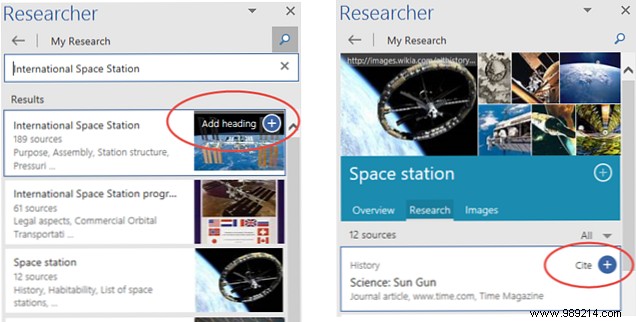
Ideal for research: Toolbar > Researcher. Search terms, insert headers, cite sources, or drag images directly into docs.
Outlook
Submit ideas: File > Feedback > Outlook 2016 Comments. Vote or propose via browser.

PowerPoint
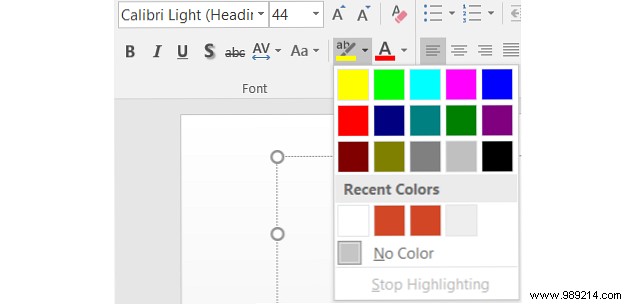
Highlight text like in Word: Home tab > select text > Text Highlighter > choose color.
PowerPoint
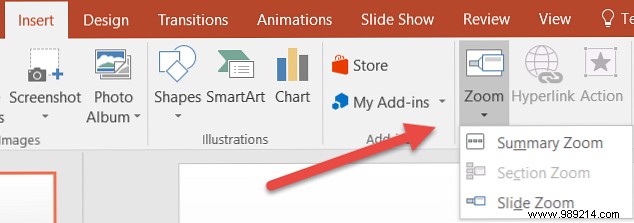
Navigate dynamically: Insert > Zoom.
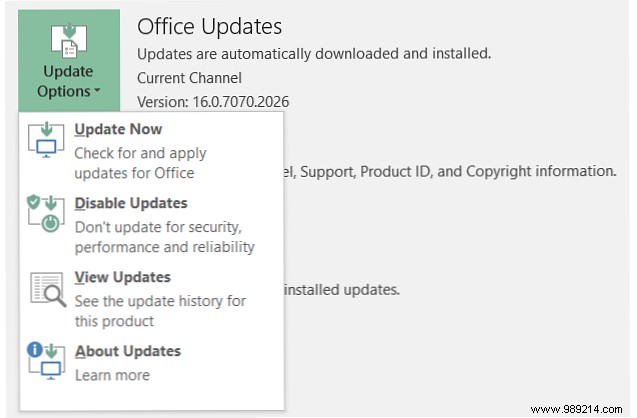
Check new features: File > Account > What's New. Office 365 users, update via Update Options.

Office 365 and Insiders get features first. Visit the Office Insider page for previews.
Which Office 2016 feature has boosted your productivity most? Share in the comments below!
