Still printing Excel spreadsheets? Discover five compelling reasons to switch to digital workflows for greater efficiency and productivity.
Printers are notoriously costly to operate, environmentally taxing, and prone to jams and glitches. More importantly, printing limits Excel's full potential. As Excel experts know, digital files unlock interactive features, seamless collaboration, and portability that paper simply can't match.
A printed spreadsheet is static and cumbersome. By going digital, you leverage Windows tools, create interactive sheets, and access files anywhere. It's time to retire those paper stacks.
Many print spreadsheets for handwritten notes, but paper notes are easily lost. Excel's Draw tab, powered by Windows Ink, offers a superior solution.
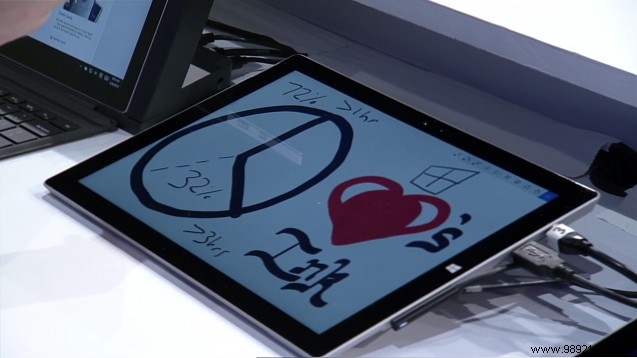
Use stylus pens with customizable widths and colors. Notes are saved digitally, editable anytime, and shareable—perfect for professional presentations. No more lost annotations.
Large spreadsheets become unmanageable when printed, especially with scrolling. Digital tools like Freeze Panes keep headers visible.
Go to the View tab, click Freeze Panes, and select Freeze Top Row or Freeze First Column.
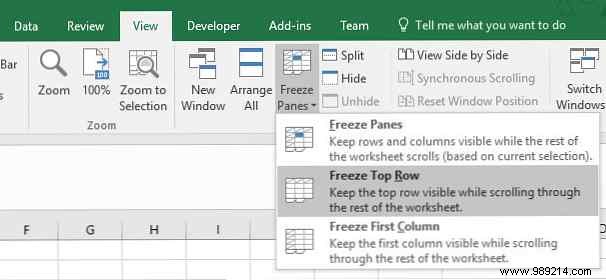
Scroll freely while headers stay put. Use Freeze Panes for custom areas—far more efficient than reprinting multiple pages.
Excel shines in shared environments. Printing leads to version confusion; digital sharing via OneDrive ensures everyone accesses the latest file.
Store files in a shared OneDrive folder for real-time updates, eliminating outdated prints and boosting team accuracy.
Once tethered to desks or laptops, Excel is now fully mobile. With a Microsoft 365 subscription, download Excel apps for iOS and Android to edit anywhere.
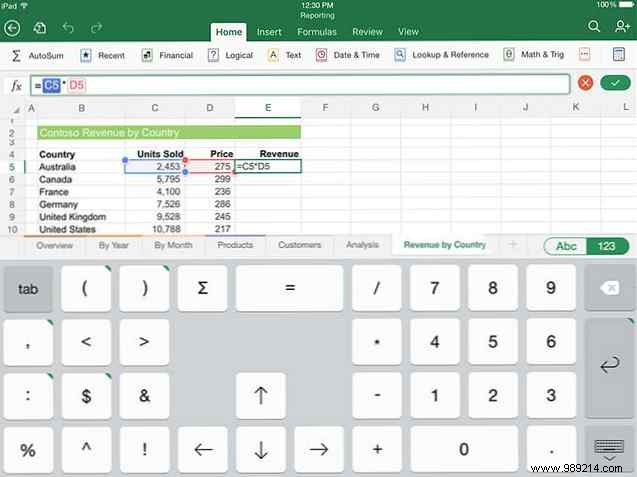
No need for bulky printouts—open, edit, and sync spreadsheets on your phone effortlessly.
Printed sheets freeze data in time. Digital Excel enables auto-updating visuals like charts.
Track IMDb ratings for Star Wars films? Set up a table (Ctrl + T), then insert a chart from the Insert tab.
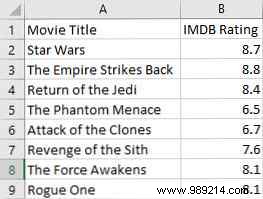
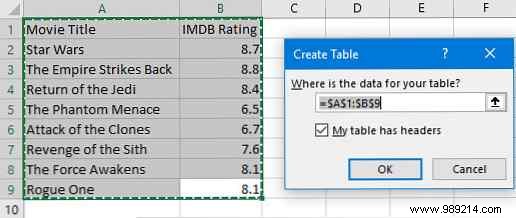
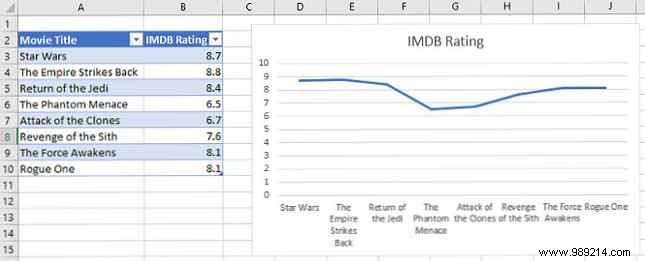
Add data, and charts update instantly—no reprints needed. Elevate further with interactive dashboards.
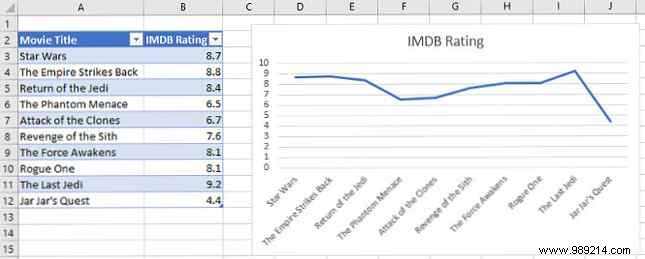
Excel evolved from print prep to dynamic analysis. Unnecessary printing wastes resources and misses features. Reserve prints for rare cases, like single-page fits.
Microsoft continually enhances Office for digital-first use—don't get left behind clinging to paper.
Why do you prefer digital over prints? Share your paperless tips in the comments below!
