As a Microsoft Office expert with years of experience guiding teams through collaborative workflows, I've seen how version history transforms document sharing. Gone are the days of emailing files back and forth, risking lost changes. Office 2016's real-time collaboration and History feature make teamwork seamless and transparent.
With full version tracking—including who made edits and when—you'll collaborate with confidence, no matter if your team is across the office or globe.
Office 2016 shines in real-time editing, perfect for distributed teams. Start by opening your document and clicking the Share button in the upper-right corner.
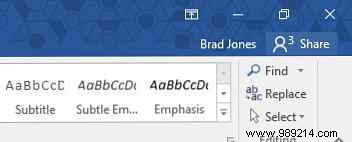
Save to OneDrive or SharePoint for cloud access, then invite collaborators via email. Grant view-only or edit permissions as needed. Contributors get an email link to open in Word Online or desktop apps.
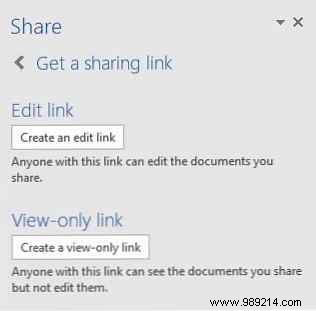
Alternatively, use Get a link to share for flexible distribution.
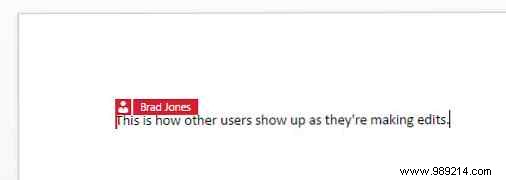
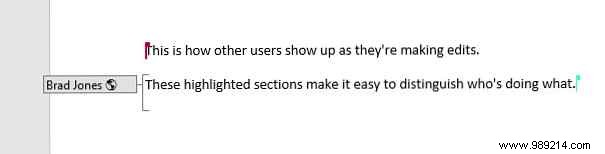
Active users appear as color-coded cursors. Hover for names, and check the Share panel for who's online. Edits highlight instantly for all, eliminating version conflicts.
This approach prevents the chaos of emailed attachments, with History providing a complete audit trail.
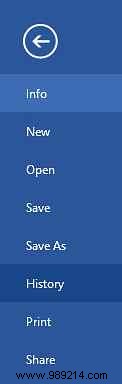
Available for OneDrive for Business or SharePoint users, access history via File > History. (For others, use Track Changes.)
The right panel lists versions by editor, date, and time. Click any to review or compare side-by-side.
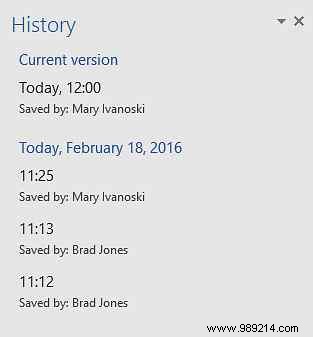
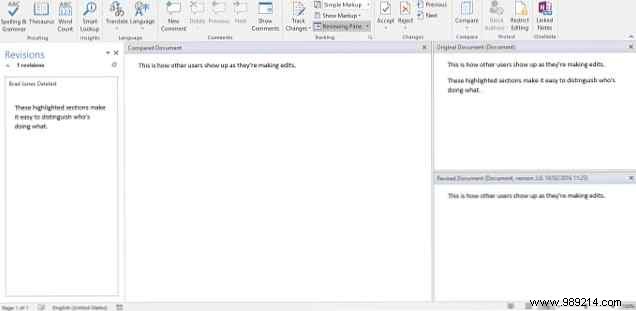
History modernizes Track Changes for cloud workflows. While Track Changes suits sequential edits, History excels in real-time scenarios.
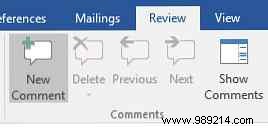
Access comments via the Review tab, and hover names in Share for contact details.
Both coexist, but History aligns with Office's collaborative future.
What's your top tip for Office collaboration? Struggling with History? Share in the comments below.
